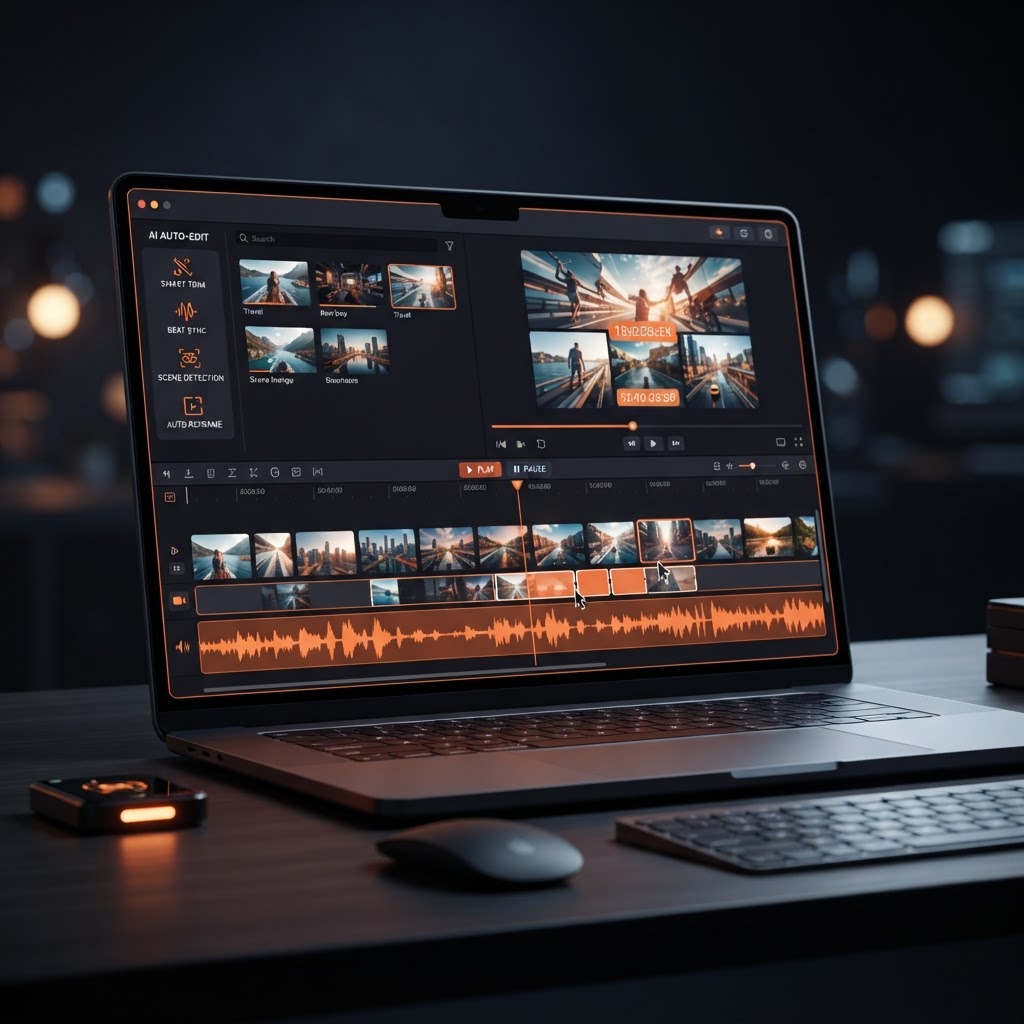
1. Introduction: The Demystification of Video Production
For decades, video editing was widely considered one of the most technically intimidating creative disciplines. Mastering traditional Non-Linear Editing (NLE) software like Adobe Premiere Pro, Final Cut Pro, or DaVinci Resolve required hundreds of hours of dedicated practice. Beginners were routinely overwhelmed by dense user interfaces, intricate multi-track timelines, complex keyframe animation controls, color grading wheels, audio equalization nodes, and obscure export rendering codecs. For aspiring content creators, musicians, bedroom producers, and YouTubers, the sheer steepness of the video learning curve often meant abandoning creative ambitions before publishing a single video.
In 2026, artificial intelligence has fundamentally disrupted this equation. We have officially entered the golden age of AI video editing for beginners. Today, creating stunning, broadcast-quality video content no longer requires formal film school training, expensive camera equipment, or a multi-thousand-dollar video editing rig. AI video creators interpret natural language text prompts, automatically synchronize visuals to musical beats, synthesize dynamic animated lyrics, and handle complex color grading and aspect ratio re-formatting automatically.
Whether you want to launch a monetized YouTube channel, produce viral TikTok videos, design hypnotic music visualizers, or create engaging promotional clips for social media, AI tools make professional video creation accessible to everyone. In this comprehensive beginner’s guide, we will break down core AI video editing concepts, evaluate traditional NLE software against modern AI engines, explore the powerful capabilities of Jutoka, master prompt architecture, and guide you step-by-step through producing your very first professional video with zero prior technical experience.
“AI video editing transforms video creation from a complex mechanical task into an effortless, intuitive conversational art form. If you can type a descriptive sentence, you can direct a cinematic video.”
2. Understanding Core AI Video Editing Concepts for Beginners
Before diving into hands-on video creation, it is helpful to familiarize yourself with the foundational concepts and underlying technologies powering modern AI video platforms. Unlike traditional manual editors that rely on physical cutting tools and track stacking, AI video creators utilize deep learning models trained on millions of hours of visual and audio data.
Text-to-Video Generation
Text-to-video generation is the process of synthesizing completely original, high-definition video clips directly from written text prompts. By entering a detailed description—such as “Cinematic 4K wide shot of a futuristic cyberpunk city covered in neon orange rain, slow camera pan, 60fps”—the AI engine renders a brand-new, realistic video scene frame by frame without requiring stock footage subscriptions, green screens, or physical cameras.
Image-to-Video & Style Transfer
Image-to-video technology takes a static photograph, digital illustration, or AI-generated image and animates it with realistic physical motion. You can bring static album art, character portraits, or landscape drawings to life with subtle camera pans, flowing water effects, drifting clouds, or atmospheric lighting shifts. Style transfer allows creators to apply specific visual aesthetics—such as vintage 35mm film grain, Ghibli-inspired anime styling, or 3D unreal engine renders—to existing video footage.
Automated Beat Synchronization & Audio-Visual Alignment
Audio is half of the visual experience. AI beat-matching engines automatically analyze audio tracks, identifying rhythm drops, snare hits, tempo changes, and vocal frequencies. The AI engine then automatically snaps scene transitions, camera cuts, light bursts, and visual effects directly onto musical beats, creating a polished, rhythmically captivating video that keeps viewers hooked.
Dynamic Lyric Generation & Kinetic Typography
Captions and synchronized lyrics are essential for retaining viewer attention on social feeds where audio is often muted by default. AI lyric video generators automatically extract vocal audio, transcribe lyrics with pinpoint timing, and animate stylish text fonts synchronized to the track’s tempo. Viewers read along seamlessly while enjoying dynamic background visuals.
Smart Aspect Ratio Auto-Resizing
Different publishing platforms demand different video dimensions. YouTube long-form requires 16:9 widescreen, TikTok and Instagram Reels demand 9:16 vertical, while Instagram feed posts prefer 1:1 square. AI video tools automatically re-frame, crop, and adjust scene compositions for every platform layout with a single click, eliminating tedious manual timeline re-formatting.
3. Traditional Video Editing vs. AI Video Creation: A Comprehensive Comparison
To appreciate how revolutionary AI video editing truly is, let us compare the traditional editing process against modern AI video workflows across key operational dimensions.
| Feature / Dimension | Traditional NLE Software | Modern AI Video Creator (e.g. Jutoka) |
|---|---|---|
| Learning Curve | Steep (Months to years of technical study) | Instant (Minutes via intuitive prompts & presets) |
| Hardware Requirements | High-end GPU, 32GB+ RAM, massive storage | Cloud-based (Runs on any laptop or tablet) |
| Sourcing B-Roll Footage | Hours searching stock sites or filming manually | Instant AI text-to-video scene generation |
| Lyric & Subtitle Sync | Manual text entry & manual frame alignment | 100% Automated waveform & beat synchronization |
| Music & Audio Creation | Requires separate DAW or licensing fees | Integrated royalty-cleared AI music generator |
| Average Creation Time | 8 to 15 hours per polished video project | 15 to 30 minutes per complete video export |
As the comparison table illustrates, AI video creation tools compress workflows that once required specialized hardware and multi-day rendering schedules into lightning-fast cloud processes. Beginners can produce content that competes directly with established production houses from day one.
4. Essential Features to Look for in a Beginner-Friendly AI Video Platform
With numerous AI tools emerging in the creator space, selecting the right software is critical for long-term growth. When choosing an AI video editor as a beginner, prioritize platforms that offer the following core features:
1. Intuitive, Prompt-Guided User Interface
Avoid platforms cluttering the screen with dense, overwhelming sub-menus. The ideal AI editor provides clean visual controls, simple text inputs, and real-time preview monitors that let you experiment freely without fear of making technical mistakes.
2. Integrated AI Audio & Music Synthesis
Video without great audio feels incomplete. A top-tier platform should include built-in AI music generation tools so you can compose custom background soundscapes, lofi beats, or upbeat tracks without navigating third-party audio licensing sites.
3. Automated Lyric & Typography Engine
If you are a musician, lyricist, or music curator, having dedicated dynamic lyric visualizer tools is essential. Look for engines that provide customizable font styles, text color highlights, glow effects, and precise rhythm synchronization.
4. Multi-Platform Export Controls
Ensure the platform allows you to export high-definition 1080p and 4K videos formatted for widescreen YouTube (16:9), vertical TikTok/Reels (9:16), and square social posts (1:1) without watermarks or quality degradation.
5. Commercial Usage & Copyright Clearance
This is non-negotiable. The AI platform must grant full commercial usage rights for all generated video renders, music tracks, and text styles so you can monetize your content on YouTube, TikTok, and Instagram without receiving copyright strikes.
5. Deep Dive into Jutoka’s AI Video & Content Generation Capabilities
Engineered specifically for content creators, musicians, and aspiring YouTubers, Jutoka is a premier all-in-one AI content creation suite. Jutoka removes all technical complexity, enabling beginners to generate high-impact video assets instantly.
Core Tools in the Jutoka Suite:
- Jutoka AI Video Generator & Editor: Turn written descriptions into cinematic HD scenes complete with custom lighting, camera movement, and aesthetic styling.
- Jutoka Dynamic Lyric Video Generator: Create hypnotic, beat-synced animated lyric visualizers for any audio track with customizable typography styles.
- Jutoka AI Music Generator: Compose original, royalty-cleared music tracks across Lofi, Synthwave, Chillhop, Ambient, and EDM genres in seconds.
- Jutoka Monetization Blueprint: Step-by-step strategies and guides to help you monetize your generated video content across YouTube, TikTok, and Instagram.
Why Beginners Choose Jutoka
Jutoka was built on the philosophy that creative direction should lead technical execution. The user dashboard provides pre-built visual templates, style presets, and guided prompt suggestions. Whether you want to create an aesthetic 3-hour Lofi study video or a 15-second viral TikTok clip, Jutoka delivers high-end production value effortlessly.
6. Step-by-Step Tutorial: Creating Your First Professional Video from Scratch
Ready to build your first video? Follow this detailed step-by-step beginner tutorial to transform an initial concept into a fully polished, monetizable video using Jutoka.
Step 1: Define Your Creative Concept and Video Purpose
Before launching your editor, establish a clear creative goal. Ask yourself:
- What platform am I publishing to? (e.g., YouTube Long-Form, TikTok Vertical Short, Instagram Reel)
- What is the genre or topic? (e.g., Lofi Chill Study Mix, Cyberpunk Music Video, Motivational Quote Video)
- What is the primary visual aesthetic? (e.g., Anime Lofi, Photorealistic Sci-Fi, Vintage Retro 80s)
Step 2: Generate or Upload Your Audio Soundtrack
Audio dictates the emotional rhythm of your video. If you do not have an audio track ready, head over to Jutoka AI Music. Select your desired genre (e.g., Lofi Chillhop), choose your tempo/BPM (e.g., 85 BPM relax beat), and click Generate. Within seconds, Jutoka produces a multi-minute, royalty-cleared original track complete with stems. If you are a musician or podcaster, simply drag and drop your existing MP3 or WAV vocal audio file.
Step 3: Generate Visual Scenes Using AI Text Prompts
Open the Jutoka AI Video Editor. In the text prompt box, describe the visual scene you want to generate. Use descriptive adjectives detailing subject matter, lighting, camera angle, and artistic style.
Example Prompt: Cozy anime bedroom during a gentle night rain, soft ambient desk lamp lighting, warm orange highlights (#F28546 accent tones), slow cinematic zoom, highly detailed, 4K resolution.
Click Synthesize Scene. Jutoka’s AI engine renders high-definition video clips matching your prompt. Generate 3 to 5 complementary scene variations to keep your video visually dynamic.
Step 4: Apply Dynamic Beat-Synced Lyric Overlays
If your project includes vocal music or spoken commentary, open the Jutoka Lyric Video Generator. Jutoka automatically analyzes the audio waveform, transcribes the lyrics, and places animated typography on screen. Customize the text appearance:
- Font Selection: Choose modern sans-serif, bold neon, or handwriting fonts depending on genre.
- Color Styling: Set primary text color (e.g., clean white) with active word highlights in vibrant orange (
#F28546) to draw eyes directly to emphasized words. - Animation Motion: Select kinetic pop, subtle fade, or glowing neon pulse synced precisely to bass drops.
Step 5: Fine-Tune Color Grading, Branding, and Transitions
Apply cohesive color presets across all generated scenes to ensure seamless visual harmony. Add subtle cinematic transitions—such as cross-fades or light leaks—between scene cuts. Incorporate your personal logo, social media handle, or channel watermark in the corner of the frame to build strong brand recognition.
Step 6: Render and Export in HD / 4K Across All Formats
Once you are satisfied with the preview monitor, choose your export settings:
- YouTube Long-Form: Select 16:9 Widescreen aspect ratio, 1080p or 4K resolution, 60fps.
- TikTok / YouTube Shorts / Reels: Select 9:16 Vertical aspect ratio. Jutoka automatically re-centers visual subjects and resizes text overlays for portrait smartphone displays.
- Click Export Video. Your finalized video will be rendered and downloaded in minutes, ready for instant upload.
7. Masterclass: How to Write High-Performing AI Video Prompts
The secret to generating captivating visual content lies in mastering prompt structure. A vague prompt like “a cool background” produces bland results. A structured, descriptive prompt produces cinematic magic. Use this proven 5-part prompt formula when using Jutoka AI Video Editor:
The 5-Part Cinematic Prompt Formula:
[Subject] + [Environment/Setting] + [Lighting & Color Palette] + [Camera Motion/Angle] + [Aesthetic Style & Quality]
8 Tested Prompt Templates for Popular Content Niches
1. Lofi Study & Relaxing Music Video
A quiet Japanese coffee shop during sunset, golden sunlight streaming through glass windows, warm orange aesthetic (#F28546 accent light), cozy steam rising from a cup, slow panning shot, studio ghibli anime style, warm atmospheric glow, 4K resolution.
2. Cyberpunk Synthwave Visualizer
A futuristic sports car speeding along a neon highway toward a glowing digital grid, vibrant cyan and bright orange neon reflections, rain-slicked asphalt, low camera angle following car exhaust, retro 80s synthwave visualizer, ultra-detailed 60fps.
3. Cinematic Faceless Documentary / Storytelling
Dramatic aerial wide shot of ancient mystical ruins atop a misty mountain peak, volumetric moody morning fog, sunbeams breaking through clouds, slow cinematic drone descent, photorealistic National Geographic cinematography, 8K ultra HD.
4. Upbeat EDM / Pop Music Lyric Video Background
Abstract geometric light waves pulsing in deep dark space, vibrant glowing particle streaks exploding on musical beats, dark cosmic background, energetic camera dolly forward, modern motion graphics aesthetic, sharp contrast, highly mesmerizing.
5. Relaxing Nature & Ambient Soundscape
Serene emerald pine forest during a soft autumn drizzle, golden sunlight filtering through tall pine trees, gentle river flowing over smooth river rocks, slow horizontal camera glide, photorealistic nature documentary quality, ultra-clean 4K.
6. Sci-Fi Space Visualizer
Majestic view of a swirling orange nebula in deep space, glowing distant stars and galaxy clusters, cinematic slow rotational camera orbit, high-contrast dark space background, Unreal Engine 5 render style, 8K resolution.
7. High-Energy Gym Workout Background
Dynamic close-up of a dimly lit modern gym, dramatic rim lighting, vibrant neon orange accents (#F28546), heavy rain hitting glass windows in background, fast kinetic camera tracking shot, intense moody aesthetic, 60fps.
8. Retro Vintage 70s Vinyl Lounge
Cozy retro living room with vintage vinyl record player spinning, warm analog film grain, golden hour sunlight, soft dust motes floating in air, slow zoom in on vinyl turntable, 70s cinematic aesthetic, rich warm color tones.
8. Aesthetic Color Theory & Branding for Beginner Video Creators
Creating professional videos requires more than generating isolated cool clips; it requires establishing a signature visual identity. Viewers scroll past thousands of videos daily. To make your content recognizable instantly, apply foundational color theory and brand consistency.
The Power of Signature Brand Colors
Top YouTube channels and media brands utilize signature highlight colors across their video intro graphics, thumbnail titles, lower-third overlays, and dynamic lyric highlights. For instance, incorporating warm, high-contrast energetic colors like Jutoka’s signature orange (#F28546) creates an immediate visual anchor. Orange evokes creativity, warmth, energy, and enthusiasm—making it ideal for highlighting active lyric words, call-to-action buttons, and thumbnail text highlights.
Maintaining Visual Cohesion Across Video Sequences
When generating multi-scene videos, ensure that lighting direction, color temperature, and contrast levels remain consistent from scene to scene. Applying Jutoka’s built-in aesthetic filters guarantees that your video maintains cinematic flow without jarring color shifts between edits.
Furthermore, aligning thumbnail visuals with the internal color scheme of your video boosts initial Click-Through Rates (CTR) while lowering bounce rates, signalling positive retention signals to search algorithms.
9. How Beginners Can Monetize AI Video Content in 2026
Creating beautiful videos is rewarding, but turning your creative output into a reliable income stream is life-changing. Here are four proven monetization paths for beginner AI video creators.
1. YouTube Partner Program Ad Revenue
By creating consistent long-form video content—such as Lofi study mixes, ambient soundscapes, or lyric visualizer playlists—you can reach YouTube’s monetization thresholds (1,000 subscribers and 4,000 watch hours). Long-form ambient videos generate high watch-time metrics, allowing YouTube to serve multiple mid-roll ads per viewer session.
2. Short-Form Creator Bonuses & Feed Rewards
TikTok Creator Rewards, YouTube Shorts Monetization, and Instagram Reels Play programs compensate creators based on video views and engagement. By posting 2 to 3 short vertical lyric clips daily, beginners can rack up millions of views rapidly, earning lucrative monthly platform payouts.
3. Selling Freelance Video Creation Services
Businesses, independent musicians, podcasters, and marketing agencies constantly seek eye-catching video clips and lyric visualizers for social media ads. Using Jutoka, beginners can launch freelance video creation services on platforms like Fiverr, Upwork, or direct outreach, charging $50 to $300 per custom video project while completing the work in under an hour.
4. Selling Digital Preset Packs & Visual Loops
Package your top-performing AI video prompts, background visual loops, and dynamic lyric presets into downloadable digital packs. Sell them directly to other creators via Gumroad, Etsy, or your personal site for pure passive income.
For more detailed strategies and step-by-step scaling playbooks, review the Jutoka Monetization Blueprint.
10. Common Beginner Mistakes to Avoid in AI Video Production
To accelerate your success, avoid these four common pitfalls that derail new creators:
- Over-complicating Visual Prompts: Including conflicting lighting styles or too many subjects in a single prompt confuses AI engines. Keep descriptions clear, focused, and cohesive.
- Neglecting Audio Quality: Low-bitrate, distorted audio ruins even the best visuals. Always use high-fidelity audio tracks created with tools like Jutoka AI Music.
- Ignoring Mobile Aspect Ratios: Uploading horizontal 16:9 videos to TikTok or Shorts results in ugly black bars and low engagement. Always re-format to 9:16 vertical for mobile feeds.
- Inconsistent Publishing Schedule: Posting 10 videos in one day and then disappearing for a month hurts algorithmic reach. Establish a steady, sustainable schedule—such as 3 vertical shorts per day and 1 long-form video per week.
11. Frequently Asked Questions (FAQ) About AI Video Editing
Q1: Do I need a powerful graphics computer to edit videos with Jutoka?
No! Jutoka operates entirely in the cloud. All video rendering, music synthesis, and lyric animation processing happen on supercomputers, meaning you can create 4K videos on any standard laptop, Chromebook, or tablet.
Q2: Will YouTube demonetize my channel for using AI-generated videos?
No. YouTube explicitly permits AI-generated and AI-assisted content as long as it delivers original value, high engagement, and complies with standard community guidelines. Jutoka provides 100% royalty-cleared commercial assets to protect your channel from copyright issues.
Q3: How long does it take to make a complete video with Jutoka?
A beginner can generate, edit, and export a complete professional video—including custom AI background visuals, audio music track, and synced animated lyrics—in under 20 minutes.
Q4: Can I upload my own recorded vocal tracks into Jutoka for lyric videos?
Yes! Simply drag and drop your MP3 or WAV audio track into Jutoka. The lyric generator automatically transcribes the audio, generates beat-synced animated typography, and overlays it across your selected AI background scene.
Q5: Can I re-edit a video after it has been generated?
Yes! Jutoka preserves your project files in cloud storage. You can reopen any past project, update prompt text, swap background visual styles, adjust lyric animation speeds, or export in new aspect ratios at any time.
Q6: What resolution outputs does Jutoka support?
Jutoka supports standard Full HD (1080p) as well as pristine Ultra HD (4K) exports, ensuring your videos look sharp and professional on high-resolution monitors, smart TVs, and mobile displays.
Q7: Can I add custom logo watermarks and social handles to my videos?
Yes! Jutoka provides drag-and-drop watermark placement, allowing you to position your channel logo, social handles, or website links in any corner of the frame with customizable opacity.
12. Conclusion: Start Your AI Video Journey Today
The era of spending months struggling with complex editing software and high equipment costs is officially over. Artificial intelligence has democratized video production, placing professional-grade video editing, cinematic visual generation, dynamic lyric animation, and custom music composition directly into the hands of beginners.
Whether you are an aspiring YouTuber launching a Lofi channel, a musician needing stunning lyric visualizers, or a solo content creator building a personal media brand, the only tool you truly need is your imagination.
Stop letting technical barriers hold back your creative vision. Visit Jutoka.com today and start creating professional, head-turning videos with zero experience!
Leave a Reply