Blog

  • Faceless YouTube Channel: Complete Guide to Anonymous Creator Income

    Faceless YouTube Channel: Complete Guide to Anonymous Creator Income

    Introduction: The New Creator Economy on YouTube in 2026

    Making a living on YouTube in 2026 is fundamentally different from what it was just a few years ago. The modern creator economy has matured beyond simple AdSense monetization into a complex, multi-stream digital business ecosystem. Today, successful YouTubers do not operate merely as hobbyist videographers—they operate like agile, modern media companies. They systematically blend algorithmic distribution, high-value viewer monetization, direct-to-consumer digital products, programmatic brand sponsorship pipelines, recurring membership models, and AI-accelerated content production workflows.

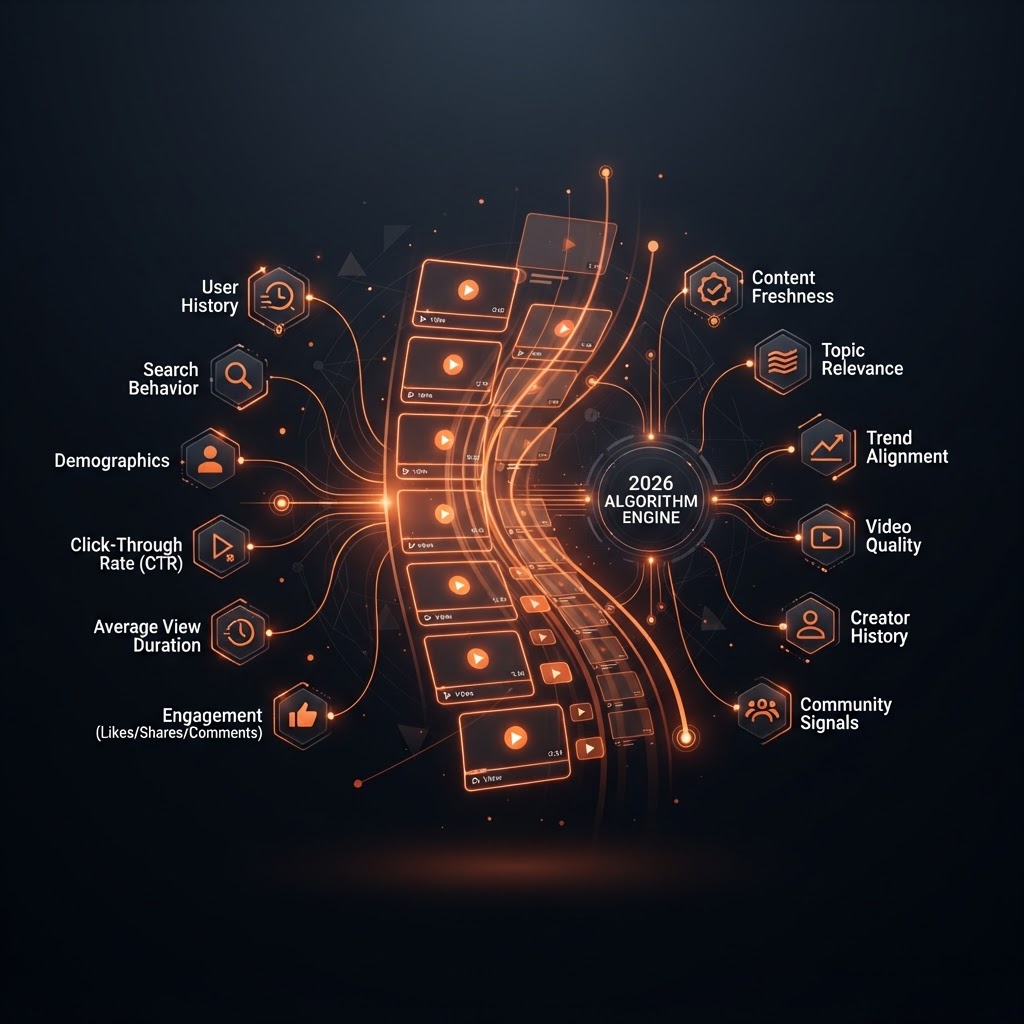
    Whether you are starting from complete scratch with zero subscribers or looking to scale an established channel into a sustainable six-figure media enterprise, learning how to make money on YouTube requires a strategic, data-driven methodology. The platform recommendation algorithm in 2026 places unprecedented emphasis on deep viewer satisfaction metrics, long-term session retention, high click-through rates (CTR), and multi-format content journeys that seamlessly bridge YouTube Shorts, long-form video uploads, live streaming events, and Community tab interaction.

    The monetization landscape has also broadened significantly. Passive ad revenue through Google AdSense is now just one piece of a much larger income puzzle. Top creators build resilient financial engines by surrounding their core content with direct fan funding, affiliate marketing funnels, physical and digital product lines, B2B agency services, and automated content repurposing networks.

    In this comprehensive, ultimate masterclass guide for 2026, we will unpack every single proven monetization vector available to modern video creators. You will discover exact requirement thresholds for the YouTube Partner Program, real-world CPM and RPM calculations across major niches, brand sponsorship pricing formulas, automated affiliate strategy blueprints, direct community monetization models, high-converting digital product funnels, and how state-of-the-art AI creative tools can triple your production output while halving your creative workload.

    Key Strategic Takeaway for 2026: Creators who rely 100% on YouTube AdSense ad revenue remain highly vulnerable to CPM fluctuations, seasonal advertiser spend shifts, and sudden algorithmic turns. Diversifying your business across at least 3 distinct monetization streams is the absolute foundation of sustainable financial independence on YouTube.

    1. Understanding YouTube Partner Program (YPP) Eligibility Requirements

    The primary gateway to official native monetization on YouTube is the YouTube Partner Program (YPP). YouTube utilizes a flexible, tiered YPP eligibility structure designed to empower growing channels by unlocking direct fan-funding capabilities early in their journey before full ad monetization becomes accessible.

    The Tiered YPP Architecture in 2026

    Understanding the distinction between Tier 1 (Early Access) and Tier 2 (Full Access) allows creators to map out immediate short-term financial goals as they build their subscriber base.

    Monetization Tier Subscriber Requirement Watch Time / Shorts Criteria (Past 12 Months / 90 Days) Native Features Unlocked
    Tier 1: Early Access (Fan Funding) 500 Subscribers 3,000 Valid Public Watch Hours (Long-form) OR 3 Million Public Shorts Views (Past 90 days) Super Thanks, Super Chat, Super Stickers, Channel Memberships, YouTube Shopping Store Integration
    Tier 2: Full YPP Access (Ad Revenue) 1,000 Subscribers 4,000 Valid Public Watch Hours (Long-form) OR 10 Million Public Shorts Views (Past 90 days) Watch Page Advertisements, Shorts Feed Advertisements, YouTube Premium Revenue Sharing

    Detailed Qualification Rules and Public vs. Private Views

    It is crucial to understand how YouTube counts metrics toward these thresholds. Not all video views contribute to your official YPP watch hour meter:

    • Valid Public Watch Hours: Only watch time accumulated on public long-form videos counts toward the 3,000 or 4,000 watch hour thresholds. Watch time accrued from unlisted videos, private videos, deleted videos, ad campaigns (Google Ads views), or YouTube Shorts does not count toward long-form watch hour requirements.
    • Public Shorts Views: Shorts view counts only qualify if they are public views generated within the last 90 calendar days. Shorts views viewed as long-form videos do not double-count.
    • Consistent Upload History: Candidates applying for Tier 1 must also have published at least 3 valid public uploads within the last 90 days.

    Baseline Prerequisites for Channel Approval

    Meeting raw numerical thresholds is only the first step. Once reached, your channel undergoes an automated and manual human review by YouTube policy compliance staff. Your channel must strictly maintain compliance across four foundational pillars:

    1. 2-Step Verification Active: The primary Google Account managing your channel must have multi-factor security enabled to safeguard against channel hijacking and unauthorized account access.
    2. Zero Active Community Guidelines Strikes: Your channel must maintain a clean administrative record. Channels with active strikes for hate speech, harassment, graphic safety violations, or misinformation will be denied entry until strikes expire.
    3. Approved Google AdSense Account Linkage: You must link an active, fully verified Google AdSense account to your YouTube channel to clear revenue payouts. Google strictly limits individual creators to one single AdSense account across all personal properties.
    4. Original and Reused Content Policies: This is the single most common reason channels are rejected in 2026. YouTube actively demonetizes or rejects channels that upload low-effort auto-generated content, unedited movie clips, screen-recorded gameplay without original commentary, re-uploaded compilation videos, or mass-produced synthetic content that lacks significant human transformation, artistic commentary, or educational value.

    2. Demystifying Ad Revenue: CPM vs. RPM and Niche Economics

    Ad revenue remains the baseline passive income driver for monetized creators. However, vast economic disparities exist between what advertisers pay to show ads on your videos and what actually lands in your bank account per 1,000 views.

    Decoding CPM, RPM, and eCPM Mechanics

    To optimize your channel earnings when mastering how to make money on YouTube, you must understand the underlying accounting metrics provided in your YouTube Analytics revenue tab:

    CPM (Cost Per Mille): The financial cost an advertiser pays for every 1,000 monetized ad impressions displayed on your content prior to YouTube’s revenue cut. CPM varies wildly depending on advertiser competition, industry profitability, target viewer country location, and seasonal demand (such as Q4 holiday shopping spikes).

    Playback-Based CPM: The cost advertisers pay for every 1,000 video playbacks where at least one ad was displayed to the viewer.

    RPM (Revenue Per Mille): The single most important financial metric for creators. RPM measures your actual total net earnings per 1,000 total views across your entire channel. Unlike CPM, RPM factors in YouTube’s platform revenue split (45% for long-form, 55% for Shorts), non-monetized views (viewers using ad blockers or unmonetized regions), and additional channel revenue streams like YouTube Premium subscription revenue, Super Chats, and Memberships.

    The Core RPM Equation:
    RPM = (Total Net Earnings / Total Video Views) × 1,000

    2026 Average CPM & RPM Benchmark Matrix by Niche

    The topic you select directly dictates your earnings ceiling. High-intent B2B and financial topics command massive advertiser budgets, whereas general entertainment content relies on high view volume to generate equivalent revenue. Below is an updated 2026 market benchmark table:

    Content Niche & Niche Focus Average CPM Range (USD) Estimated RPM Range (USD) Primary Advertiser Types & Buyer Intent
    Personal Finance, Crypto & Investing $25.00 – $70.00 $12.00 – $38.00 Fintech Platforms, Investment Brokerages, Credit Cards, Banking Apps
    B2B Marketing, SaaS & Entrepreneurship $22.00 – $55.00 $11.00 – $30.00 Enterprise Software, CRM Tools, Cloud Hosting, Lead Gen Services
    Real Estate Investing & Wealth Building $20.00 – $48.00 $9.50 – $25.00 Mortgage Lenders, Escrow Services, Commercial Property Tools
    Technology, AI Tools & Software Reviews $14.00 – $32.00 $6.00 – $16.00 SaaS Platforms, Consumer Tech Brands, VPNs, Cloud Hardware
    Health, Fitness & Biohacking $9.00 – $20.00 $4.00 – $10.00 Nutritional Supplements, Fitness Equipment, Wearables, Apparel
    Career Development & Online Learning $10.00 – $22.00 $4.50 – $11.00 Online Learning Platforms, Bootcamps, Resume Services
    Travel, Food & International Vlogs $6.50 – $15.00 $2.80 – $7.50 Airlines, Hotel Aggregators, Travel Insurance, Luggage Brands
    DIY, Home Improvement & Crafts $7.00 – $16.00 $3.00 – $8.00 Power Tool Manufacturers, Retail Home Stores, Craft Supply Brands
    Gaming, Esports & Live Stream Highlights $3.50 – $9.00 $1.40 – $4.50 Gaming Peripherals, PC Hardware, Energy Drinks, Mobile Gaming
    Entertainment, Reaction & Pop Culture $2.50 – $7.00 $1.00 – $3.20 Mass Consumer Goods, Movie Studios, Mobile Apps, Snack Foods

    Advanced Mid-Roll Placement Optimization

    Videos exceeding 8 minutes in duration qualify for manual mid-roll ad placement. Relying solely on YouTube’s auto-placed mid-rolls often leaves substantial ad inventory revenue uncollected. Follow these tactical placement rules to maximize revenue without compromising user experience:

    • Strategic Gap Placement: Manually insert mid-roll breaks during natural transition points in your narrative—such as moving between main topic points, slide transitions, or topic chapters.
    • Avoid Abrupt Hook Interruptions: Never place an ad break within the first 60 to 90 seconds of a video. Guarding the initial hook prevents immediate viewer bounce.
    • Optimal Ad Cadence: Place mid-roll breaks approximately every 3 to 4 minutes on content over 12 minutes long. YouTube’s intelligent ad delivery algorithm will not show every single ad break to every user, but providing more mid-roll slots allows YouTube to dynamically serve ads when a viewer is most engaged.

    3. Brand Sponsorships: Landing High-Paying Brand Deals at Any Channel Size

    Direct brand sponsorships represent the single most profitable monetization vehicle for intermediate and advanced YouTube creators. Brand deals bypass platform revenue splits entirely, putting 100% of agreed funds directly into the creator’s business account. In 2026, brands allocate billions of dollars specifically to micro-creators (10,000 to 100,000 subscribers) because of their ultra-targeted audience demographics and high community trust.

    Understanding Sponsorship Pricing Models and Formulas

    To secure consistent brand partnerships, creators must understand how agency media buyers price inventory. The two standard sponsorship execution formats are Integrated Shoutouts and Dedicated Sponsored Videos.

    1. Integrated Sponsorship Segment (60 to 90 Seconds)

    An integrated segment involves seamlessly plugging a brand sponsor into a non-dedicated, organic video. Industry benchmark pricing ranges between $25 and $50 CPM based on your channel’s 30-day average view baseline per video.

    Formula: Sponsorship Rate = (Average Views / 1,000) × Baseline CPM Target

    Example Calculation: If your channel averages 25,000 views per long-form upload and operates in the tech review space ($35 CPM baseline):
    (25,000 / 1,000) × $35 = $875 per 60-second integration.

    2. Dedicated Sponsored Video

    A dedicated sponsored video is entirely focused on reviewing, demonstrating, or exploring the sponsor’s product or service. Because dedicated videos command higher viewer focus but may suffer slightly lower total views, CPM pricing benchmarks are significantly higher, ranging from $60 to $120+ CPM.

    Example Calculation: For a channel averaging 25,000 views focusing on productivity tools ($80 dedicated CPM baseline):
    (25,000 / 1,000) × $80 = $2,000 per dedicated video.

    Building a Professional Creator Media Kit

    When pitching brands or responding to inbound sponsorship inquiries, presenting a polished digital Media Kit establishes immediate credibility. Your Media Kit should be a concise 2-to-3 page PDF or web page containing:

    1. Channel Executive Summary: A clear 2-sentence mission statement defining your niche, target audience, and content pillars.
    2. Core Audience Demographics: Highlighting gender distribution, top viewer age brackets (e.g., 25-34 tech professionals), and primary geographic breakdown (e.g., 65% US/UK/CA viewer base).
    3. Key Channel Performance Metrics: 90-day total view impressions, average video watch time retention, subscriber growth velocity, and community engagement rate (comments + likes divided by views).
    4. Past Case Studies & Social Proof: Screenshots of previous brand integrations showing trackable link clicks, coupon redemption volumes, conversion numbers, and positive audience commentary.
    5. Standard Rate Card: Clear, transparent baseline pricing for single integrations, multi-video package bundles, and short-form cross-posting addons.

    Inbound vs. Outbound Sponsorship Pitch Strategy

    Do not sit around waiting for brands to email you. Take an active outbound approach using cold email campaigns targeted at Brand Partnership Managers, Influencer Marketing Leads, and PR agencies representing products you already use and love.

    Keep cold email pitches under 150 words: highlight a specific video idea, explain why your audience matches their ideal customer profile, present recent performance metrics, and suggest a brief 10-minute discovery call.

    4. Mastering Affiliate Marketing on YouTube

    Affiliate marketing is the practice of recommending third-party products or software services and earning a sales commission whenever a viewer completes a purchase or sign-up via your unique tracking link. On YouTube, affiliate marketing acts as an engine for converting organic video watch traffic into long-term passive cash flow.

    High-Converting Content Archetypes for Maximum Affiliate Revenue

    Randomly inserting affiliate links into description boxes yields minimal results. To generate substantial affiliate commissions, structure your content strategy around buyer intent:

    • “Best [Category] for [Specific Target User] in 2026”: Example: “Best AI Video Generators for Small Business Owners”. Viewers searching for listicles are actively comparing options with credit cards in hand.
    • Direct Head-to-Head Comparisons (“VS” Videos): Example: “Substack vs. ConvertKit: Full Creator Breakdown”. Comparison content targets prospects at the final decision stage of the buying funnel.
    • In-Depth “How-To” Problem-Solving Tutorials: Example: “How to Build a Custom Notion Dashboard for Project Management”. When you step through solving a complex workflow using a paid tool, viewers naturally click your link to get the exact tool or template used.
    • Long-Term Product Field Tests & Reviews: Example: “I Tested Tool X for 90 Days: Honest Pros and Cons”. Transparent, balanced reviews that detail limitations build authentic authority, driving higher conversion rates.

    Top Affiliate Programs for Video Creators

    Depending on your niche, choose affiliate platforms with reliable attribution tracking, long cookie durations (30 to 90 days), and competitive commission tiers:

    Affiliate Network / Program Average Commission Structure Cookie Duration Best Content Niche
    Amazon Associates 1% – 10% (Physical Goods) 24 Hours Consumer Tech, Gear, Books, Lifestyle
    Impact.com / CJ Affiliate 10% – 30% or Fixed Bounty 30 – 60 Days Major Brands, Apparel, Travel, Enterprise
    ShareASale / Awin 15% – 40% (Digital & SaaS) 30 – 90 Days Software, E-commerce, Niche Physical Tools
    SaaS Recurring Affiliate Programs 20% – 40% Monthly Recurring 60 – 90 Days / Lifetime AI Tools, Software Apps, Hosting, Marketing

    Affiliate Disclosure Compliance & Legal Safety

    Regulatory agencies such as the Federal Trade Commission (FTC) mandate clear, conspicuous affiliate disclosures. Always place a explicit written notice at the very top of your video description box above the fold:

    FTC Transparency Disclosure: Links included in this description may be affiliate links. If you purchase a product or service through these links, I may receive a small affiliate commission at zero additional cost to you. I only recommend tools and products I personally use and trust. Thank you for supporting the channel!

    5. Selling Digital Products, Online Courses, and Premium Services

    Direct monetization gives you complete ownership over product pricing, profit margins, and customer data. While AdSense and sponsorships rely on third parties, selling your own digital products converts viewer trust into owned assets.

    High-Margin Digital Product Options for Creators

    Digital products require zero physical inventory shipping, cost virtually nothing to duplicate, and deliver near 100% profit margins after platform processing fees.

    Digital Asset Type Average Price Point Estimated Profit Margin Target Audience Need
    LUTs, Presets, Audio & Video Assets $15 – $95 98% Creative Workflows, Editing, Photography
    Notion Dashboards, Excel/Google Spreadsheets $10 – $49 98% Organization, Productivity, Financial Tracking
    Niche Ebooks, Playbooks & Resource Guides $19 – $79 95% Actionable Problem Solving, Learning Curriculums
    Structured Video Masterclasses & Courses $99 – $999 90% Comprehensive Skill Transformation
    1-on-1 Consulting, Audits & Coaching Calls $100 – $500 / hr 100% (Time-based) Custom Strategy, Personal Feedback, Career Guidance

    Designing a High-Converting YouTube Sales Funnel

    To sell digital products without coming across as overly salesy, establish an organic value-first sales funnel:

    1. Top of Funnel (YouTube Content): Publish free, high-value educational videos addressing broad industry problems.
    2. Lead Magnet (Free Opt-In): Offer a free downloadable resource (e.g., a PDF checklist, free Notion starter kit, or cheat sheet) in exchange for the viewer’s email address.
    3. Email Nurture Sequence: Send an automated 5-day email sequence delivering additional educational tips and introducing your paid digital product as the complete solution.
    4. Core Offer Conversion: Direct interested leads to a high-converting landing page showcasing video testimonials, curriculum outlines, and a money-back guarantee.

    6. Channel Memberships, Super Features, and Fan Funding

    Direct fan funding enables your core community to fund your creative output on a recurring monthly or per-event basis. Unlocking fan funding transforms casual viewers into invested active stakeholders in your channel’s success.

    Optimizing YouTube Channel Memberships

    YouTube Channel Memberships allow viewers to join your channel via monthly recurring payments. Structuring clear, valuable membership tiers is key to driving initial signups and reducing churn over time:

    • Tier 1: Community Supporter ($2.99 / Month): Grants exclusive custom loyalty badges next to user names in chat, custom channel emojis, and access to members-only Community tab polls and text updates.
    • Tier 2: Insider Access ($9.99 / Month): Includes all Tier 1 perks plus early access to main video uploads 24-48 hours before public launch, exclusive members-only live streams, and access to a private Discord server.
    • Tier 3: VIP Mastermind ($24.99 – $49.99 / Month): Includes all lower tier perks plus monthly live group Q&A sessions, downloadable project files, and name credits in video end screens.

    Super Chats, Super Stickers, and Super Thanks Monetization

    Fan funding also thrives on immediate interactive recognition during livestreams and uploaded content:

    • Super Chat & Super Stickers: Live stream viewers purchase highlighted messages and visual stickers that stick to the top of the chat window for a set time depending on donation amount. Creators who actively acknowledge and answer Super Chat questions in real-time drive massive chat engagement.
    • Super Thanks: Viewers watching pre-recorded long-form videos or Shorts can purchase a visual Super Thanks animation to express gratitude, posting a highlighted custom comment in the video comment section.

    7. YouTube Shorts Monetization in 2026: Revenue Sharing and Viral Scale

    YouTube Shorts has evolved from a simple short-form experiment into a vital, highly monetized ecosystem. Generating billions of daily views, Shorts offer unmatched viral discovery for channels seeking fast growth.

    How the Shorts Revenue Sharing Pool Operates

    Unlike long-form videos where ads run directly within specific uploads, Shorts ad revenue is calculated through an aggregated revenue-sharing pool system:

    1. Ad Revenue Aggregation: Platform ad revenue generated from ads running between vertical videos in the continuous Shorts Feed is pooled together every month.
    2. Music Licensing Allocation: A portion of the pool pays music publishers based on the number of commercial tracks used across published Shorts. If a Short uses no music, 100% of its view allocation goes to the creator pool.
    3. Creator Pool Distribution: The total remaining Creator Pool is distributed to monetized creators based on their specific percentage share of total public Shorts views in each respective country.
    4. Platform Revenue Split: Creators keep 45% of their allocated revenue share, while YouTube retains 55%.

    While average Shorts RPMs range between $0.04 and $0.14 per 1,000 views, the volume advantage of Shorts is unmatched. A viral Short generating 10 million views can deliver $500 to $1,400 in direct ad earnings while funneling thousands of new subscribers directly to your core long-form content, digital products, and brand deals.

    8. Accelerating YouTube Output with AI Tools (Introducing Jutoka)

    In 2026, content creation is no longer about grinding out endless hours of manual labor. Successful creators leverage cutting-edge artificial intelligence to streamline research, writing, optimization, editing, and distribution.

    Building an Automated AI-Powered Creator Production Stack

    Integrating modern AI automation into your workflow cuts content production cycles from 15+ hours down to under 2 hours per video, enabling creators to scale upload frequencies without experiencing creative burnout.

    For end-to-end channel automation—from initial script outlines to metadata optimization and multi-platform short-form content generation—creators turn to Jutoka AI.

    Available at jutoka.com, Jutoka offers a comprehensive suite of AI creation tools engineered specifically for video creators and digital marketers. Here is how Jutoka accelerates your YouTube monetization workflow:

    • High-Retention Script Generation: Jutoka turns basic ideas or bullet points into fully structured, engaging video scripts complete with high-hook intros, engaging main chapters, and persuasive calls-to-action designed to maximize audience watch time retention.
    • Automated SEO Title & Description Optimization: Eliminate guessing games when filling out video metadata. Jutoka generates high-CTR video titles, comprehensive, keyword-dense video descriptions, and targeted tag lists optimized for YouTube’s search algorithm.
    • Smart Short-Form Video Repurposing: Automatically extract high-impact hooks from your long-form videos and format them into ready-to-publish vertical Shorts with animated captions, background audio, and engaging visual layouts.
    • Thumbnail Concept Generation & Copywriting: Craft compelling visual thumbnail ideas and overlay text designed to maximize click-through rates across crowded user feeds.

    By automating repetitive editing and technical packaging tasks with platform tools like jutoka.com, you free up energy to focus on high-level channel strategy, product creation, and audience engagement.

    9. Comprehensive Breakdown of Advanced Monetization Strategies

    Beyond standard AdSense and sponsorships, experienced creators leverage advanced, high-yielding business models that multiply earning potential per viewer.

    1. Licensing Content to Media Outlets

    If your channel produces viral news footage, break-through documentary clips, or original educational animations, third-party media outlets (such as TV networks, online news publishers, and digital syndicators) will pay significant licensing fees to use your footage. Partnering with licensing agencies like ViralHog or Jukin Media ensures your viral moments generate ongoing royalty checks.

    2. Building a Paid Creator Community

    Platforms like Circle, Skool, or Patreon enable creators to build private, invite-only communities. Charging $29 to $99 per month for access to weekly group calls, exclusive mastermind networking, private tutorials, and direct creator access can easily generate $5,000 to $20,000+ in recurring monthly revenue with just a few hundred active members.

    3. White-Label Product Dropshipping and Direct-to-Consumer Brands

    Once your channel reaches critical mass, launching your own direct-to-consumer (D2C) brand produces far higher profit margins than simple affiliate marketing. Creators in fitness launch supplement lines, tech creators launch custom desk accessories, and culinary channels launch custom spice blends or kitchenware.

    10. 7 Common YouTube Monetization Mistakes to Avoid

    Even creators who make great videos often fail to build a sustainable income because of strategic blunders. Avoid these seven costly mistakes:

    1. Relying Exclusively on AdSense Income: Depending solely on ad revenue leaves your income at the mercy of seasonal advertiser budget cuts, CPM drops, and algorithm shifts. Build multiple income streams early.
    2. Ignoring Search Intent and SEO Basics: Uploading videos with vague, unoptimized titles or empty descriptions prevents YouTube from indexing your content for relevant target search queries.
    3. Failing to Hook Viewers in the First 30 Seconds: Audience retention curves drop drastically if your video intro is rambling or slow. Craft punchy, immediate hooks that deliver on your thumbnail’s promise immediately.
    4. Accepting Shady or Low-Quality Sponsorship Deals: Promoting untrustworthy products damages your core audience trust. Once audience trust is broken, long-term channel growth and digital product sales collapse.
    5. Publishing Inconsistently: Irregular upload schedules make it difficult for algorithms to establish audience viewing habits. Maintain a consistent, sustainable posting cadence.
    6. Neglecting to Build an Owned Email List: Social platform algorithms change constantly. Failing to capture viewer emails means you do not truly own your audience connection.
    7. Violating Reused Content and Copyright Policies: Using unedited copyrighted video footage or unlicensed background music risks demonetization, copyright strikes, or total channel termination.

    11. The Ultimate 90-Day YouTube Monetization Action Plan

    Ready to put these strategies into practice? Follow this structured 90-day action blueprint to launch, grow, and monetize your YouTube business in 2026.

    Days 1 – 30: Channel Foundation & Niche Validation

    • Select a high-intent, profitable target niche (e.g., personal finance, AI tools, fitness, tech reviews).
    • Set up channel assets: professional logo, custom banner art, detailed channel description, and official business email contact.
    • Research and select 20 high-volume search topics based on audience intent.
    • Script, record, and publish 8 long-form videos using AI script generation tools available at jutoka.com.
    • Establish a consistent schedule: publish 2 long-form videos per week alongside 3 supplementary YouTube Shorts.

    Days 31 – 60: SEO Optimization & Audience Engagement

    • Review YouTube Analytics to analyze retention drop-off points; adjust intro pacing and visual transitions accordingly.
    • Apply for relevant, high-quality affiliate programs (Amazon Associates, Impact, specialized SaaS recurring programs).
    • Add structured affiliate links, timestamps, and legal disclosures across all video descriptions and pinned comments.
    • Engage actively with every viewer comment within the first 2 hours of publishing to signal engagement to the algorithm.
    • Reach Tier 1 YPP thresholds (500 subscribers, 3,000 watch hours) to activate Super Thanks and Channel Memberships.

    Days 61 – 90: Monetization Scaling & Systems Automation

    • Reach Tier 2 YPP thresholds (1,000 subscribers, 4,000 watch hours) to activate full Watch Page AdSense revenue.
    • Create and launch your first digital product (e.g., Notion template, ebook, or preset pack) hosted on a custom landing page.
    • Assemble a professional Media Kit and begin pitching micro-sponsorship deals to target brand partners.
    • Scale production efficiency by leveraging Jutoka AI at jutoka.com to repurpose content into automated multi-platform Shorts.

    Conclusion & Final Summary

    Building a profitable, sustainable business learning how to make money on YouTube in 2026 is entirely within your reach. Success requires a proven strategy: combine SEO optimization, engaging video execution, audience retention, and multiple income streams including ad revenue, sponsorships, affiliate links, and digital products.

    By shifting your mindset from a casual video creator to a strategic digital business owner—and leveraging advanced AI automation tools to handle technical production tasks—you can turn your creative passion into a thriving income stream.

    Ready to supercharge your YouTube output, craft viral video scripts, and optimize your channel for maximum growth?

    Start creating with Jutoka AI tools for free at jutoka.com

  • How to Make Money on YouTube in 2026: Complete Guide for Creators

    How to Make Money on YouTube in 2026: Complete Guide for Creators

    Introduction: The New Creator Economy on YouTube in 2026

    Making a living on YouTube in 2026 is fundamentally different from what it was just a few years ago. The modern creator economy has matured beyond simple AdSense monetization into a complex, multi-stream digital business ecosystem. Today, successful YouTubers do not operate merely as hobbyist videographers—they operate like agile, modern media companies. They systematically blend algorithmic distribution, high-value viewer monetization, direct-to-consumer digital products, programmatic brand sponsorship pipelines, recurring membership models, and AI-accelerated content production workflows.

    Whether you are starting from complete scratch with zero subscribers or looking to scale an established channel into a sustainable six-figure media enterprise, learning how to make money on YouTube requires a strategic, data-driven methodology. The platform recommendation algorithm in 2026 places unprecedented emphasis on deep viewer satisfaction metrics, long-term session retention, high click-through rates (CTR), and multi-format content journeys that seamlessly bridge YouTube Shorts, long-form video uploads, live streaming events, and Community tab interaction.

    The monetization landscape has also broadened significantly. Passive ad revenue through Google AdSense is now just one piece of a much larger income puzzle. Top creators build resilient financial engines by surrounding their core content with direct fan funding, affiliate marketing funnels, physical and digital product lines, B2B agency services, and automated content repurposing networks.

    In this comprehensive, ultimate masterclass guide for 2026, we will unpack every single proven monetization vector available to modern video creators. You will discover exact requirement thresholds for the YouTube Partner Program, real-world CPM and RPM calculations across major niches, brand sponsorship pricing formulas, automated affiliate strategy blueprints, direct community monetization models, high-converting digital product funnels, and how state-of-the-art AI creative tools can triple your production output while halving your creative workload.

    Key Strategic Takeaway for 2026: Creators who rely 100% on YouTube AdSense ad revenue remain highly vulnerable to CPM fluctuations, seasonal advertiser spend shifts, and sudden algorithmic turns. Diversifying your business across at least 3 distinct monetization streams is the absolute foundation of sustainable financial independence on YouTube.

    1. Understanding YouTube Partner Program (YPP) Eligibility Requirements

    The primary gateway to official native monetization on YouTube is the YouTube Partner Program (YPP). YouTube utilizes a flexible, tiered YPP eligibility structure designed to empower growing channels by unlocking direct fan-funding capabilities early in their journey before full ad monetization becomes accessible.

    The Tiered YPP Architecture in 2026

    Understanding the distinction between Tier 1 (Early Access) and Tier 2 (Full Access) allows creators to map out immediate short-term financial goals as they build their subscriber base.

    Monetization Tier Subscriber Requirement Watch Time / Shorts Criteria (Past 12 Months / 90 Days) Native Features Unlocked
    Tier 1: Early Access (Fan Funding) 500 Subscribers 3,000 Valid Public Watch Hours (Long-form) OR 3 Million Public Shorts Views (Past 90 days) Super Thanks, Super Chat, Super Stickers, Channel Memberships, YouTube Shopping Store Integration
    Tier 2: Full YPP Access (Ad Revenue) 1,000 Subscribers 4,000 Valid Public Watch Hours (Long-form) OR 10 Million Public Shorts Views (Past 90 days) Watch Page Advertisements, Shorts Feed Advertisements, YouTube Premium Revenue Sharing

    Detailed Qualification Rules and Public vs. Private Views

    It is crucial to understand how YouTube counts metrics toward these thresholds. Not all video views contribute to your official YPP watch hour meter:

    • Valid Public Watch Hours: Only watch time accumulated on public long-form videos counts toward the 3,000 or 4,000 watch hour thresholds. Watch time accrued from unlisted videos, private videos, deleted videos, ad campaigns (Google Ads views), or YouTube Shorts does not count toward long-form watch hour requirements.
    • Public Shorts Views: Shorts view counts only qualify if they are public views generated within the last 90 calendar days. Shorts views viewed as long-form videos do not double-count.
    • Consistent Upload History: Candidates applying for Tier 1 must also have published at least 3 valid public uploads within the last 90 days.

    Baseline Prerequisites for Channel Approval

    Meeting raw numerical thresholds is only the first step. Once reached, your channel undergoes an automated and manual human review by YouTube policy compliance staff. Your channel must strictly maintain compliance across four foundational pillars:

    1. 2-Step Verification Active: The primary Google Account managing your channel must have multi-factor security enabled to safeguard against channel hijacking and unauthorized account access.
    2. Zero Active Community Guidelines Strikes: Your channel must maintain a clean administrative record. Channels with active strikes for hate speech, harassment, graphic safety violations, or misinformation will be denied entry until strikes expire.
    3. Approved Google AdSense Account Linkage: You must link an active, fully verified Google AdSense account to your YouTube channel to clear revenue payouts. Google strictly limits individual creators to one single AdSense account across all personal properties.
    4. Original and Reused Content Policies: This is the single most common reason channels are rejected in 2026. YouTube actively demonetizes or rejects channels that upload low-effort auto-generated content, unedited movie clips, screen-recorded gameplay without original commentary, re-uploaded compilation videos, or mass-produced synthetic content that lacks significant human transformation, artistic commentary, or educational value.

    2. Demystifying Ad Revenue: CPM vs. RPM and Niche Economics

    Ad revenue remains the baseline passive income driver for monetized creators. However, vast economic disparities exist between what advertisers pay to show ads on your videos and what actually lands in your bank account per 1,000 views.

    Decoding CPM, RPM, and eCPM Mechanics

    To optimize your channel earnings when mastering how to make money on YouTube, you must understand the underlying accounting metrics provided in your YouTube Analytics revenue tab:

    CPM (Cost Per Mille): The financial cost an advertiser pays for every 1,000 monetized ad impressions displayed on your content prior to YouTube’s revenue cut. CPM varies wildly depending on advertiser competition, industry profitability, target viewer country location, and seasonal demand (such as Q4 holiday shopping spikes).

    Playback-Based CPM: The cost advertisers pay for every 1,000 video playbacks where at least one ad was displayed to the viewer.

    RPM (Revenue Per Mille): The single most important financial metric for creators. RPM measures your actual total net earnings per 1,000 total views across your entire channel. Unlike CPM, RPM factors in YouTube’s platform revenue split (45% for long-form, 55% for Shorts), non-monetized views (viewers using ad blockers or unmonetized regions), and additional channel revenue streams like YouTube Premium subscription revenue, Super Chats, and Memberships.

    The Core RPM Equation:
    RPM = (Total Net Earnings / Total Video Views) × 1,000

    2026 Average CPM & RPM Benchmark Matrix by Niche

    The topic you select directly dictates your earnings ceiling. High-intent B2B and financial topics command massive advertiser budgets, whereas general entertainment content relies on high view volume to generate equivalent revenue. Below is an updated 2026 market benchmark table:

    Content Niche & Niche Focus Average CPM Range (USD) Estimated RPM Range (USD) Primary Advertiser Types & Buyer Intent
    Personal Finance, Crypto & Investing $25.00 – $70.00 $12.00 – $38.00 Fintech Platforms, Investment Brokerages, Credit Cards, Banking Apps
    B2B Marketing, SaaS & Entrepreneurship $22.00 – $55.00 $11.00 – $30.00 Enterprise Software, CRM Tools, Cloud Hosting, Lead Gen Services
    Real Estate Investing & Wealth Building $20.00 – $48.00 $9.50 – $25.00 Mortgage Lenders, Escrow Services, Commercial Property Tools
    Technology, AI Tools & Software Reviews $14.00 – $32.00 $6.00 – $16.00 SaaS Platforms, Consumer Tech Brands, VPNs, Cloud Hardware
    Health, Fitness & Biohacking $9.00 – $20.00 $4.00 – $10.00 Nutritional Supplements, Fitness Equipment, Wearables, Apparel
    Career Development & Online Learning $10.00 – $22.00 $4.50 – $11.00 Online Learning Platforms, Bootcamps, Resume Services
    Travel, Food & International Vlogs $6.50 – $15.00 $2.80 – $7.50 Airlines, Hotel Aggregators, Travel Insurance, Luggage Brands
    DIY, Home Improvement & Crafts $7.00 – $16.00 $3.00 – $8.00 Power Tool Manufacturers, Retail Home Stores, Craft Supply Brands
    Gaming, Esports & Live Stream Highlights $3.50 – $9.00 $1.40 – $4.50 Gaming Peripherals, PC Hardware, Energy Drinks, Mobile Gaming
    Entertainment, Reaction & Pop Culture $2.50 – $7.00 $1.00 – $3.20 Mass Consumer Goods, Movie Studios, Mobile Apps, Snack Foods

    Advanced Mid-Roll Placement Optimization

    Videos exceeding 8 minutes in duration qualify for manual mid-roll ad placement. Relying solely on YouTube’s auto-placed mid-rolls often leaves substantial ad inventory revenue uncollected. Follow these tactical placement rules to maximize revenue without compromising user experience:

    • Strategic Gap Placement: Manually insert mid-roll breaks during natural transition points in your narrative—such as moving between main topic points, slide transitions, or topic chapters.
    • Avoid Abrupt Hook Interruptions: Never place an ad break within the first 60 to 90 seconds of a video. Guarding the initial hook prevents immediate viewer bounce.
    • Optimal Ad Cadence: Place mid-roll breaks approximately every 3 to 4 minutes on content over 12 minutes long. YouTube’s intelligent ad delivery algorithm will not show every single ad break to every user, but providing more mid-roll slots allows YouTube to dynamically serve ads when a viewer is most engaged.

    3. Brand Sponsorships: Landing High-Paying Brand Deals at Any Channel Size

    Direct brand sponsorships represent the single most profitable monetization vehicle for intermediate and advanced YouTube creators. Brand deals bypass platform revenue splits entirely, putting 100% of agreed funds directly into the creator’s business account. In 2026, brands allocate billions of dollars specifically to micro-creators (10,000 to 100,000 subscribers) because of their ultra-targeted audience demographics and high community trust.

    Understanding Sponsorship Pricing Models and Formulas

    To secure consistent brand partnerships, creators must understand how agency media buyers price inventory. The two standard sponsorship execution formats are Integrated Shoutouts and Dedicated Sponsored Videos.

    1. Integrated Sponsorship Segment (60 to 90 Seconds)

    An integrated segment involves seamlessly plugging a brand sponsor into a non-dedicated, organic video. Industry benchmark pricing ranges between $25 and $50 CPM based on your channel’s 30-day average view baseline per video.

    Formula: Sponsorship Rate = (Average Views / 1,000) × Baseline CPM Target

    Example Calculation: If your channel averages 25,000 views per long-form upload and operates in the tech review space ($35 CPM baseline):
    (25,000 / 1,000) × $35 = $875 per 60-second integration.

    2. Dedicated Sponsored Video

    A dedicated sponsored video is entirely focused on reviewing, demonstrating, or exploring the sponsor’s product or service. Because dedicated videos command higher viewer focus but may suffer slightly lower total views, CPM pricing benchmarks are significantly higher, ranging from $60 to $120+ CPM.

    Example Calculation: For a channel averaging 25,000 views focusing on productivity tools ($80 dedicated CPM baseline):
    (25,000 / 1,000) × $80 = $2,000 per dedicated video.

    Building a Professional Creator Media Kit

    When pitching brands or responding to inbound sponsorship inquiries, presenting a polished digital Media Kit establishes immediate credibility. Your Media Kit should be a concise 2-to-3 page PDF or web page containing:

    1. Channel Executive Summary: A clear 2-sentence mission statement defining your niche, target audience, and content pillars.
    2. Core Audience Demographics: Highlighting gender distribution, top viewer age brackets (e.g., 25-34 tech professionals), and primary geographic breakdown (e.g., 65% US/UK/CA viewer base).
    3. Key Channel Performance Metrics: 90-day total view impressions, average video watch time retention, subscriber growth velocity, and community engagement rate (comments + likes divided by views).
    4. Past Case Studies & Social Proof: Screenshots of previous brand integrations showing trackable link clicks, coupon redemption volumes, conversion numbers, and positive audience commentary.
    5. Standard Rate Card: Clear, transparent baseline pricing for single integrations, multi-video package bundles, and short-form cross-posting addons.

    Inbound vs. Outbound Sponsorship Pitch Strategy

    Do not sit around waiting for brands to email you. Take an active outbound approach using cold email campaigns targeted at Brand Partnership Managers, Influencer Marketing Leads, and PR agencies representing products you already use and love.

    Keep cold email pitches under 150 words: highlight a specific video idea, explain why your audience matches their ideal customer profile, present recent performance metrics, and suggest a brief 10-minute discovery call.

    4. Mastering Affiliate Marketing on YouTube

    Affiliate marketing is the practice of recommending third-party products or software services and earning a sales commission whenever a viewer completes a purchase or sign-up via your unique tracking link. On YouTube, affiliate marketing acts as an engine for converting organic video watch traffic into long-term passive cash flow.

    High-Converting Content Archetypes for Maximum Affiliate Revenue

    Randomly inserting affiliate links into description boxes yields minimal results. To generate substantial affiliate commissions, structure your content strategy around buyer intent:

    • “Best [Category] for [Specific Target User] in 2026”: Example: “Best AI Video Generators for Small Business Owners”. Viewers searching for listicles are actively comparing options with credit cards in hand.
    • Direct Head-to-Head Comparisons (“VS” Videos): Example: “Substack vs. ConvertKit: Full Creator Breakdown”. Comparison content targets prospects at the final decision stage of the buying funnel.
    • In-Depth “How-To” Problem-Solving Tutorials: Example: “How to Build a Custom Notion Dashboard for Project Management”. When you step through solving a complex workflow using a paid tool, viewers naturally click your link to get the exact tool or template used.
    • Long-Term Product Field Tests & Reviews: Example: “I Tested Tool X for 90 Days: Honest Pros and Cons”. Transparent, balanced reviews that detail limitations build authentic authority, driving higher conversion rates.

    Top Affiliate Programs for Video Creators

    Depending on your niche, choose affiliate platforms with reliable attribution tracking, long cookie durations (30 to 90 days), and competitive commission tiers:

    Affiliate Network / Program Average Commission Structure Cookie Duration Best Content Niche
    Amazon Associates 1% – 10% (Physical Goods) 24 Hours Consumer Tech, Gear, Books, Lifestyle
    Impact.com / CJ Affiliate 10% – 30% or Fixed Bounty 30 – 60 Days Major Brands, Apparel, Travel, Enterprise
    ShareASale / Awin 15% – 40% (Digital & SaaS) 30 – 90 Days Software, E-commerce, Niche Physical Tools
    SaaS Recurring Affiliate Programs 20% – 40% Monthly Recurring 60 – 90 Days / Lifetime AI Tools, Software Apps, Hosting, Marketing

    Affiliate Disclosure Compliance & Legal Safety

    Regulatory agencies such as the Federal Trade Commission (FTC) mandate clear, conspicuous affiliate disclosures. Always place a explicit written notice at the very top of your video description box above the fold:

    FTC Transparency Disclosure: Links included in this description may be affiliate links. If you purchase a product or service through these links, I may receive a small affiliate commission at zero additional cost to you. I only recommend tools and products I personally use and trust. Thank you for supporting the channel!

    5. Selling Digital Products, Online Courses, and Premium Services

    Direct monetization gives you complete ownership over product pricing, profit margins, and customer data. While AdSense and sponsorships rely on third parties, selling your own digital products converts viewer trust into owned assets.

    High-Margin Digital Product Options for Creators

    Digital products require zero physical inventory shipping, cost virtually nothing to duplicate, and deliver near 100% profit margins after platform processing fees.

    Digital Asset Type Average Price Point Estimated Profit Margin Target Audience Need
    LUTs, Presets, Audio & Video Assets $15 – $95 98% Creative Workflows, Editing, Photography
    Notion Dashboards, Excel/Google Spreadsheets $10 – $49 98% Organization, Productivity, Financial Tracking
    Niche Ebooks, Playbooks & Resource Guides $19 – $79 95% Actionable Problem Solving, Learning Curriculums
    Structured Video Masterclasses & Courses $99 – $999 90% Comprehensive Skill Transformation
    1-on-1 Consulting, Audits & Coaching Calls $100 – $500 / hr 100% (Time-based) Custom Strategy, Personal Feedback, Career Guidance

    Designing a High-Converting YouTube Sales Funnel

    To sell digital products without coming across as overly salesy, establish an organic value-first sales funnel:

    1. Top of Funnel (YouTube Content): Publish free, high-value educational videos addressing broad industry problems.
    2. Lead Magnet (Free Opt-In): Offer a free downloadable resource (e.g., a PDF checklist, free Notion starter kit, or cheat sheet) in exchange for the viewer’s email address.
    3. Email Nurture Sequence: Send an automated 5-day email sequence delivering additional educational tips and introducing your paid digital product as the complete solution.
    4. Core Offer Conversion: Direct interested leads to a high-converting landing page showcasing video testimonials, curriculum outlines, and a money-back guarantee.

    6. Channel Memberships, Super Features, and Fan Funding

    Direct fan funding enables your core community to fund your creative output on a recurring monthly or per-event basis. Unlocking fan funding transforms casual viewers into invested active stakeholders in your channel’s success.

    Optimizing YouTube Channel Memberships

    YouTube Channel Memberships allow viewers to join your channel via monthly recurring payments. Structuring clear, valuable membership tiers is key to driving initial signups and reducing churn over time:

    • Tier 1: Community Supporter ($2.99 / Month): Grants exclusive custom loyalty badges next to user names in chat, custom channel emojis, and access to members-only Community tab polls and text updates.
    • Tier 2: Insider Access ($9.99 / Month): Includes all Tier 1 perks plus early access to main video uploads 24-48 hours before public launch, exclusive members-only live streams, and access to a private Discord server.
    • Tier 3: VIP Mastermind ($24.99 – $49.99 / Month): Includes all lower tier perks plus monthly live group Q&A sessions, downloadable project files, and name credits in video end screens.

    Super Chats, Super Stickers, and Super Thanks Monetization

    Fan funding also thrives on immediate interactive recognition during livestreams and uploaded content:

    • Super Chat & Super Stickers: Live stream viewers purchase highlighted messages and visual stickers that stick to the top of the chat window for a set time depending on donation amount. Creators who actively acknowledge and answer Super Chat questions in real-time drive massive chat engagement.
    • Super Thanks: Viewers watching pre-recorded long-form videos or Shorts can purchase a visual Super Thanks animation to express gratitude, posting a highlighted custom comment in the video comment section.

    7. YouTube Shorts Monetization in 2026: Revenue Sharing and Viral Scale

    YouTube Shorts has evolved from a simple short-form experiment into a vital, highly monetized ecosystem. Generating billions of daily views, Shorts offer unmatched viral discovery for channels seeking fast growth.

    How the Shorts Revenue Sharing Pool Operates

    Unlike long-form videos where ads run directly within specific uploads, Shorts ad revenue is calculated through an aggregated revenue-sharing pool system:

    1. Ad Revenue Aggregation: Platform ad revenue generated from ads running between vertical videos in the continuous Shorts Feed is pooled together every month.
    2. Music Licensing Allocation: A portion of the pool pays music publishers based on the number of commercial tracks used across published Shorts. If a Short uses no music, 100% of its view allocation goes to the creator pool.
    3. Creator Pool Distribution: The total remaining Creator Pool is distributed to monetized creators based on their specific percentage share of total public Shorts views in each respective country.
    4. Platform Revenue Split: Creators keep 45% of their allocated revenue share, while YouTube retains 55%.

    While average Shorts RPMs range between $0.04 and $0.14 per 1,000 views, the volume advantage of Shorts is unmatched. A viral Short generating 10 million views can deliver $500 to $1,400 in direct ad earnings while funneling thousands of new subscribers directly to your core long-form content, digital products, and brand deals.

    8. Accelerating YouTube Output with AI Tools (Introducing Jutoka)

    In 2026, content creation is no longer about grinding out endless hours of manual labor. Successful creators leverage cutting-edge artificial intelligence to streamline research, writing, optimization, editing, and distribution.

    Building an Automated AI-Powered Creator Production Stack

    Integrating modern AI automation into your workflow cuts content production cycles from 15+ hours down to under 2 hours per video, enabling creators to scale upload frequencies without experiencing creative burnout.

    For end-to-end channel automation—from initial script outlines to metadata optimization and multi-platform short-form content generation—creators turn to Jutoka AI.

    Available at jutoka.com, Jutoka offers a comprehensive suite of AI creation tools engineered specifically for video creators and digital marketers. Here is how Jutoka accelerates your YouTube monetization workflow:

    • High-Retention Script Generation: Jutoka turns basic ideas or bullet points into fully structured, engaging video scripts complete with high-hook intros, engaging main chapters, and persuasive calls-to-action designed to maximize audience watch time retention.
    • Automated SEO Title & Description Optimization: Eliminate guessing games when filling out video metadata. Jutoka generates high-CTR video titles, comprehensive, keyword-dense video descriptions, and targeted tag lists optimized for YouTube’s search algorithm.
    • Smart Short-Form Video Repurposing: Automatically extract high-impact hooks from your long-form videos and format them into ready-to-publish vertical Shorts with animated captions, background audio, and engaging visual layouts.
    • Thumbnail Concept Generation & Copywriting: Craft compelling visual thumbnail ideas and overlay text designed to maximize click-through rates across crowded user feeds.

    By automating repetitive editing and technical packaging tasks with platform tools like jutoka.com, you free up energy to focus on high-level channel strategy, product creation, and audience engagement.

    9. Comprehensive Breakdown of Advanced Monetization Strategies

    Beyond standard AdSense and sponsorships, experienced creators leverage advanced, high-yielding business models that multiply earning potential per viewer.

    1. Licensing Content to Media Outlets

    If your channel produces viral news footage, break-through documentary clips, or original educational animations, third-party media outlets (such as TV networks, online news publishers, and digital syndicators) will pay significant licensing fees to use your footage. Partnering with licensing agencies like ViralHog or Jukin Media ensures your viral moments generate ongoing royalty checks.

    2. Building a Paid Creator Community

    Platforms like Circle, Skool, or Patreon enable creators to build private, invite-only communities. Charging $29 to $99 per month for access to weekly group calls, exclusive mastermind networking, private tutorials, and direct creator access can easily generate $5,000 to $20,000+ in recurring monthly revenue with just a few hundred active members.

    3. White-Label Product Dropshipping and Direct-to-Consumer Brands

    Once your channel reaches critical mass, launching your own direct-to-consumer (D2C) brand produces far higher profit margins than simple affiliate marketing. Creators in fitness launch supplement lines, tech creators launch custom desk accessories, and culinary channels launch custom spice blends or kitchenware.

    10. 7 Common YouTube Monetization Mistakes to Avoid

    Even creators who make great videos often fail to build a sustainable income because of strategic blunders. Avoid these seven costly mistakes:

    1. Relying Exclusively on AdSense Income: Depending solely on ad revenue leaves your income at the mercy of seasonal advertiser budget cuts, CPM drops, and algorithm shifts. Build multiple income streams early.
    2. Ignoring Search Intent and SEO Basics: Uploading videos with vague, unoptimized titles or empty descriptions prevents YouTube from indexing your content for relevant target search queries.
    3. Failing to Hook Viewers in the First 30 Seconds: Audience retention curves drop drastically if your video intro is rambling or slow. Craft punchy, immediate hooks that deliver on your thumbnail’s promise immediately.
    4. Accepting Shady or Low-Quality Sponsorship Deals: Promoting untrustworthy products damages your core audience trust. Once audience trust is broken, long-term channel growth and digital product sales collapse.
    5. Publishing Inconsistently: Irregular upload schedules make it difficult for algorithms to establish audience viewing habits. Maintain a consistent, sustainable posting cadence.
    6. Neglecting to Build an Owned Email List: Social platform algorithms change constantly. Failing to capture viewer emails means you do not truly own your audience connection.
    7. Violating Reused Content and Copyright Policies: Using unedited copyrighted video footage or unlicensed background music risks demonetization, copyright strikes, or total channel termination.

    11. The Ultimate 90-Day YouTube Monetization Action Plan

    Ready to put these strategies into practice? Follow this structured 90-day action blueprint to launch, grow, and monetize your YouTube business in 2026.

    Days 1 – 30: Channel Foundation & Niche Validation

    • Select a high-intent, profitable target niche (e.g., personal finance, AI tools, fitness, tech reviews).
    • Set up channel assets: professional logo, custom banner art, detailed channel description, and official business email contact.
    • Research and select 20 high-volume search topics based on audience intent.
    • Script, record, and publish 8 long-form videos using AI script generation tools available at jutoka.com.
    • Establish a consistent schedule: publish 2 long-form videos per week alongside 3 supplementary YouTube Shorts.

    Days 31 – 60: SEO Optimization & Audience Engagement

    • Review YouTube Analytics to analyze retention drop-off points; adjust intro pacing and visual transitions accordingly.
    • Apply for relevant, high-quality affiliate programs (Amazon Associates, Impact, specialized SaaS recurring programs).
    • Add structured affiliate links, timestamps, and legal disclosures across all video descriptions and pinned comments.
    • Engage actively with every viewer comment within the first 2 hours of publishing to signal engagement to the algorithm.
    • Reach Tier 1 YPP thresholds (500 subscribers, 3,000 watch hours) to activate Super Thanks and Channel Memberships.

    Days 61 – 90: Monetization Scaling & Systems Automation

    • Reach Tier 2 YPP thresholds (1,000 subscribers, 4,000 watch hours) to activate full Watch Page AdSense revenue.
    • Create and launch your first digital product (e.g., Notion template, ebook, or preset pack) hosted on a custom landing page.
    • Assemble a professional Media Kit and begin pitching micro-sponsorship deals to target brand partners.
    • Scale production efficiency by leveraging Jutoka AI at jutoka.com to repurpose content into automated multi-platform Shorts.

    Conclusion & Final Summary

    Building a profitable, sustainable business learning how to make money on YouTube in 2026 is entirely within your reach. Success requires a proven strategy: combine SEO optimization, engaging video execution, audience retention, and multiple income streams including ad revenue, sponsorships, affiliate links, and digital products.

    By shifting your mindset from a casual video creator to a strategic digital business owner—and leveraging advanced AI automation tools to handle technical production tasks—you can turn your creative passion into a thriving income stream.

    Ready to supercharge your YouTube output, craft viral video scripts, and optimize your channel for maximum growth?

    Start creating with Jutoka AI tools for free at jutoka.com

  • Passive Income with AI Tools: 15 Proven Methods for 2026

    Passive Income with AI Tools: 15 Proven Methods for 2026

    Introduction: The New Era of Passive Income with AI in 2026

    The landscape of global wealth creation has undergone a seismic transformation. Just a few years ago, building a passive income stream required months of grueling manual labor, deep specialized technical skill, thousands of dollars in startup capital, or significant upfront real estate investments. Today, the rapid maturation of generative artificial intelligence models, autonomous workflow engines, and all-in-one automation platforms like Jutoka (jutoka.com) has democratized financial independence. Learning how to build passive income with AI is no longer a fringe hobby—it is a battle-tested, highly scalable business model utilized by modern digital entrepreneurs worldwide.

    However, significant misconceptions about AI-driven revenue still persist. Building passive income with AI does not mean pressing a single magical button and expecting profits to appear overnight. True AI-driven passive income relies on constructing intelligent, automated systems—using AI tools to compress weeks of strategy and content production into minutes, and establishing digital assets that attract traffic, engage audiences, convert customers, and generate revenue 24 hours a day, 7 days a week with minimal ongoing maintenance.

    In this definitive masterclass guide for 2026, we explore 15 proven methods to generate passive income with AI. Whether you are a beginner seeking a profitable side hustle or an experienced creator looking to scale multi-channel revenue streams, these strategies provide clear, actionable pathways to recurring income. We will unpack the exact AI tech stacks, step-by-step execution plans, realistic monthly income estimates, and strategic insights for each business model.

    Key Takeaway for 2026: The most successful passive income creators do not replace human vision with AI; they amplify human strategy through automated workflow ecosystems like Jutoka (jutoka.com) to deploy and scale revenue-generating assets effortlessly.

    15 AI Passive Income Models at a Glance

    The table below summarizes the 15 proven methods covered in this guide, highlighting the core AI tools, initial setup effort, and realistic monthly earning potential for 2026.

    # Monetization Strategy Primary AI Tech Stack Setup Effort Realistic Monthly Income
    1 Faceless YouTube Channels ChatGPT, Jutoka, ElevenLabs, Runway Medium $1,000 – $12,000+
    2 AI Music & Streaming Royalties Suno AI, Udio, DistroKid, Jutoka Low-Medium $300 – $4,500
    3 Automated Niche SEO Blogging Jutoka, Claude 3.5, Midjourney, RankMath Medium $1,500 – $15,000+
    4 AI Stock Photos & Digital Art Midjourney v6, FLUX.1, Adobe Stock Low $200 – $2,500
    5 AI-Driven Affiliate Funnels Jutoka, Perplexity AI, ConvertKit Medium $800 – $10,000+
    6 Thumbnail & Visual Graphic Kits Canva AI, Midjourney, Photoshop AI Low $400 – $3,000
    7 Audiobook Production & Voice Licensing ElevenLabs, Murf AI, ACX Medium $500 – $4,000
    8 Short-Form Video Automation Opus Clip, CapCut AI, Jutoka Low-Medium $600 – $7,500
    9 AI Newsletter Curation & Ads Beehiiv, Jutoka, ChatGPT Medium $1,000 – $8,000
    10 AI Digital Courses & Educational Packs Teachable, Jutoka, Synthesia High upfront $1,000 – $20,000+
    11 AI Micro-SaaS & Web Applications Bubble, OpenAI API, Softr High upfront $2,000 – $30,000+
    12 Print-on-Demand Store Automation Printify, Midjourney, Shopify Medium $500 – $6,000
    13 Prompt Engineering Packs & Workflows Gumroad, PromptBase, Jutoka Low $300 – $3,500
    14 AI Dataset Curation & Data Sales Python, Kaggle, Hugging Face Hub High $1,000 – $10,000
    15 Local SEO Lead Generation Portals Jutoka, Google Business AI, Twilio Medium $1,500 – $12,000

    The Core Pillars of Sustainable AI Monetization

    To successfully build passive income with AI that lasts for years rather than weeks, digital creators must move away from manual step-by-step executions and embrace integrated automation architecture. Passive revenue isn’t created by generating a single piece of content—it is achieved by building interconnected systems where AI generates value and platform networks deliver that value continuously.

    Every resilient AI passive income business rests on three underlying pillars:

    1. Automated Asset Creation: Leveraging state-of-the-art Generative AI models (large language models, image diffusers, synthetic voice engines, and music generators) to reduce the cost and time of digital asset creation by over 90%.
    2. Centralized Workflow Automation: Harnessing central control hubs like Jutoka (jutoka.com) to format, schedule, optimize, and syndicate content across multiple channels automatically without daily manual effort.
    3. Diversified Monetization Engines: Structuring assets so they connect directly to programmatic advertising (AdSense, Mediavine), recurring software subscriptions, marketplace downloads, or affiliate referral payouts.

    Let us now dive deep into the 15 battle-tested methods that allow you to put these three pillars into action immediately.

    1. Faceless YouTube Channels & Automated Video Production

    Faceless YouTube channels are widely recognized as one of the single most profitable engines for generating passive income with AI. On YouTube, millions of viewers consume content focused on history, science, true crime, motivation, technology breakdowns, and financial education without ever caring who is on camera. By staying behind the scenes, creators use artificial intelligence to execute research, scriptwriting, voice narration, b-roll video generation, and video editing.

    How the Automated Model Works

    Rather than spending endless hours shooting video or hiring expensive production teams, you create an automated digital assembly line. LLMs produce engaging, high-retention video scripts complete with visual stage directions. Voice generators transform those scripts into natural, human-sounding voiceovers. AI video suites assemble relevant stock footage, dynamic captions, and motion graphics into a finished video file. Once published on YouTube, videos collect AdSense revenue, affiliate clicks, and brand deals indefinitely.

    Recommended AI Tech Stack

    • Scriptwriting & Topic Research: ChatGPT, Claude 3.5, or Jutoka’s script generators (jutoka.com).
    • Synthetic Voiceover: ElevenLabs, Murf AI, or Play.ht.
    • Visual Generation & Editing: Runway Gen-3, Midjourney, Pika, InVideo AI, CapCut.
    • Channel Management: Jutoka for title SEO, description optimization, and automated social syndication.

    Step-by-Step Execution Plan

    1. Choose a high-CPM niche with strong audience retention (e.g., Personal Finance, Tech Innovations, Mystery & True Crime, Luxury Lifestyle).
    2. Generate high-hook video scripts focusing on strong opening lines and compelling storytelling structures.
    3. Produce professional voiceovers using hyper-realistic AI voice models with natural pacing and pitch variation.
    4. Generate custom scene visuals using Midjourney and Runway Gen-3 clips combined with dynamic text overlays.
    5. Upload 2–3 videos per week consistently and track viewer retention analytics to refine future content hooks.

    Realistic Income Potential

    $1,000 – $12,000+ per month. Channels generally require 3 to 6 months to achieve YouTube Partner Program monetization (1,000 subscribers and 4,000 watch hours). Once monetized, high-CPM channels earn $10 to $25 per 1,000 views, creating steady recurring monthly income.

    2. AI Music Generation & Streaming Royalty Monetization

    The global music streaming market consumes billions of hours of audio daily. Listeners actively search for focus music, study lo-fi beats, ambient sleep soundscapes, workout rhythms, and background tracks for videos. Generative music engines now allow creators with zero background in musical theory to compose high-quality, studio-grade audio tracks in minutes.

    How the Automated Model Works

    Using specialized generative music engines like Suno AI or Udio, you prompt the AI to compose original tracks across genres such as Ambient Chill, Chillhop, Deep Focus Synth, or Classical Relaxation. After mastering the audio tracks using automated tools, you organize them into albums and distribute them to global streaming platforms (Spotify, Apple Music, YouTube Music, Amazon Music) via digital distributors like DistroKid. Every time users stream your tracks, you earn fractional streaming royalties passively.

    Recommended AI Tech Stack

    • Music Composition: Suno AI, Udio, Boomy, AIVA.
    • Audio Mastering: Landr AI, BandLab Mastering.
    • Album Art: Midjourney v6, DALL-E 3.
    • Distribution & Workflow: DistroKid paired with Jutoka (jutoka.com) for automated catalog tagging and social promotion.

    Step-by-Step Execution Plan

    1. Identify high-demand, high-stream audio categories on Spotify (e.g., Lofi Beats for Studying, Deep Binaural Sleep Frequencies, Cinematic Ambient Focus).
    2. Prompt Suno or Udio to compose 20 to 50 cohesive, original instrumental tracks.
    3. Process all exported tracks through automated mastering tools to ensure professional sound standards.
    4. Create striking 3000x3000px cover art using Midjourney v6.
    5. Upload albums through DistroKid to distribute your audio across all major global platforms.

    Realistic Income Potential

    $300 – $4,500 per month. Spotify and Apple Music pay approximately $3,000 to $4,500 per 1,000,000 streams. Building a digital catalog of 150+ tracks placed in passive search playlists delivers consistent monthly royalty payouts.

    3. Automated Niche SEO Blogging & Content Publishing

    Publishing niche content blogs remains one of the most reliable methods to generate long-term passive income with AI. While search engines refine their algorithm criteria, platforms like Google continue to reward helpful, deeply researched, original content regardless of whether AI tools assisted in drafting. By combining strategic keyword selection, human oversight, and powerful publishing automation platforms like Jutoka (jutoka.com), creators can build authoritative niche blogs that rank highly on search engines.

    How the Automated Model Works

    Niche site operators identify informational and commercial search terms with high search interest and low competition (e.g., “best smart home security systems for apartments” or “how to automate accounting workflows”). AI engines analyze top-ranking competitors, create comprehensive content outlines, draft multi-thousand-word articles, insert structural data tables, and generate meta tags. Once published, organic search traffic flows to the blog, generating hands-off revenue from display ads (Mediavine, Raptive, Ezoic) and affiliate commissions.

    Recommended AI Tech Stack

    • Research & Drafting: Jutoka (jutoka.com), Claude 3.5 Sonnet, ChatGPT.
    • SEO Optimization: RankMath, SurferSEO, Ahrefs, LowFruits.
    • Image Generation: Midjourney, DALL-E 3, FLUX.1.
    • Publishing Engine: WordPress with automated posting pipelines.

    Step-by-Step Execution Plan

    1. Pick an evergreen niche with clear commercial monetization paths (e.g., Home Automation, SaaS Software Reviews, Eco-Friendly Living, Pet Health).
    2. Uncover long-tail keywords with low domain authority competition using modern SEO research tools.
    3. Generate 2,500+ word detailed articles using Jutoka, featuring explicit subheadings, bulleted action items, comparative tables, and structured schema.
    4. Integrate programmatic display ad networks and relevant affiliate product banners into high-ranking articles.
    5. Consistently refresh top posts quarterly to maintain ranking dominance.

    Realistic Income Potential

    $1,500 – $15,000+ per month. A mature niche blog generating 100,000 monthly pageviews routinely earns $2,500 to $5,000 in ad revenue alone, supplemented by thousands more in affiliate sales.

    Pro Tip for 2026 SEO: Avoid raw, unformatted text dumps. Google prioritizes well-structured articles featuring real data tables, original summary blockquotes, clear headings, and practical insights. Use Jutoka (jutoka.com) to maintain editorial standards across your entire content portfolio.

    4. AI Stock Photography, Digital Art & Printable Wall Decor

    Graphic designers, marketing agencies, content creators, and homeowners constantly buy high-resolution stock imagery, background patterns, textures, and printable wall art. Generative text-to-image models now produce breathtaking 8K-resolution visuals that can be licensed and sold repeatedly across global digital marketplaces.

    How the Automated Model Works

    Creators engineer prompts using Midjourney v6, DALL-E 3, or FLUX.1 to generate unique, high-demand visual assets—such as futuristic stock landscapes, architectural photography, seamless fabric patterns, or minimalist watercolor prints. Images are upscaled to 300 DPI print-ready resolution using AI upscaler tools and uploaded to stock photography hubs (Adobe Stock, Shutterstock) or digital printable stores on Etsy and Gumroad.

    Recommended AI Tech Stack

    • Image Generation: Midjourney v6, FLUX.1, DALL-E 3.
    • Upscaling & Enhancement: Topaz Gigapixel AI, VanceAI, Upscayl.
    • Sales Outlets: Adobe Stock, Shutterstock, Etsy, Creative Market, Gumroad.
    • Asset Organization: Jutoka (jutoka.com) for batch tag generation, CSV metadata management, and prompt archives.

    Step-by-Step Execution Plan

    1. Identify trending visual aesthetic trends on Etsy and Pinterest (e.g., Japandi Minimalist Prints, Cyberpunk Cityscapes, Botanical Line Art).
    2. Create high-concept image prompts yielding clean, professional art files.
    3. Upscale all generated images to at least 4000×5000 pixels at 300 DPI to meet commercial printing standards.
    4. Generate interior room mockups displaying the artwork inside modern frame setups.
    5. List items on Etsy as instant digital PDF/JPG downloads and submit stock photos to Adobe Stock.

    Realistic Income Potential

    $200 – $2,500 per month. Microstock sites pay $0.25 to $4.00 per download royalty, while Etsy digital printable downloads deliver near 100% profit margins on every $5 to $15 sale.

    5. AI-Powered Affiliate Marketing & Automated Review Portals

    Affiliate marketing—earning a commission by promoting products or services—is a cornerstone strategy for building passive income with AI. In 2026, AI tools empower creators to automate product comparison matrices, review synthesis, and recommendation funnels that capture high-intent buyers ready to make purchases.

    How the Automated Model Works

    Instead of manually testing and writing long product comparisons, creators leverage AI workflows to analyze buyer reviews, aggregate product feature specifications, compile pros and cons lists, and draft side-by-side comparison tables. By building an automated content publishing engine with Jutoka (jutoka.com), you can launch product comparison portals targeting terms like “Best X for Y” or “Software A vs Software B”.

    Recommended AI Tech Stack

    • Content Generation: Jutoka (jutoka.com), ChatGPT, Perplexity AI.
    • Affiliate Networks: Amazon Associates, Impact, ShareASale, CJ Affiliate, SaaS Partner Networks.
    • Affiliate Management: Pretty Links, ThirstyAffiliates.
    • SEO Optimization: RankMath, SurferSEO.

    Step-by-Step Execution Plan

    1. Target profitable niches offering high recurring commissions (e.g., AI Software Tools, Financial Tech, Smart Home Gear, Fitness Equipment).
    2. Sign up for high-paying affiliate programs offering 20%–50% recurring commissions.
    3. Use Jutoka to draft long-form comparison guides equipped with dynamic comparison tables, rating breakdowns, and clear call-to-action buttons.
    4. Place tracked affiliate links within product recommendation boxes and CTA buttons.
    5. Drive passive search traffic to your review pages using targeted long-tail SEO strategies.

    Realistic Income Potential

    $800 – $10,000+ per month. SaaS software affiliate programs are especially lucrative, paying recurring monthly commissions as long as the referred customer stays subscribed.

    6. AI-Driven Thumbnail & Visual Graphic Template Kits

    Every single video uploaded to YouTube or social media requires an eye-catching thumbnail. A video’s Click-Through Rate (CTR) determines whether it goes viral or gets ignored. Content creators, marketing agencies, and media brands constantly purchase pre-made thumbnail template packs and graphic asset bundles.

    How the Automated Model Works

    Using AI image generation tools and vector software, you create reusable graphic templates tailored for popular video categories (Gaming, Finance, Vlogging, Crypto, Fitness). You package these designs into editable Canva or Photoshop templates and sell them passively on marketplaces like Etsy, Creative Market, or your own Jutoka-powered storefront (jutoka.com).

    Recommended AI Tech Stack

    • Visual Generation: Midjourney v6, Photoshop Firefly, DALL-E 3.
    • Graphic Composition: Canva Pro AI, Adobe Express.
    • E-Commerce Outlets: Gumroad, Etsy, Shopify, Jutoka.

    Step-by-Step Execution Plan

    1. Study viral YouTube thumbnails in top-performing niches to analyze high-CTR visual patterns.
    2. Generate dramatic background scenes, expressive 3D avatars, and glowing focal graphics in Midjourney.
    3. Combine AI elements into editable Canva template links with custom text layers and color palettes.
    4. Bundle 30 to 50 templates into themed collections (e.g., “Ultimate 2026 Finance YouTube Thumbnail Pack”).
    5. Upload listings to digital template marketplaces for hands-off digital sales.

    Realistic Income Potential

    $400 – $3,000 per month. Template bundles sell indefinitely with zero inventory replenishment costs or shipping overhead.

    7. Synthetic Voiceover Licensing & Audiobook Production

    The global demand for audiobooks and digital voiceover media is booming. Traditional studio recording is expensive and time-consuming. Modern synthetic voice AI models produce voiceover performances with human-like emotional depth, vocal cadence, accent diversity, and flawless clarity.

    How the Automated Model Works

    Independent authors, educational publishers, and podcast networks actively search for affordable narration solutions. Creators can synthesize complete audiobooks for indie authors under revenue-share agreements, license custom AI voice models on voice marketplaces, or transform public-domain literature into high-quality audiobooks published directly to Audible and Apple Books via Amazon ACX.

    Recommended AI Tech Stack

    • Voice Synthesis: ElevenLabs, Play.ht, Murf.ai.
    • Audio Processing: Descript, Adobe Podcast AI, Audacity.
    • Publishing Outlets: ACX (Audiobook Creation Exchange), Findaway Voices, KDP.
    • Workflow Automation: Jutoka (jutoka.com) for organizing book text into batch rendering sequences.

    Step-by-Step Execution Plan

    1. Select public domain classics or partner with indie authors on ACX for royalty-share arrangements.
    2. Format raw manuscripts into clear, audiobook-compliant text blocks.
    3. Generate realistic chapter narrations using ElevenLabs natural voice profiles.
    4. Clean and master audio using Adobe Podcast AI to meet strict ACX decibel RMS requirements.
    5. Publish finished audiobooks to Audible and Amazon to earn 40%–50% passive sales royalties.

    Realistic Income Potential

    $500 – $4,000 per month. A catalog of 15 to 25 narrated audiobooks generates steady, recurring royalty income for years.

    8. Short-Form Video Automation (TikTok, Shorts, Reels)

    Vertical short-form video (TikTok, YouTube Shorts, Instagram Reels) represents the most rapid organic distribution engine on the internet. Short-form content thrives on engaging hooks, fast pacing, visual captions, and quick insights. AI tools can now automatically ingest long-form videos or text scripts and output ready-to-publish short clips in minutes.

    How the Automated Model Works

    Using video clipping engines like Opus Clip, you can feed long-form podcast interviews, educational speeches, or documentary videos into the AI. The software automatically identifies viral moments, crops video aspect ratios to 9:16 vertical format, inserts animated captions, and adds dynamic b-roll overlays. By syndicating these clips across automated social channels using Jutoka (jutoka.com), you earn money through Creator Rewards, Shorts ad revenue sharing, affiliate link promotion, and account flipping.

    Recommended AI Tech Stack

    • Clip Extraction & Captions: Opus Clip, Munch, Veed.io.
    • AI Script & Video Generation: CapCut AI, InVideo AI, Runway Gen-3.
    • Social Syndication: Jutoka (jutoka.com), Buffer, Metricool.

    Step-by-Step Execution Plan

    1. Pick viral short-form niches (Business Advice, Mindset & Psychology, True Crime Stories, Tech News).
    2. Process trending long-form content using Opus Clip to extract clips scored for virality potential.
    3. Style clips with animated captions, background sound effects, and visual overlays.
    4. Automate daily video posts across TikTok, Shorts, and Reels using Jutoka.
    5. Monetize viral reach via creator rewards programs, link-in-bio affiliate offers, and brand sponsorships.

    Realistic Income Potential

    $600 – $7,500 per month. Channels averaging 5 to 10 million short views per month collect substantial creator fund payouts and affiliate conversions.

    9. AI-Driven Email Newsletter Curation & Ad Monetization

    Email newsletters represent direct, owned digital media completely immune to sudden algorithm changes. Modern newsletter platforms like Beehiiv and Substack make monetizing email subscribers seamless through programmatic newsletter ad networks, premium subscriptions, and sponsored recommendations. AI simplifies content research and drafting, turning newsletter publishing into a streamlined passive income asset.

    How the Automated Model Works

    Instead of spending hours scouring the internet for news updates, you build an automated curation workflow. AI monitors news feeds, RSS channels, and industry publications, compiling key updates into concise summaries. You review the draft, approve the formatting, and publish. Programmatic ad networks automatically insert sponsors into your newsletter, paying you per open or click.

    Recommended AI Tech Stack

    • Newsletter Platforms: Beehiiv, Substack, ConvertKit.
    • Content Curation & Summarization: Jutoka (jutoka.com), Perplexity AI, Claude 3.5.
    • Growth & Referral Networks: SparkLoop, Meta Lead Ads.

    Step-by-Step Execution Plan

    1. Select a clear, specialized audience niche (e.g., AI Tools for Financial Advisors, Daily Biotech Roundup, Remote Work Deals).
    2. Configure RSS feeds and industry news streams into Jutoka to gather daily updates automatically.
    3. Use AI to draft structured digest newsletters featuring top headlines, quick summaries, and tool spotlights.
    4. Monetize from day one using Beehiiv Ad Network programmatic sponsorships and SparkLoop paid recommendations.
    5. Grow your subscriber base using viral referral incentives and short-form video promotion.

    Realistic Income Potential

    $1,000 – $8,000 per month. Newsletters with 10,000 active subscribers regularly generate $1,500 to $3,500 per month from recurring ad placements and recommendations.

    10. AI Digital Courses, Workbooks & Educational Assets

    The global online learning industry continues to grow exponentially. Millions of professionals and hobbyists actively seek targeted digital courses, downloadable PDF workbooks, and practical guides to master new skills. AI enables creators to develop comprehensive educational courses and learning materials in days rather than months.

    How the Automated Model Works

    Creators use AI language models to structure course outlines, draft lesson scripts, design slides, and generate practical student exercises. Synthetic video avatars or AI slide presentations present lessons clearly without requiring expensive video equipment. Once uploaded to platforms like Teachable, Udemy, or Skool, your digital courses sell continuously to students around the world.

    Recommended AI Tech Stack

    • Curriculum & Scripting: Jutoka (jutoka.com), ChatGPT, Claude 3.5.
    • Presentation & Video: Gamma App (AI presentation generator), Synthesia, HeyGen.
    • Workbook & Graphic Design: Canva AI, Adobe Express.
    • Course Hosting: Teachable, Skool, Gumroad, Udemy.

    Step-by-Step Execution Plan

    1. Identify high-demand skill subjects (e.g., “AI Prompting for Real Estate”, “No-Code App Development”, “SEO Strategy with AI”).
    2. Use Jutoka to draft a structured multi-module course curriculum complete with video scripts and quizzes.
    3. Generate slide decks automatically using Gamma App and record avatar presentation videos using HeyGen.
    4. Package downloadable PDF cheat sheets, workbooks, and resource guides into the student portal.
    5. Publish on Udemy for organic platform sales, or host on Teachable with automated email sales funnels.

    Realistic Income Potential

    $1,000 – $20,000+ per month. Courses priced between $49 and $299 sell continuously with minimal ongoing student support required.

    11. AI Micro-SaaS & No-Code Web Applications

    Building Software as a Service (SaaS) used to require hiring software developers and investing tens of thousands of dollars. In 2026, no-code app builders combined with LLM API integrations allow solo founders to build niche “Micro-SaaS” tools that solve specific everyday business challenges. Recurring subscription software is widely considered the gold standard of passive income.

    How the Automated Model Works

    A Micro-SaaS solves a focused problem—such as generating real estate property descriptions, converting uploaded PDF invoices into spreadsheets, or auto-generating social media captions for fitness coaches. Founders build clean front-end web apps using no-code platforms (Bubble, Softr) connected to AI APIs (OpenAI, Anthropic). Users subscribe for $19 to $99/month, and the app processes user inputs automatically.

    Recommended AI Tech Stack

    • No-Code Builders: Bubble.io, Softr, Webflow, FlutterFlow.
    • AI Backend APIs: OpenAI API, Anthropic Claude API, Replicate, Jutoka webhooks (jutoka.com).
    • Database & Payments: Supabase, Airtable, Stripe Billing.

    Step-by-Step Execution Plan

    1. Identify a repetitive, manual task in a specific industry (e.g., commercial real estate listing descriptions).
    2. Design a clean web form interface using Softr or Bubble.
    3. Connect user inputs to custom system prompts via OpenAI API to generate structured outputs.
    4. Set up Stripe Checkout to handle monthly recurring subscriptions.
    5. Promote the tool on Product Hunt, LinkedIn, and targeted niche blogs.

    Realistic Income Potential

    $2,000 – $30,000+ Monthly Recurring Revenue (MRR). Securing just 100 subscribers paying $35/month yields $3,500/month in predictable, hands-off software revenue.

    12. Print-on-Demand E-Commerce Store Automation

    Print-on-demand (POD) e-commerce eliminates upfront inventory financial risks. When a customer orders a product from your online store, a third-party printer prints the design onto apparel, mugs, phone cases, or posters and ships it directly to the customer. Generative AI empowers store owners to build massive catalog collections effortlessly.

    How the Automated Model Works

    Creators use image generation models to produce high-demand graphic designs targeting specific passions, hobbies, or humor niches (e.g., dog breeds, retro gaming, outdoor hiking, nursing). Products are automatically synced between print providers (Printify, Printful) and storefronts (Shopify, Etsy) using central workflow managers like Jutoka (jutoka.com).

    Recommended AI Tech Stack

    • Graphic Generation: Midjourney v6 (transparent background prompts), DALL-E 3, Vectorizer.ai.
    • Storefront Platforms: Shopify, Etsy, WooCommerce.
    • POD Suppliers: Printify, Printful, Gelato.
    • Store Automation: Jutoka (jutoka.com) for automated product descriptions, tags, and cross-channel sync.

    Step-by-Step Execution Plan

    1. Research trending graphic categories and subcultures on Pinterest and Etsy.
    2. Generate transparent vector artwork using Midjourney and clean vector conversion tools.
    3. Mock up artwork on apparel products using Printify’s automated 3D preview engine.
    4. Use Jutoka to draft SEO-rich product titles, descriptions, and metadata tags.
    5. Configure fully automated order fulfillment so orders ship straight to customers without manual intervention.

    Realistic Income Potential

    $500 – $6,000 per month. Profit margins average $8 to $18 per item sold, making large catalog POD stores strong passive earners.

    13. Selling Prompt Engineering Packages & System Workflows

    As enterprises and individuals integrate AI into daily operations, the demand for precise, battle-tested system prompts has skyrocketed. Most business managers lack the time to master prompt engineering. Packaging specialized prompt libraries and system workflow templates represents a zero-cost digital asset business model.

    How the Automated Model Works

    Prompt engineers build complex, multi-step prompt chains designed for specific professional functions—such as automated copywriting, financial reporting, legal agreement analysis, or software debugging. These prompt packages and workflow blueprints are published for sale on digital marketplaces like PromptBase, Gumroad, and Notion Marketplace.

    Recommended AI Tech Stack

    • Prompt Development: ChatGPT Plus, Claude 3.5 Sonnet, Playground AI.
    • Workflow Automation: Jutoka (jutoka.com), Make.com.
    • Digital Storefronts: Gumroad, PromptBase, Notion, Lemon Squeezy.

    Step-by-Step Execution Plan

    1. Identify specific professional roles (e.g., HR Managers, SaaS Marketers, Real Estate Brokers).
    2. Engineer robust, multi-step system prompts complete with variable inputs, role framing, output formatting, and error handling.
    3. Organize prompts into clean Notion templates or PDF playbooks.
    4. List your prompt packages on digital storefronts for $15 to $49 per download.
    5. Market prompt packages on LinkedIn, Twitter/X, and specialized industry forums.

    Realistic Income Potential

    $300 – $3,500 per month. Digital prompt packages cost zero dollars to replicate and generate continuous passive sales once listed.

    14. Niche AI Dataset Curation & Data Marketplace Sales

    Artificial intelligence models rely on vast amounts of clean, structured data for domain-specific fine-tuning and specialized training. Machine learning teams and enterprise enterprises regularly purchase curated datasets—ranging from industry-specific conversation logs and medical dictionary terms to clean public-domain text collections and structured image categories.

    How the Automated Model Works

    Using automated scraping scripts, open APIs, and AI processing pipelines, creators collect, clean, standardize, and label niche datasets. Once formatted into standard JSON, CSV, or Parquet structures, these datasets are published on data marketplaces like Kaggle, Hugging Face, or Data.world where AI developers pay for commercial access licenses.

    Recommended AI Tech Stack

    • Data Scraping & Processing: Python (BeautifulSoup, Pandas), Octoparse.
    • Data Cleaning & Annotation: ChatGPT API, Claude API, Label Studio.
    • Data Sales Marketplaces: Kaggle, Hugging Face Hub, AWS Data Marketplace, Data.world.
    • Automation Command: Jutoka (jutoka.com) for scheduled scraping runs and database sync.

    Step-by-Step Execution Plan

    1. Identify high-demand data niches (e.g., Legal Case Summaries, E-Commerce Review Sentiment, Financial Terminology Sets).
    2. Collect raw data ethically from public domain APIs, open databases, and permissible web sources.
    3. Use AI pipelines to clean text formatting, strip PII (personally identifiable information), and auto-annotate categories.
    4. Structure datasets into standard Hugging Face dataset formats with comprehensive documentation.
    5. Sell commercial usage licenses to AI developers and research labs.

    Realistic Income Potential

    $1,000 – $10,000 per dataset package / enterprise contract. Enterprise AI developers pay premium rates for clean, specialized, domain-specific training data.

    15. Automated Local SEO & B2B Lead Generation Portals

    Local service providers—such as roofers, plumbers, HVAC technicians, personal injury attorneys, and dental clinics—are always seeking new customer leads. Building and ranking automated local lead generation websites allows you to collect customer quote requests and sell qualified leads passively to local business owners.

    How the Automated Model Works

    You build clean local service portals targeting specific geographic service queries (e.g., “emergency plumbing repair in Austin TX” or “commercial tree trimming in Orlando”). AI engines handle local landing page copy, city landing page generation, localized blog articles, and quote forms. When local homeowners submit quote forms, automated systems route the leads to local contractors who pay $25 to $150 per qualified lead.

    Recommended AI Tech Stack

    • Site Builder & Copy: Jutoka (jutoka.com), WordPress, Webflow.
    • Lead Routing & Automation: Twilio, Zapier, LeadConnector.
    • Local SEO Tracking: BrightLocal, RankMath SEO.

    Step-by-Step Execution Plan

    1. Target high-ticket local service industries (Roofing, Water Restoration, HVAC, Solar Installation).
    2. Build multi-city portals using Jutoka to generate hyper-local service landing pages for surrounding cities automatically.
    3. Optimize pages for local search intent, including Google Maps embeds, local schema markup, and clear quote forms.
    4. Connect quote forms to automated SMS routing through Twilio to dispatch leads to partner contractors instantly.
    5. Charge local contractors on a pay-per-lead basis or fixed monthly retainer for exclusive lead access.

    Realistic Income Potential

    $1,500 – $12,000 per month. Ranking 5 to 10 local lead portals generates predictable, hands-off monthly revenue from local business clients.

    Strategic Blueprint: Scaling and Automating with Jutoka

    Managing multiple AI passive income streams can quickly become overwhelming without centralized management. Logging into a dozen fragmented software tools every day undermines the ultimate goal of building passive financial freedom. This is why modern automation builders rely on centralized management platforms like Jutoka (jutoka.com).

    Jutoka acts as the central command platform for digital creators and web builders. By unifying content generation, asset management, SEO optimization, and multi-channel publishing into one hub, Jutoka empowers solo creators to run media operations at the scale of a full digital marketing agency.

    Why Jutoka is Essential for AI Income Automation

    • Unified Workflow Automation: Replace fragmented apps by connecting content generation, visual design, and web publishing into continuous automated sequences.
    • SEO-First Content Intelligence: Produce long-form articles, review guides, and landing pages pre-optimized for modern search engine standards and human readability.
    • Multi-Channel Content Syndication: Automatically publish blog articles, email updates, and social visual assets simultaneously without manual copying and pasting.
    • Multi-Site Asset Portfolio Control: Oversee and maintain multiple niche websites, lead portals, and online product stores from a single unified dashboard.

    Comparison Matrix for AI Passive Income Strategies

    To help you select the ideal passive income path based on your budget, experience level, and timeline, review the comparison matrix below.

    Strategy Initial Budget Time to First Dollar Passivity Level Scalability Rating
    Faceless YouTube Channels $50 – $200 3 – 6 Months High 10 / 10
    AI Music Streaming Royalties $20 – $100 2 – 4 Months Very High 8 / 10
    Automated Niche SEO Blogging $50 – $300 4 – 8 Months Very High 9 / 10
    Stock Photography & Art $10 – $50 1 – 3 Months Very High 7 / 10
    AI Affiliate Marketing Funnels $50 – $200 2 – 5 Months High 9 / 10
    Thumbnail & Visual Graphic Kits $20 – $50 1 – 2 Months High 7 / 10
    Audiobook Production & Voice $30 – $150 2 – 4 Months High 8 / 10
    Short-Form Content Automation $20 – $100 1 – 3 Months Medium-High 9 / 10
    AI Newsletter Curation & Ads $0 – $100 2 – 4 Months Medium-High 8.5 / 10
    AI Digital Courses & Guides $50 – $300 1 – 3 Months High 9.5 / 10
    AI Micro-SaaS Applications $100 – $500 2 – 4 Months High 10 / 10
    Print-on-Demand E-Commerce $50 – $250 1 – 3 Months High 8 / 10
    Prompt Engineering Packs $0 – $50 1 – 2 Weeks Very High 6.5 / 10
    AI Dataset Curation & Sales $50 – $300 2 – 5 Months High 8.5 / 10
    Local SEO Lead Generation Sites $100 – $400 3 – 6 Months High 9 / 10

    Frequently Asked Questions (FAQs)

    Is passive income with AI realistic for beginners in 2026?

    Yes. The barrier to entry for building digital assets has dropped dramatically. Beginner-friendly platforms like Jutoka (jutoka.com) remove complex coding and graphic design hurdles. However, success still requires initial focus—selecting a viable niche, configuring automated workflows, and building assets systematically before passive earnings materialize.

    Does Google penalize websites that publish AI-generated content?

    No. Google’s official search ranking guidelines clearly state that search engines reward high-quality, helpful, original content regardless of how it is created. Search algorithms evaluate content quality using E-E-A-T standards (Experience, Expertise, Authoritativeness, and Trustworthiness). Using AI tools to perform research and draft structure—paired with human review and platforms like Jutoka—ensures strong search engine performance.

    What are the legal considerations regarding AI-generated digital assets?

    Copyright laws surrounding AI output continue to develop globally. Generally, raw unedited AI outputs cannot be copyrighted, but custom compiled works, human-edited media, proprietary datasets, and branded software carry full commercial protections. Always check individual platform terms of service and ensure your assets do not infringe on existing corporate trademarks.

    How much capital is required to start building AI passive income streams?

    Most AI passive income models can be launched with an initial budget between $100 and $300. Main costs involve web domain names, hosting, and subscriptions to key platform tools like Jutoka (jutoka.com). Because AI drastically reduces freelancing expenses for copywriters, voice talent, and graphic designers, startup capital requirements are reduced by over 90%.

    How many hours per week are needed to maintain automated income streams?

    Once your initial systems, content pipelines, and distribution channels are fully operational, ongoing maintenance generally takes 2 to 5 hours per week. Maintenance tasks focus on monitoring analytics dashboards, approving scheduled content batches, verifying affiliate conversions, and optimizing campaign settings.

    Conclusion: Start Building Today

    Building scalable wealth through passive income with AI represents one of the most exciting opportunities in modern digital business. The year 2026 offers a unique convergence: AI technology is powerful enough to handle complex creative and technical tasks, while global consumer demand for online content, digital tools, and automated services is at an all-time high.

    The key to achieving long-term financial independence is not trying to launch all 15 methods at once, but choosing one or two strategies that match your goals, setting up resilient automated systems, and leveraging central platforms designed for scale.

    Start building passive income with Jutoka at jutoka.com

  • YouTube Shorts Monetization: How to Earn from Short Videos

    YouTube Shorts Monetization: How to Earn from Short Videos

    Introduction: The Evolution of YouTube Shorts Monetization

    Short-form video has permanently reshaped the digital content ecosystem. What began as a mobile-first trend pioneered by platforms like TikTok rapidly transformed into the single highest-engagement media format across the internet. In response, YouTube launched YouTube Shorts, a dedicated vertical short-form video experience that now attracts over 2 billion logged-in monthly active users and generates tens of billions of daily views globally.

    For years, creators operating in the short-form space faced a major hurdle: monetization. Early attempts across various platforms relied heavily on temporary, fixed-sum creator funds that offered unpredictable payouts and lacked long-term sustainability. YouTube fundamentally disrupted this paradigm by phasing out the temporary YouTube Shorts Fund and fully integrating vertical short-form videos into the iconic YouTube Partner Program (YPP). On February 1, 2023, YouTube introduced a revolutionary, permanent revenue-sharing framework for Shorts.

    Understanding YouTube Shorts monetization is essential for modern content creators, digital marketers, media brands, and entrepreneurs. Unlike traditional long-form YouTube videos, where ads are inserted directly into individual videos via pre-rolls, mid-rolls, or end-cards, Shorts monetization operates on a pooled revenue model. Ad revenue generated between vertical videos in the YouTube Shorts Feed is collected, allocated, and distributed among qualifying creators and music rights holders based on precise algorithmic formulas.

    Whether you are starting a brand-new niche channel, scaling an existing media property, or seeking to monetize viral bite-sized content, this comprehensive guide provides everything you need to know about YouTube Shorts monetization. From eligibility thresholds and revenue split mechanics to RPM benchmarks, high-yield content niches, algorithm optimization, and cutting-edge AI production tools like Jutoka, you will discover the exact strategies required to build a sustainable, recurring income stream from short videos.

    Why YouTube Shorts Holds Unmatched Potential for Creators

    While competing vertical video platforms offer monetization options such as creator funds, tips, and live gifting, YouTube remains the undisputed leader in long-term revenue distribution for content creators. Here is why YouTube Shorts stands out in the short-form creator economy:

    • Massive Organic Reach: The YouTube Shorts algorithm aggressively tests vertical videos across global feeds, allowing newly created channels to gain millions of impressions without an existing subscriber base.
    • Permanent Partner Revenue Sharing: Unlike fixed creator funds that shrink as more creators join, YouTube’s pooled ad model scales directly alongside advertiser spending on short-form inventory.
    • Integrated Ecosystem Ecosystem Synergy: Shorts serve as a powerful conversion engine, funneling audience attention directly toward long-form content, live streams, channel memberships, and digital product offerings.
    • Multi-Tier Monetization: Beyond ad revenue sharing, qualified creators gain access to Fan Funding features such as Super Thanks, Super Chat, Channel Memberships, and integrated YouTube Shopping features.

    “YouTube Shorts is no longer just a discovery tool for long-form channels—it is a standalone business model capable of generating full-time income for creators who master retention, volume, and niche targeting.”

    YouTube Shorts Monetization Eligibility Requirements (YPP Criteria)

    To start earning direct ad revenue sharing from YouTube Shorts, creators must gain acceptance into the YouTube Partner Program (YPP). YouTube offers two distinct entry tiers for creators: a lower threshold focusing on Fan Funding features and a full threshold required for Ad Revenue Sharing.

    1. Full Monetization Threshold (Ad Revenue Sharing + Fan Funding)

    To unlock advertising revenue share on YouTube Shorts alongside long-form ad revenue and all Fan Funding tools, your channel must meet one of the following two pathways within the designated timeframe:

    Path Name Subscriber Requirement Performance Threshold Timeframe Window
    Option A: Shorts Pathway 1,000 Subscribers 10 Million Valid Public Shorts Views Last 90 Days
    Option B: Long-Form Pathway 1,000 Subscribers 4,000 Valid Public Watch Hours Last 12 Months

    Notice that the two watch performance metrics are non-cumulative. You cannot combine 2,000 long-form watch hours with 5 million Shorts views to qualify. You must fully complete either Option A or Option B. For creators focusing exclusively on short-form content, hitting 10 million public Shorts views within 90 days is the primary target.

    2. Expanded YPP Entry Tier (Fan Funding Monetization)

    Recognizing that building a massive audience takes time, YouTube introduced an expanded, lower-tier entry point into YPP. This allows growing channels to begin earning income through viewer support tools much earlier in their growth journey:

    • Subscribers: Minimum 500 subscribers.
    • Upload Frequency: At least 3 valid public uploads within the last 90 days.
    • Performance Benchmark: Either 3 Million valid public Shorts views in the last 90 days OR 3,000 valid public watch hours on long-form videos in the last 12 months.

    Once approved for the Fan Funding tier, creators unlock:

    • Super Thanks: Viewers purchase highlighted tipping animations in your Shorts comment section.
    • Super Chat & Super Stickers: Highlighted paid messages during live streams and Premieres.
    • Channel Memberships: Monthly recurring paid subscriptions offering exclusive perks, badges, and custom emojis.
    • YouTube Shopping: Ability to tag your own merchandise or affiliated products directly inside your Shorts.

    Additional Baseline Channel Compliance Rules

    Meeting the numerical thresholds alone does not guarantee automatic entry into YPP. Your channel must strictly comply with YouTube’s channel monetization policies, which include:

    1. Originality & Reused Content Policy: Your Shorts must represent original content or include significant original commentary, editing, or transformation. Simple re-uploads of movie clips, television shows, anime, or unedited third-party TikTok videos will trigger a rejection for “Reused Content”.
    2. YouTube Community Guidelines: Your channel must have zero active Community Guidelines strikes at the time of application.
    3. Advertiser-Friendly Content Guidelines: Videos containing excessive profanity, hate speech, dangerous acts, explicit sexual content, or violent imagery will be demonetized or restricted to limited ad suits.
    4. Google AdSense Account: Creators must link an active, verified Google AdSense account to receive monthly payouts.
    5. Two-Step Verification: Enabled security on the Google Account associated with your YouTube channel.

    How YouTube Shorts Revenue Sharing Works: Under the Hood

    Monetizing long-form YouTube content is relatively straightforward: an advertiser pays to place an ad before or during a video, and the creator receives 55% of that video’s specific ad revenue, while YouTube retains 45%. However, because vertical short-form videos do not feature traditional pre-roll ads on individual videos, YouTube engineered a four-step Creator Pool system for YouTube Shorts monetization.

    Step 1: Aggregating the Creator Pool

    Every month, YouTube runs advertisements between videos in the vertical Shorts Feed. The entire sum of ad revenue generated from the Shorts Feed across each country is gathered into a national revenue pool. A portion of this pool is allocated to cover music licensing costs, while the remaining balance becomes the official Creator Pool.

    Step 2: Music Licensing Deductions

    Music plays an integral role in short-form virality. To empower creators to use popular commercial audio tracks without facing instant copyright strikes, YouTube established a structured revenue split mechanism based on track usage:

    • 0 Music Tracks Used: 100% of the ad revenue associated with the views on that Short is routed directly into the Creator Pool.
    • 1 Music Track Used: 50% of the ad revenue associated with views on that Short goes into the Creator Pool, and 50% is allocated to the music publisher/copyright holder to cover licensing fees.
    • 2 Music Tracks Used: 33.3% of the ad revenue goes into the Creator Pool, and 66.7% is distributed among the music publishers.

    Step 3: Geographic Allocation of the Creator Pool

    The total global Creator Pool is partitioned into individual national pools based on where the views originate. Ad views in high-CPM countries (such as the United States, Canada, the United Kingdom, and Australia) contribute substantially more money per view into their respective country pools than views from lower-CPM regions (such as India, the Philippines, or Brazil).

    Step 4: Individual Creator Distribution & The 45% Split

    Once the final Creator Pool for a specific country is established, YouTube calculates each creator’s market share of total monetizable views within that country. For instance, if your Shorts represent 1% of all monetizable Shorts views in the United States during a given month, you are allocated 1% of the U.S. Creator Pool.

    Finally, YouTube applies its mandatory revenue split to your calculated allocation:

    • Creator Share: You receive 45% of your allocated Creator Pool revenue.
    • YouTube Share: YouTube retains 55% to cover platform hosting, distribution, infrastructure, and operational costs.
    Comparison Metric Long-Form YouTube Videos YouTube Shorts
    Ad Placement Model Individual video pre-roll / mid-roll ads Pooled ads between Shorts in the Feed
    Creator Revenue Split 55% to Creator / 45% to YouTube 45% to Creator / 55% to YouTube
    Music Usage Impact Content ID claims often yield 0% creator revenue Automated percentage pool deduction per track
    Primary Monetization Metric CPM / RPM per video RPM from allocated Creator Pool share

    RPM Benchmarks and Earnings Expectations for YouTube Shorts

    When calculating potential revenue from YouTube Shorts, the fundamental metric creators track is RPM (Revenue Per Mille). RPM represents the exact earnings a creator generates for every 1,000 views on their video after YouTube’s platform cut has been deducted.

    What is a Typical YouTube Shorts RPM?

    Unlike long-form videos where RPMs frequently range between $2.00 and $20.00+ depending on the niche, YouTube Shorts RPMs are significantly lower due to high viewing volume and pooled ad mechanics. Across millions of monetized Shorts globally, average RPM benchmarks fall into distinct bands:

    • Global Average RPM Range: $0.01 to $0.07 per 1,000 views.
    • Low-Tier Niches / Low-CPM Geographies: $0.005 to $0.02 per 1,000 views (e.g., general entertainment viewed primarily in developing nations).
    • High-Tier Niches / High-CPM Geographies: $0.08 to $0.25+ per 1,000 views (e.g., personal finance, technology, SaaS, software tutorials viewed in the US/UK/Canada).

    YouTube Shorts Realistic Earnings Matrix

    To visualize what these RPM figures translate to in actual monthly earnings, examine the realistic payout projections across different view tiers and RPM ranges below:

    Total Shorts Views Low RPM ($0.02) Average RPM ($0.05) High RPM ($0.10) Ultra-High RPM ($0.20)
    100,000 Views $2.00 $5.00 $10.00 $20.00
    500,000 Views $10.00 $25.00 $50.00 $100.00
    1,000,000 Views (1M) $20.00 $50.00 $100.00 $200.00
    10,000,000 Views (10M) $200.00 $500.00 $1,000.00 $2,000.00
    50,000,000 Views (50M) $1,000.00 $2,500.00 $5,000.00 $10,000.00
    100,000,000 Views (100M) $2,000.00 $5,000.00 $10,000.00 $20,000.00

    Key Factors Influencing Your Channel’s RPM

    1. Audience Demographics & Viewer Location: A view from a user in New York City or London generates up to 10x-20x more revenue than a view from lower purchasing power index countries due to local advertiser competition.
    2. Content Niche & Commercial Intent: Advertisers bid aggressively for content related to personal finance, real estate, software, credit cards, and business operations. Conversely, general meme compilations or funny pet clips command lower ad bids.
    3. Viewer Age & Intent: Audiences aged 25–44 with high disposable income attract premium ad campaigns compared to younger demographic groups.
    4. Music Usage: Using licensed commercial tracks reduces your video’s contribution to the Creator Pool by 50% or more, directly lowering your effective RPM.

    Best Content Types and Niches for High RPM & Explosive Views

    To maximize your total revenue from YouTube Shorts monetization, you must balance two key metrics: virality (view volume) and RPM (payout per 1,000 views). Selecting the right content niche determines whether a million views yields $15 or $250.

    1. Personal Finance, Wealth & Investing

    Finance remains the undisputed king of YouTube RPMs. Topics include stock market analysis, budgeting tips, crypto breakdowns, passive income strategies, and credit card rewards optimization. Advertisers in the banking, fintech, and brokerage sectors pay top dollar to reach financial audiences.

    2. AI, Tech & Software Product Reviews

    Technology and artificial intelligence content enjoys massive viral appeal paired with exceptionally strong commercial CPMs. Content ideas include AI tool reviews, productivity hacks, smartphone comparisons, workflow automation tutorials, and software quick-tips. Creators leveraging AI video production tools like Jutoka can rapidly turn software updates and trending AI news into highly engaging vertical videos.

    3. Visual Storytelling, Historical Anomalies & True Crime

    Short-form documentary-style storytelling produces extraordinary audience retention. Narrating captivating historical events, unsolved mysteries, or psychological facts keeps viewers hooked from frame one. While the RPM is moderate ($0.04 to $0.09), view counts frequently cross into multi-million figures per Short.

    4. Entrepreneurship, E-Commerce & Business Breakdown

    Analyzing famous corporate rivalries, side-hustle case studies, founder stories, and e-commerce marketing techniques attracts business professionals, founders, and ambitious general audiences. This niche boasts strong RPMs ($0.08 to $0.18) and high affiliate conversion potential.

    5. Health, Fitness & Science Visualized

    Quick workout tips, meal prep hacks, human biology visual explanations, and scientific experiment breakdowns thrive visually on mobile screens. The broad audience appeal guarantees steady algorithmic recommendations across global feeds.

    Niche Category Estimated RPM Range Virality Potential Primary Monetization Strategy
    Personal Finance & Investing $0.12 – $0.25+ Moderate / High AdSense + High-Ticket Affiliates
    AI, Tech & Software $0.08 – $0.18 Very High AdSense + SaaS Affiliates + Sponsorships
    Business & Entrepreneurship $0.07 – $0.15 High AdSense + Digital Products / Courses
    Storytelling & History $0.03 – $0.08 Explosive AdSense + Brand Deals
    Fitness & Life Hacks $0.02 – $0.06 Explosive AdSense + E-commerce / Merchandise

    How to Go Viral on YouTube Shorts: Algorithm Optimization & Retention Tactics

    Understanding how the YouTube Shorts algorithm evaluates and promotes videos is the single most critical skill for unlocking sustainable monetization. YouTube’s primary objective is simple: keep users engaged on the platform for as long as possible.

    The Two Golden Metrics of the Shorts Algorithm

    While long-form YouTube relies heavily on Click-Through Rate (CTR) and Watch Time, YouTube Shorts evaluates videos using two fundamental metrics in YouTube Studio Analytics:

    1. “Shown in Feed vs. Swiped Away” Ratio

    When YouTube tests your Short by inserting it into a initial seed user’s feed, the platform tracks whether the user stays to watch or immediately swipes away. To achieve viral distribution, aim for a metric of 70%+ Shown in Feed (Watched) and under 30% Swiped Away.

    • Hooking the Viewer in 0.5 to 3 Seconds: Display a compelling visual movement, on-screen dynamic text, or a provocative question immediately. Avoid long intros, branding graphics, or greetings like “Hey guys!”.
    • Pattern Interrupts: Use fast cuts, zooming effects, and expressive sound effects right at frame zero to prevent scrolling behavior.

    2. Average Percentage Viewed (APV) and Seamless Looping

    Average Percentage Viewed measures the total duration watched relative to your video’s total length. Because Shorts loop automatically, a 30-second Short watched twice yields an APV of 200%.

    • Aim for >100% APV on Short Videos: For Shorts under 30 seconds, achieving an average watch percentage above 100% signals extreme satisfaction to the algorithm, triggering massive viral distribution pushes.
    • Infinite Seamless Loops: Connect the final sentence of your Short seamlessly back into the first word of the video. When done correctly, viewers re-watch the opening 5 seconds before realizing the video has restarted.

    Dynamic Kinetic Captions and Audio Pacing

    Over 70% of vertical short-form videos are watched in sound-sensitive environments or with audio muted initially. Highlighting every spoken word with bold, animated kinetic captions (styled with high-contrast yellow, green, or white text) is non-negotiable for retention. Fast audio pacing—eliminating all pauses and silent gaps between sentences—keeps the cognitive momentum moving rapidly.

    SEO Optimization for YouTube Shorts

    Although the Shorts Feed relies on algorithmic push recommendation, YouTube is also the world’s second-largest search engine. Optimizing your Shorts for YouTube Search guarantees steady, long-tail traffic for months after publication:

    • Keyword-Rich Titles: Include your core target keyword naturally (e.g., “YouTube Shorts Monetization Guide: How to Earn Money”).
    • Strategic Hashtags: Include 3 to 5 targeted hashtags in your video title and description, including #Shorts, #Monetization, and niche-specific tags.
    • Custom Thumbnail Frame Selection: During the mobile upload process, select the most visually dramatic or curious frame of your Short as the permanent thumbnail display.

    Leveraging AI Tools for YouTube Shorts Creation (Featuring Jutoka)

    Consistency and volume are the lifeblood of successful YouTube Shorts channels. Producing 1 to 3 high-quality vertical videos daily using traditional manual video editing tools (such as Premiere Pro or Final Cut) requires 3 to 5 hours of editing, scripting, voice recording, captioning, and stock footage sourcing per day—a pace that is unsustainable for solo creators or lean teams.

    Artificial intelligence has transformed short-form video production workflows. By integrating AI generation platforms into your content operations, you can scale production volume by 10x while maintaining polished visual quality and professional retention hooks.

    Introducing Jutoka: The Ultimate AI Short-Form Video Platform

    When it comes to automating and accelerating YouTube Shorts creation, Jutoka stands out as an industry-leading AI solution specifically engineered for modern content creators, growth marketers, and digital publishers.

    Jutoka at jutoka.com provides an all-in-one suite of AI-powered video tools designed to take you from raw script concept to publish-ready vertical video in minutes. Here is how Jutoka powers viral YouTube Shorts channels:

    • AI Script & Hook Generation: Jutoka analyzes high-performing short-form video scripts across YouTube and TikTok, automatically drafting viral-optimized scripts complete with scroll-stopping psychological hooks, retention beats, and natural calls-to-action.
    • Automated Text-to-Video Generation: Simply input a topic, article URL, or prompt, and Jutoka instantly selects relevant high-definition B-roll stock footage, generates AI visuals, and aligns them perfectly with audio timing.
    • Dynamic Auto-Captions & Subtitles: Jutoka generates pixel-perfect animated kinetic captions with custom styling, word highlighting, and emoji insertions that keep viewers glued to the screen.
    • Studio-Quality AI Voiceovers: Access ultra-realistic natural AI voiceovers across dozens of accents, tones, and languages, eliminating the need for expensive studio microphones or hiring voice actors.
    • Multi-Platform Content Repurposing: Automatically convert long-form YouTube videos, podcasts, blog articles, or webinars into multiple viral vertical Shorts with automatic face-tracking and active speaker detection.

    “By leveraging Jutoka, successful creators are able to publish 3 to 5 algorithm-optimized YouTube Shorts per day in under 30 minutes of total working time, dramatically accelerating their path to the 10 million view monetization threshold.”

    How to Integrate Jutoka into Your Daily Workflow

    1. Step 1: Research Trending Niche Topics: Identify high-demand questions or news events in your chosen niche (e.g., Finance, AI Tech, or Fascinating History).
    2. Step 2: Generate Scripts in Jutoka: Input your topic into jutoka.com to generate 3 unique script variations with high-retention 3-second hooks.
    3. Step 3: Render & Customize Visuals: Let Jutoka automatically assemble matching HD footage, kinetic text animations, background audio, and AI voiceovers.
    4. Step 4: Export & Publish to YouTube: Download the rendered vertical MP4 (1080×1920 format) and upload directly to YouTube Shorts with optimized SEO titles and hashtags.

    Music and Audio Licensing Rules for YouTube Shorts

    Audio selection is one of the most misunderstood aspects of YouTube Shorts monetization. Navigating music copyright rules incorrectly can cost creators up to 50% or more of their potential Creator Pool payouts.

    Using YouTube’s In-App Audio Library vs. Custom Audio

    When creating a Short inside the YouTube mobile app, YouTube provides an expansive library of copyrighted commercial music. While adding a trending pop song from this library can boost algorithmic visibility and viral participation, it impacts your payout:

    • Official Audio Picker Music: Using a track selected from YouTube’s official in-app audio library triggers the automated music licensing split discussed earlier. If your video uses 1 track, 50% of the ad revenue generated by that Short goes to music rights holders, leaving 50% for the Creator Pool.
    • Original Voiceovers & Royalty-Free Music: If you upload a Short containing your own voiceover, original audio, or royalty-free background music (sourced from YouTube Audio Library or certified sound platforms), 100% of the revenue attributable to that Short is routed into the Creator Pool.

    Understanding Copyright Claims on Shorts

    What happens if you embed copyrighted commercial music directly into your video file using a third-party editor before uploading, rather than selecting the song through YouTube’s official audio library?

    In this scenario, YouTube’s automated Content ID system will flag the uploaded video for copyright infringement. Unlike traditional long-form videos where Content ID claims can block video monetization entirely or route 100% of revenue to the record label, YouTube Shorts handles Content ID claims by redirecting the video’s views through the standard music split formula—provided the audio track is licensed for Shorts distribution. However, if the track is unlicensed for vertical short-form distribution, the video will be muted or blocked globally.

    Best Practices for Audio Optimization

    1. Prioritize Original Voiceovers: Channels built around voiceover narration, educational explanations, and commentary capture 100% Creator Pool revenue while establishing unique brand authority.
    2. Use Royalty-Free Background Ambience: Subtle, low-volume royalty-free background beats enhance emotional pacing without triggering music deductions.
    3. Leverage Jutoka AI Voiceovers: Platforms like Jutoka offer clean, royalty-free audio paired with realistic AI voices, ensuring your monetization rate remains at its maximum potential.

    Analyzing YouTube Shorts Performance in YouTube Studio Analytics

    Data-driven iteration is what separates hobbyist creators from full-time professionals. YouTube Studio provides dedicated analytics cards designed specifically to diagnose the performance of vertical short-form videos.

    Key Metrics Every Shorts Creator Must Monitor

    1. Shown in Feed vs. Swiped Away Card

    Located under the Content -> Shorts tab in YouTube Studio, this percentage graph shows how effectively your video’s initial thumbnail and opening frames capture attention. If your “Swiped Away” rate exceeds 35–40%, your visual hook or initial audio line is underperforming. Iterate on faster visual cuts and stronger curiosity gaps.

    2. Retention Curve & Average Percentage Viewed Graph

    Examine the detailed retention graph line for each published Short:

    • Initial Drop-Off (0-3 Seconds): A sharp vertical drop in the first 3 seconds indicates that the hook failed to deliver on the promise of the title or thumbnail.
    • Mid-Video Dips: A gradual decline during the middle of the video highlights boring pacing, long pauses, or uninteresting visual B-roll. Replace stagnant clips with dynamic transitions.
    • Spikes: Re-watch spikes indicate moments where viewers replayed or rewound the video to catch details, fast text overlays, or unexpected visual surprises.
    • End-Video Cliff: A steep drop near the end occurs when creators say predictable closing lines like “Thanks for watching!” or “Subscribe for more!”. Viewers swipe away before the video loops. Eliminate obvious exit cues!

    3. Traffic Sources Breakdown

    Analyze where your views are originating:

    • Shorts Feed: Algorithmic push traffic driven by user scroll behavior. This constitutes 80-95% of total views for viral Shorts.
    • YouTube Search: Organic search traffic driven by keyword query matches. Search traffic provides consistent, long-term views and steady RPM payouts over many months.
    • Channel Pages / External: Direct traffic from subscribers, cross-promotional social media links, or website embeds.

    4. Revenue & Geography Analytics

    Under the Revenue tab, track your specific Shorts RPM broken down by individual video and geography. Identify which topics and target countries generate your highest earnings per 1,000 views, and double down on creating content tailored to those high-yield categories.

    Common YouTube Shorts Monetization Mistakes to Avoid

    Building a monetized YouTube Shorts business requires avoiding critical pitfalls that can result in demonetization, channel strikes, or suppressed algorithmic reach. Avoid these six common mistakes:

    1. Re-uploading Watermarked Content from TikTok or Instagram

    YouTube explicitly penalizes videos that contain visible watermarks or logos from third-party social media platforms (such as TikTok, Instagram Reels, or CapCut watermarks). The YouTube Shorts algorithm detects these logos and restricts the video’s distribution in the feed. Always export clean, unwatermarked MP4 master files from tools like Jutoka before uploading to YouTube.

    2. Unoriginal Re-used Content and Low-Effort Screen Records

    One of the most frequent reasons for YPP application rejection is Reused Content. Merely downloading clips from TV shows, podcasts, Twitch streams, or anime and uploading them with zero editing, voiceover commentary, or educational value violates YouTube’s monetization guidelines. Ensure every Short adds substantial original value through voiceover narration, analysis, or unique creative editing.

    3. Ignoring Copyright & Raw Commercial Audio Imports

    Embedding non-licensed commercial pop songs directly into your raw video file will result in Content ID claims, revenue diversion, or video muted status. Always use licensed tracks through the official YouTube Shorts audio picker or stick to 100% original/royalty-free audio.

    4. Telegraphing the Outro (Ending Too Early)

    Saying phrases like “In conclusion,” “That’s it for today,” or “Follow for part two” signals to the viewer’s brain that the video is finished. Viewers swipe away immediately, killing your Average Percentage Viewed metric. End your Short abruptly or loop it smoothly back into the opening sentence.

    5. Over-relying Solely on AdSense Revenue

    Treating YouTube Shorts ad revenue as your single income source is a missed financial opportunity. Because Shorts RPMs average $0.02 to $0.08, relying strictly on ad payouts requires tens of millions of views monthly for substantial income. Top creators combine ad revenue with affiliate marketing links in comments, brand sponsorships, and digital product sales created via Jutoka workflows.

    6. Inconsistent Upload Schedules

    The YouTube algorithm relies on consistent data inputs to identify your target audience persona. Uploading 10 Shorts in one day and then disappearing for two weeks damages channel momentum. Maintain a steady output of 1 to 3 Shorts per day.

    Step-by-Step Action Plan to Reach $1,000+/Month from YouTube Shorts

    To turn theoretical knowledge into a profitable reality, follow this proven 90-day execution roadmap designed to take your channel from zero subscribers to earning over $1,000 per month.

    Phase 1: Channel Foundation & High-RPM Niche Selection (Days 1–7)

    1. Select a Monetizable Niche: Choose a high-yield niche combining strong RPM potential and personal interest (e.g., AI Tech, Personal Finance, Business Case Studies, or Fascinating History).
    2. Set Up Channel Branding: Create a professional channel name, clean logo, descriptive banner, and keyword-optimized Channel Bio.
    3. Enable Channel Features: Verify your phone number in YouTube settings to unlock intermediate features (custom thumbnails, longer videos, external links).

    Phase 2: Automated Production Workflow with Jutoka (Days 8–14)

    1. Set Up Your Production Suite: Create an account at jutoka.com to streamline your scripting, AI voiceovers, B-roll generation, and auto-captioning.
    2. Build a Content Bank: Script and batch-render 20 to 30 vertical Shorts using Jutoka’s automated video templates.
    3. Establish Publishing Schedule: Schedule 2 to 3 Shorts daily at optimal viewing hours (typically 12:00 PM – 3:00 PM and 6:00 PM – 9:00 PM in your target audience timezone).

    Phase 3: Unlocking YPP & Hitting 10 Million Views (Days 15–60)

    1. Analyze Early Performance Metrics: Check YouTube Studio daily to evaluate “Shown in Feed” percentages and retention curves. Refine your opening 3-second hooks based on top-performing videos.
    2. Cross-Pollinate with Search Topics: Mix viral trend Shorts with search-optimized evergreen topics to build consistent baseline daily views.
    3. Engage with Commenters: Reply to every comment on your Shorts within the first hour of posting to boost algorithmic engagement signals.

    Phase 4: Monetization Activation & Multi-Stream Expansion (Days 61–90)

    1. Apply for YouTube Partner Program: Once you cross 1,000 subscribers and 10 million Shorts views (or 3 million for Fan Funding), submit your YPP application in YouTube Studio.
    2. Link Verified Google AdSense Account: Complete identity verification and bank setup for monthly payouts.
    3. Integrate High-Margin Monetization Streams:
      • Affiliate Links: Place relevant product or software affiliate links in the pinned comment of top-performing Shorts.
      • Brand Sponsorships: Create a media kit and include a business contact email in your channel description for brand deals.
      • Fan Funding: Enable Super Thanks, Channel Memberships, and YouTube Shopping tags.

    Phase 5: Scaling to $1,000+ to $10,000+/Month

    Once your core channel achieves predictable daily views and revenue, scale your operations by establishing additional automated niche channels using Jutoka. Reinvest a portion of your earnings into scaling video output, expanding into global language translations, and driving multi-channel short-form syndication across TikTok and Instagram Reels simultaneously.

    Conclusion: Turn Short Videos into a Sustainable Business Today

    YouTube Shorts monetization represents one of the most accessible and scalable business opportunities in the digital creator economy today. By moving away from temporary creator funds and establishing a permanent 45% ad revenue-sharing model within the YouTube Partner Program, YouTube has created an unparalleled ecosystem for short-form video creators.

    Success on YouTube Shorts does not happen by accident. It requires a strategic approach: choosing a high-RPM niche, mastering retention-focused script hooks, understanding the Creator Pool revenue mechanics, analyzing retention metrics in YouTube Studio, and leveraging modern AI technology to maintain consistent high-volume output.

    Whether you are building your first channel from scratch or looking to automate video production for an established brand, tools like Jutoka provide the exact leverage you need to produce stunning, high-converting short-form videos efficiently.

    Ready to Scale Your YouTube Shorts Channel?

    Create Shorts-ready content with Jutoka AI tools at jutoka.com and start generating high-retention vertical videos in minutes.

  • Best AI Music Generators in 2026: Complete Comparison

    Best AI Music Generators in 2026: Complete Comparison

    Introduction: The Revolution of AI Music Generation in 2026

    The landscape of music creation has undergone a seismic shift over the past few years. Entering 2026, artificial intelligence is no longer just a futuristic concept or a novelty tool for generating simple 8-bit chiptunes. Today, an AI music generator is an essential, high-powered creative partner for content creators, game developers, filmmakers, digital marketers, podcasters, and professional music producers alike.

    Whether you need a full-length pop song with studio-grade vocals, an epic cinematic score for a feature film, an energetic background track for a YouTube vlog, or a customizable lo-fi beat for a podcast intro, the current generation of AI music generators can produce radio-ready audio in seconds. However, with dozens of platforms competing for dominance in 2026, choosing the right tool for your specific workflow can be daunting.

    Each platform offers unique strengths, ranging from raw generative audio quality and complex stem control to seamless commercial licensing and intuitive mixing workflows. In this ultimate guide, we conduct an in-depth comparison of the top 6 AI music generators in 2026: Jutoka, Suno AI, Udio, AIVA, Soundraw, and Boomy.

    We will evaluate each tool based on audio fidelity, customization options, licensing rights, pricing structures, and workflow suitability, with a special emphasis on why Jutoka stands out as the ultimate solution for modern content creators.

    “In 2026, AI music generators have evolved from simple audio engines into sophisticated creative suites, allowing anyone to compose, mix, and license original soundtrack-quality music in seconds.”

    The Landscape of AI Music Generation in 2026

    To appreciate how far AI music generation has come in 2026, it is helpful to understand the technological breakthroughs that have fueled this audio renaissance. Earlier iterations of algorithmic music relied heavily on pre-rendered MIDI loops and rule-based composition engines. While useful for royalty-free background filler, these early tools lacked emotional depth, human nuance, and realistic acoustic resonance.

    In 2026, state-of-the-art AI music generators utilize advanced neural audio diffusion models, transformer architecture, and deep generative waveform synthesis. These models are trained on millions of multi-track audio files, allowing them to understand musical theory, genre conventions, instrumentation, vocal timber, harmonic progression, and structural arrangements at a fundamental level.

    Key Breakthroughs in 2026 AI Audio Technology

    • Real-Time Stem Separation and Mixing: Modern platforms allow users to isolate instruments (drums, bass, synthesisers, vocals) instantly and remix them directly within the web interface.
    • High-Fidelity Audio Synthesis: Today’s audio output reaches pristine 24-bit/48kHz studio standards, eliminating the metallic artifacts and compressed soundscapes of previous years.
    • Precise Natural Language Prompting: Advanced prompt interpretation enables creators to describe complex moods, tempos, key signatures, and arrangement styles using simple English text.
    • Bulletproof Commercial Rights & Copyright Protection: Leading platforms now offer explicit legal indemnity and transparent commercial licensing, ensuring creators can monetize their audio content across YouTube, Spotify, TikTok, television, and advertising without fear of copyright claims or DMCA takedowns.

    Evaluation Criteria: How We Tested the Best AI Music Generators

    To present an objective, comprehensive review, we evaluated each AI music generator using five core benchmark criteria essential to content creators and audio professionals:

    1. Audio Quality & Realism: How natural, crisp, and emotionally compelling does the output sound? Are the drums punchy, the vocals realistic, and the acoustic instruments authentic?
    2. Customization & Creative Control: Does the platform allow fine-grained editing, stem isolation, arrangement adjustments, tempo modifications, and prompt adjustments?
    3. Workflow Speed & Ease of Use: How intuitive is the user interface? Can a user with zero background in music theory generate a polished track within minutes?
    4. Commercial Rights & Licensing Security: Does the platform grant clear, full commercial usage rights for YouTube monetization, client projects, film distribution, and social media advertising?
    5. Pricing & Overall Value: Is there a generous free tier? Are the paid subscriptions affordable for independent creators and scaling agencies?

    In-Depth Review of the Top 6 AI Music Generators in 2026

    1. Jutoka (jutoka.com) – Best AI Music Generator & Mixer for Content Creators

    When it comes to speed, audio quality, mixing precision, and legal peace of mind for content creators, Jutoka (jutoka.com) takes the top spot in 2026. Designed specifically to meet the high-demand needs of YouTubers, podcasters, video editors, streamers, and agency marketers, Jutoka combines cutting-edge generative audio with an intuitive, powerful built-in AI music mixer.

    Unlike traditional generators that produce a static, unchangeable audio file, Jutoka allows creators to interact with their music dynamically. With its flagship AI music mixer, users can effortlessly alter arrangement structures, adjust stem volumes, swap instrumental layers, and tailor track durations to match their exact video timelines.

    Key Features of Jutoka

    • Interactive AI Music Mixer: Seamlessly adjust drum beats, ambient pads, melodies, and basslines in real time to fit your video pacing.
    • Instant Stem Separation & Export: Download individual stems (WAV or MP3) for complete control inside your Video Editing Software (Premiere Pro, Final Cut, DaVinci Resolve).
    • Creator-Centric Sound Library & Custom Prompts: Choose from curated genre presets (Lo-Fi, Synthwave, Cinematic, Hip-Hop, Corporate, EDM) or write custom prompts to generate unique audio tracks.
    • 100% Monetization & Content ID Safety: Guaranteed royalty-free music clearance for YouTube monetization, Twitch broadcasts, Instagram Reels, TikTok, and commercial advertisements.
    • Ultra-Fast Rendering Engine: Generate complete multi-stem tracks in under 10 seconds.

    Licensing & Commercial Rights

    Jutoka excels in providing total legal clarity. Every track generated or mixed on Jutoka comes with clear commercial licensing. Creators never have to worry about frustrating YouTube Content ID claims, copyright strikes, or royalty disputes. Once you generate a track, you have full commercial rights to use it in worldwide client projects, social media content, podcasts, and paid promotions.

    Pricing

    • Free Tier: Includes free credits to generate and mix tracks at zero cost.
    • Creator Plan: Affordable monthly subscription granting unlimited downloads, full commercial rights, high-definition WAV exports, and stem access.
    • Pro & Agency Plan: Extended licenses for broadcast television, theatrical film releases, and multi-user team collaboration.

    Why Jutoka Wins for Content Creators

    Jutoka addresses the single biggest pain point in modern video production: finding high-quality background music that fits the exact length and emotion of a video edit without triggering copyright strikes. Its AI music mixer gives creators unprecedented control without requiring a degree in music production.

    2. Suno AI – Best for Full Song Creation with Vocals

    Suno AI remains a dominant force in the AI music generator space in 2026, particularly for users looking to create complete, vocal-driven songs from simple text descriptions or custom lyrics. Whether you want to produce a catchy pop song, a heavy metal ballad, or an indie folk track, Suno’s v4/v5 engine generates remarkably convincing vocal melodies and instrumental arrangements in a single pass.

    Key Features of Suno AI

    • Full Vocal & Lyric Synthesis: Generates highly expressional sung or spoken vocals in multiple languages.
    • Custom Lyric Input: Paste your own poem or lyrics, and Suno will structure them into verse, chorus, bridge, and outro formats.
    • Audio Extension & Inpainting: Extend existing tracks or re-generate specific sections to refine your composition.
    • Vast Genre Palette: Supports virtually every imaginable musical genre and obscure sub-genre blend.

    Licensing & Commercial Rights

    Suno grants commercial rights only to paid subscribers. Content generated under the free tier is strictly limited to non-commercial, personal usage, and Suno retains ownership of free-tier generations. Paid subscribers gain commercial usage rights, though creators preparing audio for commercial clients should review Suno’s updated terms regarding public domain and AI copyright protections.

    Pricing

    • Basic (Free): 50 daily credits (approx. 10 songs), non-commercial rights only.
    • Pro Plan ($10/month): 2,500 credits/month, commercial usage rights, faster generation.
    • Premier Plan ($30/month): 10,000 credits/month, priority processing, advanced features.

    Pros & Cons of Suno AI

    • Pros: Incredible vocal realism, multi-lingual lyric support, fun and engaging interface.
    • Cons: Stems can be difficult to isolate cleanly; background tracks often contain baked-in vocal artifacts that make background video scoring tricky.

    3. Udio – Best for High-Fidelity Audio & Complex Prompting

    Launched to high acclaim, Udio has established itself in 2026 as the premiere AI music generator for audiophiles, electronic music producers, and sound designers who demand pristine sound quality and precise stylistic control. Udio delivers exceptionally clear audio fidelity, rich acoustic depth, and incredible dynamic range.

    Key Features of Udio

    • Superior Audio Clarity: Outstanding dynamic separation, crisp percussion, and wide stereo imaging.
    • Advanced Prompt Manipulation: Supports granular micro-prompting, enabling tags for specific vocal styles, vintage recording gear, and complex musical signatures.
    • Track Extension & Remixing: Seamlessly extend 32-second snippets into full multi-minute arrangements with precise control over transitions.
    • Multi-Track Stem Isolation: High-end export options for advanced sound editing.

    Licensing & Commercial Rights

    Similar to Suno, Udio reserves commercial rights for its paid plan subscribers. Free tier users are granted a personal license subject to attribution requirements. Commercial subscribers enjoy full monetization permissions across digital platforms.

    Pricing

    • Free Plan: Limited monthly credits, attribution required, non-commercial.
    • Standard Plan ($10/month): 1,200 credits/month, full commercial rights, priority queue.
    • Pro Plan ($30/month): 4,800 credits/month, advanced stem downloads, custom artwork upload.

    Pros & Cons of Udio

    • Pros: Exceptional sound quality, outstanding prompt adherence, sophisticated audio extension tools.
    • Cons: Steeper learning curve; interface can feel overwhelming for non-musician creators who just need fast background audio.

    4. AIVA (Artificial Intelligence Virtual Artist) – Best for Orchestral & Game Scoring

    AIVA is one of the pioneer platforms in the AI composition space. In 2026, it remains the gold standard for film composers, game developers, and classical arrangers who require deep score-level control. Unlike raw waveform generators, AIVA composes music using symbolic MIDI representations before applying high-definition sound fonts and virtual instruments.

    Key Features of AIVA

    • MIDI File Export & Editing: Download complete multi-track MIDI files and import them directly into your Digital Audio Workstation (Logic Pro, Ableton Live, Pro Tools, Cubase).
    • Score & Sheet Music Generation: Automatically generate sheet music scores for live orchestral recordings.
    • Detailed Composition Control: Adjust chord progressions, tempo maps, key signatures, and instrument density manually.
    • Preset & Custom Influences: Train AIVA on your own original MIDI files to create music in your signature personal style.

    Licensing & Commercial Rights

    AIVA’s copyright structure is unique. On the Free and Standard plans, AIVA retains full copyright of the generated music. To own the copyright outright (allowing full commercial monetization and copyright registration), users must subscribe to the Pro Plan.

    Pricing

    • Free Plan: Limited downloads, non-commercial use, AIVA owns copyright.
    • Standard Plan (€15/month): Limited commercial rights (monetization on YouTube/Vimeo), AIVA owns copyright.
    • Pro Plan (€33/month): Full copyright ownership granted to the creator, unlimited monetization, full MIDI export.

    Pros & Cons of AIVA

    • Pros: Unmatched flexibility for composers, full MIDI export capabilities, classical and cinematic mastery.
    • Cons: Lacks contemporary pop/urban vocal synthesis; interface requires basic musical knowledge.

    5. Soundraw – Best for Structural Customization in Video Projects

    Soundraw is an established AI background music generator designed specifically for video editors and filmmakers. Rather than relying heavily on text prompting, Soundraw uses a visual matrix interface that allows creators to select moods, genres, and instruments, then customize the song structure visually block by block.

    Key Features of Soundraw

    • Visual Block Arrangement: Adjust the intensity (Low, Medium, High) of individual song sections (Intro, Verse, Chorus, Outro) on a timeline.
    • Instrument Muting & Swapping: Turn off specific instruments (e.g., mute drums during a voiceover section) with a single click.
    • Unlimited Downloads: Paid subscriptions offer unlimited track downloads.
    • Direct Premiere Pro Plugin: Integrates directly into popular video editing software workflows.

    Licensing & Commercial Rights

    Soundraw provides permanent commercial rights for downloaded tracks while your subscription is active. Content created during an active subscription remains cleared forever. However, selling or distributing the raw audio track as a standalone music file is strictly prohibited.

    Pricing

    • Free Plan: Unlimited track generation and preview, but zero audio downloads.
    • Creator Plan ($16.99/month): Unlimited audio downloads, commercial rights for YouTube and social media.
    • Artist Plan ($29.99/month): Grants rights to record vocals over tracks and distribute to streaming platforms like Spotify.

    Pros & Cons of Soundraw

    • Pros: Excellent timeline control, seamless integration with video editors, unlimited downloads.
    • Cons: Output can sound somewhat repetitive or generic compared to Jutoka, Udio, or Suno; no vocal synthesis features.

    6. Boomy – Best for Quick Single-Click Tracks & Streaming Monetization

    Boomy is tailored for casual music enthusiasts and beginner creators who want to create complete songs in seconds without entering complex prompts or tweaking technical parameters. Boomy also offers an automated distribution pipeline that allows users to submit their AI-generated tracks directly to streaming platforms like Spotify, Apple Music, and Amazon Music.

    Key Features of Boomy

    • One-Click Generation: Choose a style (e.g., Dance Floor, Rap Beats, Relaxing Meditation) and let Boomy create a track in 5 seconds.
    • Built-in Vocal Recording: Record vocals directly through your laptop microphone or apply auto-tune FX.
    • Direct Streaming Distribution: Submit tracks directly to global streaming services and earn streaming royalties.
    • Simple Customization: Rearrange song sections and swap sound kits easily.

    Licensing & Commercial Rights

    Boomy retains underlying ownership of tracks, but shares streaming royalties with users under their distribution agreements. Commercial use for background video scoring requires a paid subscription.

    Pricing

    • Free Plan: Save tracks, 25 song releases, non-commercial use.
    • Pro Plan ($9.99/month): Unlimited track creation, commercial licensing rights, faster distribution approval.

    Pros & Cons of Boomy

    • Pros: Instant song creation, effortless streaming platform integration, fun for beginners.
    • Cons: Basic audio quality compared to Jutoka or Udio; strict streaming fraud detection algorithms can delay uploads.

    Complete Feature & Pricing Comparison Table (2026)

    Here is a detailed, side-by-side comparison of the top 6 AI music generators in 2026 to help you select the ideal tool for your specific creative workflow:

  • Free Tier / €15/mo Standard
  • Platform Primary Focus Audio Quality Stem Separation & Mixing Commercial Rights Vocal Generation Starting Price
    Jutoka Content Creators & Video Editors Studio High-Fidelity (24-bit) Yes – Full AI Music Mixer & Stem Export 100% Royalty-Free Commercial License Included Background Vocals & Loops Free Plan Available / Creator Plan
    Suno AI Full Vocal Song Composition High Limited Paid Plans Only Yes – Full Lead Vocals & Lyrics Free Tier / $10/mo Pro
    Udio Audiophile & Producer Tracks Ultra High-Fidelity Yes – Advanced Export Paid Plans Only Yes – Lead & Backing Vocals Free Tier / $10/mo Standard
    AIVA Orchestral & Game Scoring High (MIDI & Symphonic) Yes – Full MIDI & Multi-Track Export Pro Plan Only (€33/mo) No (Instrumental focus)
    Soundraw Background Video Scoring Medium-High Yes – Instrument Layer Muting Paid Subscription Required No (Instrumental focus) Free Preview / $16.99/mo
    Boomy Instant Tracks & Streaming Distribution Medium Basic Rearrangement Paid Plans Only Basic Mic Recording FX Free Tier / $9.99/mo Pro

    Head-to-Head Comparisons & Specific Use Cases

    1. Best AI Music Generator for YouTubers and Social Media Creators: Jutoka vs. Soundraw

    For video creators on YouTube, TikTok, Instagram, and Twitch, background music must serve the video content without overpowering spoken dialogue or causing copyright headaches. While both Soundraw and Jutoka target video creators, Jutoka (jutoka.com) takes a decisive lead in 2026.

    Soundraw relies heavily on pre-made loops arranged in a rigid grid, which can sometimes produce repetitive tracks that sound noticeably synthetic. In contrast, Jutoka uses continuous generative audio combined with an intelligent AI music mixer. This allows video editors to seamlessly adjust track dynamic levels, build emotional crescendo drops precisely where video transitions occur, and export isolated stems in seconds.

    Furthermore, Jutoka’s licensing is specifically engineered for YouTube Content ID clearance, ensuring zero demonetization warnings on monetized channels.

    2. Best AI Music Generator for Songwriters and Lyricists: Suno vs. Udio

    If your goal is to write custom songs with emotional lyrics and singing vocals, the choice comes down to Suno AI vs. Udio.

    • Choose Suno AI if: You want fast, intuitive song generation with catchier pop hook structures, multi-lingual lyric support, and effortless verse-chorus arrangement out of the box.
    • Choose Udio if: You prioritize pristine acoustic fidelity, wide stereo separation, complex jazz/funk/electronic micro-genres, and granular audio prompt editing.

    3. Best AI Music Generator for Game Developers and Film Composers: AIVA vs. Jutoka

    Game developers and indie filmmakers often require adaptive audio that changes dynamic intensity depending on player actions or onscreen drama.

    AIVA remains the superior choice for classical symphonic scoring and orchestral sheet music generation, thanks to its deep MIDI export functionality. However, for indie game developers who need modern atmospheric synth tracks, ambient soundscapes, or high-energy electronic battle themes quickly, Jutoka provides a faster, more accessible workflow with royalty-free licensing that covers game distribution without high royalty commissions.

    Legal Guide: Understanding Copyright and Commercial Rights in 2026

    Navigating audio copyright in the era of generative artificial intelligence requires a clear understanding of legal frameworks. Here are the crucial factors every content creator and business must know before using an AI music generator in 2026:

    1. Copyright Ownership of AI Audio

    In many global jurisdictions (including the US Copyright Office rulings through 2026), purely machine-generated audio without human creative input cannot be copyrighted as an original work. However, platforms like Jutoka provide a clear commercial license framework. By utilizing human-in-the-loop mixing, stem customization, and prompt guidance, creators gain protected commercial usage rights for their output compositions.

    2. YouTube Content ID and Monetization

    The biggest danger for video creators using unauthorized AI music is automatic YouTube Content ID claims. If an AI generator uses unreleased or copyrighted music training data without proper licensing, YouTube’s automated scanner may flag your video, diverting 100% of your ad revenue to third-party claimants.

    Jutoka eliminates this risk entirely. All Jutoka audio models are built with strict copyright compliance, guaranteeing that tracks generated on jutoka.com can be monetized safely across YouTube, Facebook Ads, TV commercials, and client deliverables.

    3. Subscription Status vs. Commercial Rights

    Be aware that platforms like Suno, Udio, and AIVA tie commercial rights directly to paid plan active status. On free plans, generated audio is strictly non-commercial. With Jutoka, clear commercial licensing is embedded into your creations, giving you full peace of mind.

    Step-by-Step Guide: How to Create & Mix the Perfect Track with Jutoka

    Creating high-impact, custom background audio for your projects using Jutoka is fast and effortless. Here is how to generate a studio-grade track in 4 simple steps:

    1. Step 1: Choose Your Vibe or Enter a Prompt: Visit jutoka.com and select from curated genre vibes (e.g., Cyberpunk Synthwave, Cinematic Documentary, Chill Lo-Fi Beats, Upbeat Corporate) or type a descriptive text prompt detailing the mood, pacing, and instrumentation you desire.
    2. Step 2: Generate Initial Track Options: Click “Generate” and Jutoka’s AI engine will create multi-stem track variations in under 10 seconds. Preview the audio alongside your visual concept.
    3. Step 3: Fine-Tune with the Jutoka AI Music Mixer: Open the built-in AI mixer to adjust instrument stem volumes. Dial up the bass for extra energy, lower the synth melody during voiceover sections, or adjust drum intensity to build tension.
    4. Step 4: Export High-Quality Stems or Full Master File: Once your mix is perfected, download the lossless 24-bit WAV file or individual multi-track stems directly into your video editor with full commercial license clearance.

    Frequently Asked Questions (FAQ)

    What is the best AI music generator in 2026?

    The best AI music generator depends on your specific creative needs. For content creators, YouTubers, podcasters, and video editors, Jutoka (jutoka.com) is the best overall platform due to its real-time AI music mixer, pristine sound quality, and bulletproof commercial licensing. For full vocal song composition, Suno AI and Udio are top choices, while AIVA leads in classical orchestral compositions.

    Can I monetize AI-generated music on YouTube, Spotify, and TikTok?

    Yes, provided you generate the music on a platform that grants explicit commercial licensing. Tools like Jutoka grant 100% royalty-free commercial monetization rights. Be cautious with free tiers on other platforms (such as Suno or Udio), which strictly restrict audio to non-commercial personal usage.

    Are there free AI music generators available?

    Yes! Jutoka, Suno, Udio, AIVA, Soundraw, and Boomy all offer free tiers or trial credits. Jutoka allows free users to test its AI music mixer and generate custom tracks at no initial cost on jutoka.com.

    How does Jutoka differ from Suno and Udio?

    Suno and Udio are primary waveform text-to-audio generators focused on creating complete 3-minute songs with vocals. Jutoka is purpose-built as an interactive AI music generator and mixer tailored for content creators, video editors, and audio producers who need precise instrument stem control, flexible video timing adjustments, and 100% safe commercial licensing.

    Do I own the copyright to music generated by AI?

    Copyright law varies by jurisdiction, but when using paid commercial platforms like Jutoka, you receive a full, worldwide commercial license granting you exclusive rights to monetize, broadcast, edit, and distribute your generated tracks across all media channels worldwide.

    Can AI music generators separate tracks into instrument stems?

    Yes! Advanced platforms in 2026 like Jutoka allow users to instantly separate and download individual stems (drums, bass, melodies, pads) for flexible editing inside Digital Audio Workstations or video editing software.

    Final Verdict: Selecting the Best AI Music Generator for Your Needs

    The revolution in AI audio generation has democratized music production, giving creators unprecedented freedom to bring their creative visions to life. While platforms like Suno and Udio excel at vocal song creation, and AIVA shines in symphonic arrangements, Jutoka stands out as the ultimate AI music generator for content creators, video editors, and digital marketers in 2026.

    With its intuitive AI music mixer, real-time stem control, lightning-fast rendering, and complete commercial safety, Jutoka solves the real-world music production challenges faced by modern creators every single day.

    Ready to elevate your video soundtracks and eliminate copyright strikes forever?

    Try Jutoka AI music mixer free at jutoka.com

  • AI Video Generators in 2026: The Complete Guide

    AI Video Generators in 2026: The Complete Guide

    Introduction: The New Landscape of YouTube Growth in 2026

    Learning how to grow on YouTube in 2026 requires a fundamentally different approach than it did even a few years ago. YouTube has evolved from a simple video-sharing repository into the world’s most sophisticated content recommendation engine. Powered by advanced machine learning models and multimodal artificial intelligence, the platform now processes over 500 hours of video uploaded every single minute. Yet, despite the unprecedented volume of content competing for viewer attention, 2026 presents the single greatest opportunity in digital media history for content creators, brands, and solo entrepreneurs who understand how the platform operates today.

    If you have struggled to gain traction, felt stuck in subscriber plateaus, or questioned whether it is still possible to break through as a new creator, you are not alone. Millions of creators upload videos consistently only to receive a handful of views. The fundamental mistake most creators make is relying on outdated tactics from 2018 or 2020—such as tag stuffing, spamming external links, or releasing low-effort daily videos without packaging strategies. To master how to grow on YouTube fast in 2026, you must align your strategy with modern viewer psychology, algorithmic signals, short-to-long form funnels, and cutting-edge AI automation tools like Jutoka.

    This comprehensive blueprint will deconstruct the exact strategies, frameworks, and workflows required to build a highly profitable, rapidly growing YouTube channel from scratch in 2026. Whether you are launching your first channel or scaling an existing brand to hundreds of thousands of subscribers, this guide provides actionable, data-driven methodologies that produce real results.

    1. Deconstructing the 2026 YouTube Algorithm

    To understand how to grow on YouTube, you must first dispel the myth that the YouTube algorithm is an unpredictable black box designed to keep small creators down. The algorithm has one primary objective: to satisfy viewers so they remain on the platform longer and return frequently. In 2026, YouTube does not push videos to audiences; rather, it pulls audiences toward videos that match their specific historical preferences, search intent, and behavioral patterns.

    The Core Algorithmic Ranking Signals

    Modern YouTube recommendation systems weigh a combination of quantitative performance metrics and qualitative viewer satisfaction signals. Understanding these core metrics allows you to diagnose why certain videos explode while others stall:

    • Click-Through Rate (CTR): The percentage of impressions that result in a video play. High CTR signals strong visual packaging (thumbnail and title) and immediate relevance to the target audience segment.
    • Average View Duration (AVD) & Average Percentage Viewed (APV): Total minutes watched and the percentage of the video completed. A high AVD tells the algorithm that your content delivers on the promise made in your title and thumbnail.
    • Viewer Satisfaction Signals: YouTube actively collects post-watch survey responses (“Was this video worth your time?”), explicit likes, shares, comments, and save-to-playlist actions to determine true viewer satisfaction beyond raw retention.
    • Session Duration & Next-Watch Velocity: The total time a viewer spends on YouTube after starting with your video. If your content leads viewers into a binge session across your channel, YouTube rewards your channel with dramatic impression boosts.
    • Return Viewer Rate: The percentage of viewers who return to watch subsequent uploads. YouTube prioritizes channels that build a loyal, recurring audience over one-hit viral anomalies.

    The Seed Audience & Bucket System

    When you publish a new video in 2026, YouTube initiates a structured testing framework known as audience bucket expansion:

    1. Initial Seed Testing: The video is immediately served to your most active subscribers and viewers who have recently engaged with similar topics.
    2. Niche Tier Expansion: If the seed audience exhibits high CTR and strong early retention, the algorithm expands impressions to broader viewer cohorts within your specific sub-niche.
    3. Broad Audience Testing: Outstanding performance in tier two triggers recommendations on homepages and suggested sidebars for general interest audiences.
    4. Saturation Equilibrium: As the audience broadens, CTR inevitably declines. Once metrics fall below competitive thresholds for that audience tier, impression distribution stabilizes.

    “The YouTube algorithm doesn’t hate your channel. It simply reflects your target audience’s collective reaction to your video packaging and retention structure. Fix the content package and viewer experience, and the algorithm will follow automatically.”

    2. Strategic Niche Selection and Audience Positioning

    One of the most frequent reasons creators fail when trying to figure out how to grow on YouTube is broad, unfocused content positioning. Releasing a tech review on Monday, a travel vlog on Wednesday, and a gaming stream on Friday confuses both viewers and the recommendation engine. In 2026, audience hyper-segmentation is mandatory.

    The Micro-Niche Triad Framework

    To establish authority quickly, you must identify a micro-niche located at the intersection of three key factors:

    1. Audience Demand (Total Addressable Market): Sufficient search volume and community interest to sustain consistent growth over multiple years.
    2. Monetization & Profitability Potential: High commercial intent, advertiser CPM rates, digital product viability, or affiliate opportunities.
    3. Creator Competency & Passion: Your ability to produce insightful, superior content consistently without succumbing to burn-out.

    Sub-Segmenting for Instant Relevance

    Rather than attempting to dominate a massive category like “Personal Finance” or “Fitness”, successful 2026 creators narrow their scope to targeted sub-segments before broadening later. For instance, instead of general fitness, focus on “Strength Training for Busy Tech Professionals” or “Kettlebell Workouts for Beginners Over 40”. This specificity creates instant resonance with a dedicated audience segment.

    Broad Category Outdated Approach 2026 Micro-Niche Position Monetization Potential
    Technology General Smartphone Reviews AI Productivity Tools & Automation Workflows Very High (SaaS & Affiliates)
    Finance Stock Market News Real Estate Syndication for Remote Workers High (High CPM & Consulting)
    Gaming Let’s Play Variety Streams Indie Strategy Game Deep-Dives & Lore Medium (Patreon & Sponsorships)
    Education Study Tips Data Science & Machine Learning Career Roadmaps Very High (Courses & Bootcamps)

    3. Content Strategy & The Packaging-First Framework

    The single biggest paradigm shift in YouTube growth methodology over recent years is the transition to a Packaging-First Framework. Amateur creators come up with an idea, record a script, edit the video, and finally spend 10 minutes creating a title and thumbnail right before hitting publish. Professional creators who master how to grow on YouTube invert this process entirely.

    The Packaging-First Workflow

    Before writing a single line of script or turning on your camera, you must fully validate and finalize the visual and conceptual packaging:

    1. Concept Ideation: Identify a high-curiosity or high-utility idea that addresses a core desire or pain point of your target audience.
    2. Title Formulation: Draft at least 15 to 20 variations of the title, focusing on curiosity gaps, clear promises, and strategic keyword placement.
    3. Thumbnail Conceptualization: Design or mock up the visual thumbnail to ensure it visually complements the title without duplicating text word-for-word.
    4. Validation Gate: Ask yourself: “If this thumbnail and title popped up on a home page alongside top creators in my space, would I click it instantly?” If the answer is no, refine the package before recording.

    The Content Pillars System

    Organize your publishing schedule around four core structural content pillars to maintain channel balance and maximize long-term subscriber lifetime value:

    • Search-Driven Authority Pillars (Top of Funnel): Evergreen, problem-solving tutorials that capture active search intent and bring a steady stream of new viewers month after month.
    • Broad Interest / High-CTR Pillars (Middle of Funnel): Conceptual, story-driven, or challenge-focused videos designed for browse recommendations and rapid audience expansion.
    • Deep Community Pillars (Bottom of Funnel): Highly personal, live-streamed, or behind-the-scenes content that deepens viewer loyalty, trust, and community connection.
    • Conversion Pillars (Monetization): Strategic showcase videos that introduce digital products, software solutions, courses, or affiliate partners.

    Structuring for Maximum Viewer Retention

    Once your video is clicked, your objective shifts to maintaining high viewer retention. The opening 30 seconds are critical for retention survival. Avoid long channel intros, custom logo animations, self-absorbed greetings, or unnecessary sponsor shoutouts at the beginning. Instead, execute an immediate hook:

    • 0:00 – 0:05 (Visual & Verbal Match): Immediately confirm the exact promise made in the title and thumbnail to eliminate bounce risk.
    • 0:05 – 0:30 (Stakes & Frame): Establish why this video matters, what the viewer will gain, and create an open loop that keeps them watching.
    • 0:30 – End (Pacing & Value Delivery): Use pattern interrupts every 30-45 seconds (b-roll switches, graphics, sound effects, text pop-ups, dynamic cuts) to maintain high mental engagement.

    4. Mastering Thumbnail Visual Psychology and Title Optimization

    Your title and thumbnail serve as the digital billboard for your content. No matter how life-changing your video content is, zero people will benefit from it if your CTR is 1.5%. Learning how to grow on YouTube requires treating packaging as an art and a data science.

    Core Visual Principles of High-CTR Thumbnails

    Thumbnails operate on human visual cognition. In a crowded feed, the human eye scans images in milliseconds before processing text. Adhere to these visual design principles:

    • Single Focal Point: Avoid cluttered visual scenes. Limit your graphic layout to 1 to 3 distinct visual elements (e.g., a expressive face + single object + bold background).
    • High Contrast & Color Hierarchy: Use color schemes that pop against YouTube’s dark and light native background interfaces (such as vibrant yellows, bright cyan, saturated reds, or contrasting dark tones).
    • Emotional Expression: If using a human face, display authentic, pronounced emotion—curiosity, surprise, intense focus, or relief—rather than a passive smile.
    • The 3-Word Text Rule: If including text inside your thumbnail, keep it under 3 or 4 bold words. The thumbnail text should expand upon or reframe the title, never just copy it.
    • Mobile-First Optimization: Over 70% of YouTube watch time occurs on mobile devices. Always view your draft thumbnail at 10% scale to verify legibility on small smartphone screens.

    Crafting High-Converting Titles

    Titles should trigger dynamic emotional drivers: curiosity, self-improvement, fear of missing out (FOMO), or direct utility. Combine your target keyword naturally with high-impact framing.

    Title Formula Type Formula Structure Real-World YouTube Example
    Curiosity Gap I Tried [X] for [Time Period] and [Unexpected Result] I Built a YouTube Channel with AI for 30 Days (Unexpected Results)
    Ultimate Guide / List How to [Achieve Goal] in 2026 ([X] Simple Steps) How to Grow on YouTube Fast in 2026: Proven Step-by-Step Blueprint
    Negative Angle / Warning Stop Doing [Common Mistake] If You Want [Desired Outcome] Stop Uploading Shorts Like This (It Kills Your Channel Growth)
    Direct Contrast [Option A] vs [Option B]: The Truth No One Tells You Faceless vs Personal Brand: The Ultimate YouTube Channel Comparison

    5. Modern YouTube SEO: Search Intent and Metadata Optimization

    Search engine optimization on YouTube has transformed significantly. While keyword research remains vital for discovering user pain points, algorithm crawling in 2026 relies heavily on deep neural language processing and automated video transcription analysis. Understanding how to grow on YouTube with SEO means optimizing both human-readable metadata and spoken content.

    Semantic Keyword Research

    Traditional SEO focused on exact match tag stuffing. Modern YouTube SEO focuses on intent clusters and semantic relevance. Discover high-value keywords using these techniques:

    • YouTube Search Auto-Suggest: Type your core topic into the YouTube search bar and analyze the top auto-complete long-tail phrases.
    • Competitor Search Gap Analysis: Identify top-performing videos in your niche published within the last 90 days and isolate the recurrent terms in their titles and descriptions.
    • Audience Search Terms in Analytics: Inspect your YouTube Studio’s “Research” tab and channel analytics to uncover exact queries your current audience uses.

    Optimizing Metadata Elements

    Properly structure your metadata to guide YouTube’s indexing engines:

    1. Title Keyword Placement: Front-load your primary target keyword (e.g., how to grow on YouTube) within the first 50 characters of your title while preserving natural readability.
    2. Comprehensive Video Description: Write a detailed 200 to 300 word description summarizing the video value. Include relevant secondary keywords naturally within the first three sentences.
    3. Timestamp Chapters: Add clear, keyword-optimized chapters in your description (e.g., 00:00 - Introduction, 02:15 - Algorithm Secrets). Google indexing frequently surface these chapters directly in organic Google Search engine results pages (SERPs).
    4. Spoken Keyword Integration: Speak your core target terms clearly in the first 60 seconds of your video recording. YouTube automatically transcribes spoken audio and uses it for contextual categorization.

    6. Building a Consistent Production Workflow & Preventing Burnout

    Consistency is the heartbeat of channel acceleration. However, consistency does not mean sacrificing quality for daily uploads. The fastest way to fail when figuring out how to grow on YouTube is getting caught on an unsustainable content treadmill that leads straight to creator burnout.

    Batch Production System

    High-volume, high-quality output requires segmenting your production into dedicated deep-work blocks rather than switching contexts daily:

    • Research & Ideation Days: Dedicate specific days exclusively to topic research, packaging design, and script outline creation.
    • Batch Filming Days: Set up lighting, camera gear, and audio once to record 3 to 4 video scripts back-to-back in a single filming session.
    • Post-Production & Assembly: Streamline editing using pre-set templates, motion graphics presets, sound effect libraries, and auto-caption tools.
    • Metadata & Publishing Schedule: Schedule completed videos at least 3 to 7 days ahead of time to allow YouTube to process high-definition renders and auto-generate closed captions.

    Creating Scalable Content Templates

    Establish repeatable video templates for different formats on your channel. Having a standardized script outline (Hook → Intro → Value Point 1 → Re-Hook → Value Point 2 → CTA) cuts production time in half while preserving high structural quality.

    7. Audience Engagement & Cultivating Loyal Superfans

    Subscribers are a metric, but superfans are the engine of sustainable long-term channel growth. Understanding how to grow on YouTube means transforming passive viewers into an active community that champions your content.

    Strategies for Deep Community Connection

    Implement these proven tactics to turn casual viewers into enthusiastic brand advocates:

    • The First 60-Minute Comment Blitz: Reply to every single comment submitted within the first hour of publishing a video. Early comment activity generates strong engagement signals for the algorithm.
    • Strategic Pinned Comments: Pin a thoughtful comment on every upload that asks an engaging open-ended question or directs viewers to a related video or resource.
    • Community Tab Optimization: Use YouTube Community posts on non-upload days to post interactive polls, behind-the-scenes photos, teaser images, and text updates to keep engagement active.
    • In-Video Viewer Callouts: Feature high-quality viewer questions or comments directly inside your upcoming video scripts to incentivize ongoing participation.

    8. YouTube Shorts & Short-Form Funnel Acceleration

    YouTube Shorts continues to be an incredible organic growth lever in 2026. Generating billions of daily views, Shorts provides immediate channel visibility to entirely new audience segments. However, posting random Shorts without a unified funnel strategy yields low subscriber retention for your long-form videos.

    The Short-to-Long Form Conversion Funnel

    Treat YouTube Shorts as dynamic preview trailers that funnel prospective fans toward your long-form core content:

    1. Extract High-Moment Clips: Identify the single most engaging 30-to-60 second takeaway from your full-length videos.
    2. Optimize Visual Framing: Crop and reframe the content into a crisp 9:16 vertical ratio with bold center-screen captions and high-contrast visuals.
    3. Leverage Related Video Feature: Use YouTube’s native “Related Video” linking feature inside the Shorts upload settings to direct viewers straight to the full video with one tap.
    4. Craft Instant Hook Openings: Ensure the first 2 seconds of the Short feature compelling motion or a high-curiosity verbal statement to prevent viewers from swiping past.

    9. Leveraging Next-Generation AI Tools for Exponential Growth

    In 2026, creator workflows have been revolutionized by artificial intelligence. Top-tier creators do not work harder; they leverage intelligent automation systems to eliminate tedious administrative tasks, accelerate research, and produce higher quality videos in half the time. If you want to know how to grow on YouTube at maximum speed, AI integration is mandatory.

    How Artificial Intelligence Enhances Creator Workflows

    AI tools assist every phase of the content lifecycle:

    • Market & Trend Research: Analyzing competitor channels, audience comments, and search patterns to surface high-demand content gaps automatically.
    • Scriptwriting & Outline Optimization: Generating comprehensive video outlines, refining hook phrasing, and structuring dynamic pattern interrupts.
    • Automated Post-Production: Auto-generating precise captions, removing silent pauses, generating AI voiceovers, and creating dynamic b-roll assets.
    • Metadata & SEO Generation: Instant generation of optimized titles, descriptions, timestamp chapters, and social media promotion clips.

    Accelerate Your Creator Workflow with Jutoka

    When selecting the ultimate AI growth engine for your channel, Jutoka stands out as the premier end-to-end platform for modern YouTube creators. Purpose-built to streamline the end-to-end video creation pipeline, Jutoka equips creators with cutting-edge artificial intelligence tools designed specifically to scale audience reach, boost CTR, and optimize channel management.

    “Integrating Jutoka into our production system allowed us to cut video scripting and SEO planning time by over 60%, empowering our channel to publish twice as many high-converting videos every month without sacrificing quality.”

    By leveraging Jutoka, creators can instantly analyze trending topics, draft compelling script hooks, auto-generate SEO-optimized descriptions, and refine video concepts into viral-ready packages. Whether you are running a solo faceless channel or managing a multi-person production team, Jutoka provides the strategic leverage required to compete and win on YouTube in 2026.

    10. Advanced Analytics & Data-Driven Channel Scaling

    Guesswork will only get you so far. To build a multi-hundred-thousand subscriber channel, you must become comfortable analyzing YouTube Studio analytics to make empirical, data-driven decisions on how to grow on YouTube.

    Key Analytics Reports to Master

    Focus your weekly channel audits on these critical analytical reports:

    • Audience Retention Graphs: Examine retention curves for every video. Look for sharp drops in the first 30 seconds (indicating weak hooks), unexpected spikes (indicating re-watched moments worth replicating), and gradual drop-offs (indicating pacing slumps).
    • Traffic Sources Breakdown: Determine whether your views originate from Browse Features, Suggested Videos, or YouTube Search. Tailor future thumbnails toward browse curiosity if home page views dominate, or search intent if search dominates.
    • CTR vs. Impression Scale: Track how CTR behaves as impression volume scales. A high CTR on low impressions means niche interest; maintaining high CTR on massive impressions indicates broad viral appeal.
    • New vs. Returning Viewers: Strive for a healthy balance. High new viewer metrics indicate channel expansion; high returning viewer metrics prove channel sustainability and brand loyalty.

    11. Strategic Collaborations & Creator Networking

    You do not have to build your YouTube channel in total isolation. Strategic collaborations remain one of the most effective, underutilized growth accelerators on the platform when executed correctly.

    The Value-First Collaboration Framework

    Avoid cold emailing larger creators with generic requests like “Hey, let’s collab!”. Instead, utilize this value-first outreach method:

    1. Target Channels of Similar Scale: Reach out to creators who have roughly equal or slightly larger subscriber counts (1x to 3x your size) in adjacent non-competing niches.
    2. Propose Win-Win Concepts: Offer a specific, fully fleshed-out video concept where both audiences benefit from unique cross-over insights.
    3. Guest Podcast & Interview Spots: Appear as a featured guest on niche podcasts or co-host live stream events to introduce your expertise to an established, highly engaged audience.
    4. Cross-Promotion Endorsements: Swap Community Tab posts or end-screen cards to recommend each other’s flagship evergreen guides.

    12. The 90-Day YouTube Growth Action Plan

    To turn these strategies into concrete results, follow this structured 90-day execution blueprint for how to grow on YouTube fast in 2026:

    Phase Primary Focus Key Deliverables & Action Items
    Days 1 – 15 Channel Foundation & Setup Define micro-niche, design brand banner/avatar, setup analytics, write channel bio, configure AI tools on Jutoka.
    Days 16 – 30 Packaging & Batch Scripting Brainstorm 20 concepts, validate titles & thumbnails first, complete scripts for initial 4 long-form videos & 8 Shorts.
    Days 31 – 60 Launch & Funnel Execution Publish 2 long-form videos and 3 to 4 Shorts per week. Implement 60-minute comment blitzes and community polls.
    Days 61 – 90 Analytics Audit & Scaling Audit retention curves, optimize low-performing thumbnails, double down on top traffic sources, reach out for collabs.

    13. Frequently Asked Questions (FAQ)

    How long does it take to get monetized on YouTube in 2026?

    With a strategic micro-niche focus, high-CTR packaging, and leverage from AI tools like Jutoka, dedicated creators routinely reach the YouTube Partner Program threshold (1,000 subscribers and 4,000 watch hours or 10 million Shorts views) within 60 to 90 days. Channels without strategic positioning often take 12 to 18 months.

    Should I focus on YouTube Shorts or long-form videos?

    The optimal strategy in 2026 is a hybrid approach. Use YouTube Shorts for rapid top-of-funnel reach and brand awareness, while publishing long-form videos to build deep audience trust, high watch time, and maximum ad monetization revenue.

    Is YouTube too saturated for new creators to grow?

    No. While total video volume is high, over 90% of uploaded content lacks strategic packaging, search optimization, and retention structuring. Creators who adopt modern content frameworks, leverage tools like Jutoka, and focus on viewer satisfaction face less real competition than ever before.

    How often should I upload videos on YouTube?

    Consistency matters more than daily frequency. Publishing 1 exceptionally well-packaged, high-retention long-form video per week (alongside 2 to 3 converted Shorts) will drastically outperform 5 rushed, low-quality daily uploads.

    Conclusion: Take Control of Your YouTube Growth Today

    Learning how to grow on YouTube fast in 2026 is not about discovering a secret algorithm hack or waiting to get lucky with a random viral video. It is about committing to a repeatable, professional system built on audience-centric packaging, high-retention storytelling, strategic SEO, analytical iteration, and smart automation.

    By defining a clear micro-niche, designing high-CTR titles and thumbnails before filming, structuring hooks that hold viewer attention, and analyzing your YouTube Studio retention curves, you build a sustainable channel engine capable of generating exponential view and subscriber growth month after month.

    Ready to supercharge your YouTube growth, automate your content workflows, and produce viral-ready scripts in record time? Visit Jutoka today to discover how our powerful AI tools can help you transform your YouTube channel into a thriving, highly profitable brand in 2026!

  • How to Grow on YouTube Fast in 2026: Proven Strategies

    How to Grow on YouTube Fast in 2026: Proven Strategies

    The short-form video landscape has undergone a dramatic transformation. What began as a platform for dance challenges and lip-syncing videos has evolved into a global commerce powerhouse, a primary search engine for younger generations, and one of the most lucrative income engines for digital creators. If you want to learn how to make money on TikTok in 2026, the opportunity has never been greater—nor has the competition been more sophisticated.

    To succeed today, creators can no longer rely on random viral moments or basic dance trends. Building a sustainable, highly profitable business on TikTok requires a strategic, multi-channel monetization model that leverages algorithm updates, AI-driven content engines, e-commerce integration, and search engine optimization (SEO). Whether you are starting from scratch with zero followers or looking to scale an existing audience into a six-figure income stream, this comprehensive creator’s guide details every proven monetization path working in 2026.


    The TikTok Monetization Landscape in 2026

    Monetizing your TikTok presence requires understanding the shift in how the platform ranks and rewards content. In 2026, TikTok prioritizes three primary pillars: longer watch time (specifically videos over 60 seconds), direct e-commerce conversion through TikTok Shop, and high-intent search query matching. Creators who structure their content strategy around these three pillars generate significantly higher earnings than those chasing short-term viral views.

    Monetization on TikTok falls into two primary categories: direct platform payouts (money paid directly by TikTok) and indirect monetizations (leveraging TikTok traffic to generate sales, brand deals, and off-platform revenue). The most successful creators build a diversified portfolio that combines both revenue channels.

    2026 Monetization Method Comparison Matrix

    Monetization Channel Min. Requirements Primary Payout Driver Earning Potential (Monthly) Effort / Complexity
    Creator Rewards Program 10,000 Followers / 100k Views (30 days) Qualified 1-min+ Views & RPM $500 – $10,000+ Medium
    TikTok Shop Affiliate 5,000 Followers (varies by region) Product Sales Commission $1,000 – $50,000+ Medium-High
    Brand Sponsorships 10,000+ Followers & High Engagement Flat Fee per Video / Deliverable $500 – $25,000+ High
    LIVE Gifts & Subscriptions 1,000 Followers (LIVE access) Virtual Coins, Gifts & Monthly Subs $200 – $15,000+ High
    Digital Products & Services 1 Follower (Bio Link Access) Direct Off-Platform Sales $1,000 – $100,000+ High Initial Setup

    Let’s dive deep into each strategy and break down step-by-step how to maximize your earnings across all five pillars.


    1. Master the TikTok Creator Rewards Program

    The Creator Rewards Program (which evolved from the legacy TikTok Creator Fund) remains the foundational baseline payout system for content creators. Unlike the old Creator Fund—which paid micro-pennies for short 15-second clips—the Creator Rewards Program specifically rewards high-quality, original videos that are longer than one minute.

    Eligibility Criteria for 2026

    To enroll in the Creator Rewards Program, your account must meet the following strict prerequisites:

    • Be based in an eligible country (such as the United States, United Kingdom, Germany, France, Japan, South Korea, or Brazil).
    • Be at least 18 years of age.
    • Have at least 10,000 authentic followers.
    • Have accumulated at least 100,000 valid video views in the preceding 30 days.
    • Maintain an account in good standing, free of repeated copyright violations or community guideline strikes.

    Deconstructing Revenue Per Mille (RPM)

    Your payouts from the Creator Rewards Program are calculated using RPM (Revenue Per Mille), which measures how much money you earn for every 1,000 qualified video views. RPM is not static; it fluctuates dramatically based on several critical factors:

    1. Audience Geography: Views originating from Tier-1 purchasing nations (United States, United Kingdom, Australia, Canada) command RPMs ranging between $0.75 and $3.00+. Conversely, views from regions with lower ad-spend rates may yield RPMs under $0.15.
    2. Niche Market Value: Content focused on business, personal finance, software, real estate, and career growth commands significantly higher RPMs because advertisers pay premium rates to reach viewers in these demographics.
    3. Watch Time & Completion Rate: TikTok awards higher payouts to videos that retain viewers past the 30-second mark and achieve high completion rates.
    4. Search Value: Videos discovered through user search queries on TikTok earn higher RPM multipliers than videos shown purely on the casual For You Page (FYP).

    Pro Tip: A video with 100,000 qualified views in the personal finance niche ($2.20 RPM) yields $220. The exact same view count in a generic meme niche ($0.15 RPM) yields only $15. Choose your niche based on target advertiser value if maximizing platform payouts is your primary goal.

    5 Rules to Maximize Creator Rewards Payouts

    • Format for 60 to 90 Seconds: Structure your scripts so that the core message requires 65 to 80 seconds to explain thoroughly without fluff.
    • Hook Within 2.5 Seconds: State the primary benefit, intrigue, or problem immediately to prevent the swipe-away.
    • Maintain Visual Momentum: Change visual framing, text overlays, or B-roll footage every 2 to 3 seconds to keep viewer attention active.
    • Incorporate Native Spoken Keywords: Speak clear, high-intent keywords naturally so TikTok’s automated transcription engine indexes your video accurately for search.
    • Encourage Repeat Views: Use subtle looping endings or detailed visual graphics that force viewers to re-watch seconds 40–60 to fully absorb the information.

    2. Securing High-Paying Brand Deals & Creator Marketplace

    Brand deals represent one of the most direct pathways to predictable revenue on TikTok. Brands spend billions annually on TikTok creator sponsorships because vertical video creator recommendations drive far higher return on ad spend (ROAS) than traditional display ads.

    Joining the TikTok Creator Marketplace (TTCM)

    The TikTok Creator Marketplace is the official platform hosted by TikTok that connects brands directly with qualified creators. Once you reach 10,000 followers (or receive an invitation), setting up your TTCM profile is essential. Ensure you:

    • Select clear niche tags that describe your core content themes.
    • Display your highest-converting, brand-friendly video samples.
    • Set accurate media kit rates (or mark rates as open to negotiation).
    • Link a professional business email address directly in your profile bio.

    2026 Creator Sponsorship Rate Guidelines

    Determining how to charge brands can be challenging. Industry rates vary based on engagement rate, niche specialization, and rights usage, but the following pricing benchmarks provide a reliable standard for single-video organic posting:

    Creator Tier Follower Count Average Monthly Views Standard Rate Per Video
    Nano Creator 1,000 – 10,000 10k – 50k $100 – $350 (or product gifted)
    Micro Creator 10,000 – 50,000 50k – 250k $350 – $1,200
    Mid-Tier Creator 50,000 – 250,000 250k – 1M $1,200 – $4,000
    Macro Creator 250,000 – 1,000,000 1M – 5M $4,000 – $12,000
    Mega Creator 1,000,000+ 5M+ $12,000 – $50,000+

    Outbound Cold Email Pitch Template

    Do not wait for brands to reach out to you. Proactive creators pitch brands daily. Use this field-tested outreach email template to land sponsorships:

    Subject: Partnership Idea for [Brand Name] x [Your Channel Name] (Audience Growth Opportunity)

    Hi [Brand Manager Name / Marketing Team],

    I’ve been following [Brand Name]’s recent work with [mention product/campaign], and I love how your team approaches [specific industry angle].

    I run a growing TikTok community of over [Your Follower Count] creators and enthusiasts focused on [Your Niche]. Our videos average [Average Views] views per post, with an audience comprised of [Percentage, e.g., 78%] US-based viewers looking for solutions in [Industry Focus].

    I’ve drafted a high-converting video concept showing how [Brand Name’s Product] solves [Specific Customer Pain Point] using a native TikTok hook structure.

    Would you be open to reviewing a short 30-second video draft and our media kit this week?

    Best regards,
    [Your Name]
    [Link to your TikTok Profile]

    Navigating Spark Ads & Usage Rights

    When negotiating contracts, charge extra for rights usage beyond simple organic posting. If a brand wants to use your video as a Spark Ad (boosting your post through paid ad spend) or place your content on their own digital properties, apply licensing markups:

    • 30-Day Paid Spark Ad Code: Base fee + 30% to 50% licensing surcharge.
    • Full Usage Rights (Paid Ads & Web): Base fee + 75% to 100% surcharge.
    • Exclusivity Clause (No competing brands for 60 days): Add 30% to base fee.

    Always stay FTC-compliant by turning on the official TikTok Commercial Content toggle and displaying clear audio/visual disclosure `#ad` or `#sponsored` within the first 3 seconds of the clip.


    3. TikTok Shop & Affiliate Marketing Secrets

    TikTok Shop has fundamentally changed how creators make money on TikTok. By closing the gap between discovery and checkout, TikTok Shop enables viewers to purchase products directly inside the app without leaving the video feed.

    Creator Affiliate Model vs. Seller Model

    You do not need to manufacture, store, or ship physical inventory to earn thousands on TikTok Shop. As a TikTok Shop Affiliate, you simply select products from the official Showcase marketplace, create engaging review or demonstration videos, tag the product via the “Yellow Basket” icon, and earn commissions ranging from 10% to 45% per sale.

    Selecting High-Converting Affiliate Products

    Not all products perform equally on TikTok Shop. Focus on items that meet these four criteria:

    1. Immediate Visual Impact: Products that produce a dramatic “before and after” result or solve a visible problem work best.
    2. Strong Impulse Price Point: Items priced between $15 and $45 trigger rapid buying decisions without extensive research.
    3. Generous Commission Rate: Target items offering at least a 20% commission tier.
    4. Established Seller Ratings: Only promote items from sellers with a shop rating above 4.5 stars and proven shipping performance to safeguard your reputation.

    The 5-Step TikTok Shop Video Formula

    To convert casual viewers into buyers without appearing overly salesy, structure your product videos using this proven structural framework:

    1. The Curiosity / Disruption Hook (0–3s): Show the problem in action or display the unexpected final result before revealing the product name.
    2. The Relatable Stating of the Problem (3–10s): Explain how frustrating the specific issue was before finding the solution.
    3. The Demonstration & Unboxing (10–35s): Demonstrate the product in clear, real-world conditions. Highlight 2–3 specific features.
    4. Social Proof & Handling Objections (35–45s): Address common concerns (e.g., durability, shipping speed, ease of use).
    5. Call to Action (45–60s): Explicitly instruct viewers to tap the yellow basket on the bottom left corner before current stock runs out.

    4. TikTok LIVE Gifts, Subscriptions, and Virtual Currency

    TikTok LIVE provides a real-time monetization stream powered by audience engagement and creator-fan connection. LIVE streaming allows creators to earn immediate digital gifts during live broadcasts.

    How TikTok Virtual Currency Works

    Viewers purchase TikTok Coins using real currency and spend those coins on digital gifts (ranging from 1 coin for a Rose to 44,999 coins for a TikTok Universe gift) during a live stream. TikTok converts received gifts into Diamonds in the creator’s wallet balance.

    • Diamond Value: 1 Diamond is worth approximately $0.005 USD to the creator.
    • Platform Split: TikTok retains approximately 50% of total gift revenue, while 50% goes directly to the creator.

    Unlocking Recurring Revenue with LIVE Subscriptions

    Similar to Twitch or YouTube Memberships, TikTok LIVE Subscriptions enable your dedicated supporters to pay a recurring monthly fee (typically $4.99/month). In exchange, subscribers receive:

    • Custom subscriber badges next to their name in live chat.
    • Access to subscriber-only chat modes during live streams.
    • Custom emotes usable across the platform.
    • Exclusive subscriber-only live broadcasts and community perks.

    Top High-Converting LIVE Formats

    If you want to maximize gift earnings during live streams, consider these battle-tested broadcast formats:

    • Interactive Q&A / Masterclasses: Deliver immense value on a niche topic (e.g., photo editing tricks, business advice) and answer supporter questions live.
    • Real-Time Creative Workflows: Stream yourself editing videos, coding software, painting, or building products. Audience members gift to support your craft.
    • Live Battles & Goal Milestones: Partner with another creator for a friendly LIVE battle while setting visual gift goals on screen (e.g., “If we hit 10,000 diamonds, I will reveal my full secret workflow”).

    5. Selling Your Own Digital Products, Merch, and Services

    While platform rewards and brand sponsorships are valuable, the highest profit margins belong to creators who sell their own products directly to their audience. Converting TikTok traffic into owned customer relationships protects your income from algorithm fluctuations.

    High-Margin Digital Products for TikTok Creators

    Digital products require zero inventory cost and yield near 100% profit margins after platform processing fees. Winning digital product ideas include:

    • eBooks & Action Guides: Step-by-step PDF manuals addressing niche challenges (e.g., “The 30-Day Meal Prep Blueprint for Busy Professionals”).
    • Templates & Presets: Notion productivity dashboards, Lightroom color presets, Canva social media graphic kits, or Excel budget trackers.
    • Online Courses & Video Training: Comprehensive step-by-step video courses hosted on platforms like Teachable, Skool, or Kajabi priced between $47 and $497.
    • 1-on-1 Coaching & Consulting: Hourly advice or monthly mentorship packages for career, fitness, business, or lifestyle goals.

    Designing an Off-Platform Sales Funnel

    To convert casual TikTok viewers into paying customers, set up an automated off-platform funnel:

    1. TikTok Bio Link: Place a clean, single-destination bio link using tools like Beacons, Stan Store, or a direct custom domain landing page.
    2. The Lead Magnet (Freebie): Offer a valuable free downloadable asset (e.g., a free cheat sheet or template) in exchange for the viewer’s email address.
    3. Automated Email Nurture Sequence: Deliver 3 to 5 automated emails over 7 days providing additional value before pitching your premium product or service.

    6. Growing High-RPM Followers & Audience Monetization

    Not all follower counts are created equal. Having 20,000 highly engaged followers in a high-value niche who live in Tier-1 purchasing markets will generate vastly more revenue than 500,000 passive followers scattered globally with no buying intent.

    High-RPM vs. Low-RPM Niches

    When planning how to make money on TikTok, niche selection dictates your financial ceiling. Here is how popular niches compare in monetization potential:

    Niche Category Average RPM Monetization Potential Primary Income Streams
    Personal Finance & Investing $1.80 – $3.50+ Extremely High Affiliate Programs, Digital Courses, SaaS Deals
    AI, Tech & Software $1.50 – $3.00 Extremely High Software Affiliates, Brand Deals, Consultation
    Business & E-commerce $1.20 – $2.80 Very High Agency Services, High-Ticket Courses, Masterminds
    Health, Fitness & Wellness $0.80 – $1.80 High Supplement Affiliate, Workout Plans, Merchandise
    Beauty, Fashion & Lifestyle $0.50 – $1.20 High TikTok Shop Affiliate, Brand Deals, Merch
    Gaming & Entertainment $0.15 – $0.50 Moderate LIVE Gifts, YouTube Transfers, Sponsorships

    Audience Demographics Optimization

    To attract Tier-1 viewers (United States, United Kingdom, Canada, Australia) and maximize your RPM and brand deal valuations, implement these content tactics:

    • Use English audio and captions across all posts.
    • Reference localized market examples, currencies, and cultural topics relevant to target regions.
    • Post content during peak active hours for US eastern and western time zones (typically 11:00 AM – 2:00 PM EST and 7:00 PM – 10:00 PM EST).

    7. Leveraging AI Tools for TikTok Content Creation (Featuring Jutoka)

    Producing 1 to 3 high-quality, 60-second+ videos daily is demanding. In 2026, top creators rely on artificial intelligence content suites to streamline scripting, video editing, voiceovers, and publishing workflows.

    How AI Transforms the TikTok Creator Workflow

    AI tools allow solo creators and faceless channels to compete directly with full production teams. By utilizing AI, creators can:

    • Generate viral script outlines tailored specifically to TikTok’s retention algorithm within seconds.
    • Automate text-to-speech voiceovers using realistic, studio-quality AI voice models.
    • Produce high-definition visual scenes, B-roll clips, and dynamic animations without expensive camera gear.
    • Automatically generate kinetic subtitling and SEO-optimized hashtags to maximize search indexation.

    Spotlight on Jutoka: The Ultimate TikTok Content Engine

    When it comes to specialized AI platforms built specifically for TikTok growth and monetization, Jutoka stands out as an industry leader in 2026.

    Designed specifically for digital creators, faceless niche channels, and e-commerce marketers, Jutoka simplifies the entire content pipeline into a seamless end-to-end automated process:

    • AI Script Generator: Trained on millions of high-converting TikTok videos, Jutoka’s scripting tool automatically structures hooks, body retention cues, and calls to action optimized for maximum watch time.
    • Faceless Video Builder: Effortlessly turn text scripts into full 60-second vertical videos featuring AI visuals, realistic voiceovers, background audio, and automated kinetic captions.
    • SEO Optimization Suite: Jutoka identifies trending search keywords and crafts caption templates optimized for TikTok’s search algorithm.
    • Multi-Account Management & Scheduling: Schedule and automate video publishing across multiple niche channels to scale your Creator Rewards and TikTok Shop affiliate revenue streams simultaneously.

    By integrating tools like Jutoka into your daily workflow, you can reduce video creation time from hours to minutes—allowing you to scale multiple monetization channels effortlessly.


    8. TikTok Algorithm & Search Engine Optimization (SEO) Secrets in 2026

    TikTok is no longer just a recommendation feed; it is one of the world’s most heavily used search engines for Gen Z and Millennials. Optimizing your videos for TikTok SEO ensures your content continues generating views, affiliate sales, and ad revenue months after posting.

    The 2026 Algorithm Ranking Factors

    TikTok’s recommendation algorithm evaluates videos based on weighted signal tiers:

    1. Watch Time Completion Rate (Weight: 35%): The percentage of viewers who watch your video to the absolute end.
    2. Initial Retention / Hook Survival (Weight: 25%): The percentage of users who stay past the first 3 seconds without swiping away.
    3. Shares & Saves (Weight: 20%): High share-to-view and save-to-view ratios signal exceptional value to the algorithm.
    4. Search & Keyword Relevance (Weight: 15%): Matching user search queries in the search bar.
    5. Comment Engagement & Reactions (Weight: 5%): Discussions, replies, and interactive sticker usage.

    On-Page TikTok SEO Checklist

    Before hitting publish on any video, verify that you have optimized these critical SEO touchpoints:

    • Spoken Keyword Integration: Say your primary target keyword (“how to make money on TikTok”) out loud clearly within the first 5 seconds. TikTok’s AI transcribes spoken audio and uses it for search indexing.
    • On-Screen Text Overlay: Add dynamic text on screen containing your main target phrase and related secondary long-tail keywords.
    • Keyword-Rich Captions: Write 2–4 sentences in your caption incorporating relevant search terms naturally. Avoid random hashtag spam; use 3–5 targeted hashtags instead.
    • Thumbnail Text: Select an engaging cover frame and overlay clear text anchor titles that describe the video topic.

    3 Proven Hook Frameworks

    To win the critical first 3 seconds of viewer attention, test these proven hook frameworks:

    1. The Negative Warning Hook: “Stop doing [Common Industry Action] if you want to [Achieve Desired Goal] in 2026. Here is what you should do instead…”

    2. The Curiosity/Proof Hook: “This exact strategy generated [Result] in 30 days, and almost nobody on TikTok is talking about it yet…”

    3. The Resource Reveal Hook: “If you are struggling with [Specific Problem], here are 3 free tools that will solve it instantly…”


    9. Common Monetization Mistakes to Avoid

    Many creators spend months posting content without seeing financial returns because they fall into common operational traps. Avoid these costly mistakes:

    • Buying Fake Followers or Views: Purchasing bot followers permanently ruins your account’s engagement metrics. TikTok’s algorithm tests new content on a small sub-sample of your followers; if bots fail to watch, your video is never pushed to the For You Page.
    • Posting Unoriginal / Watermarked Content: Re-uploading videos from other creators or posting clips containing third-party logos (such as Instagram or YouTube shorts watermarks) results in instant disqualification from the Creator Rewards Program and suppressed reach.
    • Ignoring Search Intent: Relying solely on unpredictable viral FYP trends without building search-optimized evergreen content leaves your income volatile.
    • Over-Saturating with Pure Advertisements: If every single video on your profile is a hard product sell for TikTok Shop, audience fatigue sets in and engagement drops. Maintain a healthy ratio of 80% educational/entertainment content to 20% promotional content.
    • Neglecting Audio and Visual Clarity: Muffled audio, background noise, or dim lighting causes users to swipe away within 1.5 seconds. Invest in a simple lavalier microphone and natural lighting or ring lights.

    10. The Ultimate 30-Day Step-by-Step Action Plan to $1,000/Month

    If you are ready to take action and build a sustainable revenue engine on TikTok, follow this practical 30-day implementation roadmap to reach your first $1,000 month.

    Week 1: Niche Selection & Technical Setup

    • Select a high-RPM niche (e.g., Personal Finance, AI Tools, Health & Productivity, or E-commerce).
    • Set up a dedicated TikTok Creator Account and convert it to a Business Account if targeting immediate bio links.
    • Analyze the top 10 performing creators in your niche. Document their video lengths, hook patterns, and thumbnail styles.
    • Sign up for Jutoka at jutoka.com to accelerate your script generation and automated video editing setup.
    • Create a single-page bio link (via Stan Store or custom site) with your initial email lead magnet or affiliate products.

    Week 2: Content Acceleration & Hook Testing

    • Produce and publish 2 to 3 search-optimized videos per day (aim for 60 to 90 seconds in duration).
    • Test 5 distinct visual and spoken hook frameworks to identify what holds viewer attention best.
    • Review video analytics daily: identify posts with 3-second retention above 60% and completion rates above 25%. Double down on those topics.
    • Engage in comment sections within 30 minutes of posting to stimulate discussion signals.

    Week 3: Monetization Activation & TikTok Shop Integration

    • Apply for TikTok Shop Affiliate status or select relevant affiliate programs related to your niche.
    • Incorporate 1 affiliate product demonstration or soft promotion for every 4 organic value videos published.
    • Optimize all video titles, captions, and text overlays for target long-tail keywords using the TikTok SEO checklist.
    • Host your first 60-minute interactive TikTok LIVE stream to build direct audience rapport and test gift revenue mechanics.

    Week 4: Scaling, Brand Outreach & Automation

    • Reach out to 20 relevant brands using the cold pitch template provided in Section 2 to secure initial sponsorship deals.
    • Scale content production by utilizing Jutoka to batch-generate script outlines, automated visuals, and SEO-optimized captions.
    • Analyze top-performing revenue streams: re-invest profits into better gear, expanded digital product offerings, or expanded niche accounts.
    • Cross-post your top-performing TikTok videos to YouTube Shorts and Instagram Reels to maximize multi-platform monetization.

    Conclusion & Final Action Steps

    Learning how to make money on TikTok in 2026 is not about getting lucky with a single viral trend. It is about building a disciplined, diversified content business that combines high-RPM platform rewards, strategic TikTok Shop affiliate offers, high-paying brand deals, and automated digital product sales.

    By producing search-optimized, 60-second+ videos, understanding your audience demographics, and leveraging state-of-the-art AI technology, you can turn your TikTok account into a highly profitable digital asset.

    Ready to automate your video scriptwriting, boost viewer watch time, and scale your TikTok content creation effortlessly? Visit Jutoka.com today to leverage the ultimate AI content engine built for modern creators.

  • How to Become a Content Creator in 2026: Beginner Roadmap

    How to Become a Content Creator in 2026: Beginner Roadmap

    The short-form video landscape has undergone a dramatic transformation. What began as a platform for dance challenges and lip-syncing videos has evolved into a global commerce powerhouse, a primary search engine for younger generations, and one of the most lucrative income engines for digital creators. If you want to learn how to make money on TikTok in 2026, the opportunity has never been greater—nor has the competition been more sophisticated.

    To succeed today, creators can no longer rely on random viral moments or basic dance trends. Building a sustainable, highly profitable business on TikTok requires a strategic, multi-channel monetization model that leverages algorithm updates, AI-driven content engines, e-commerce integration, and search engine optimization (SEO). Whether you are starting from scratch with zero followers or looking to scale an existing audience into a six-figure income stream, this comprehensive creator’s guide details every proven monetization path working in 2026.


    The TikTok Monetization Landscape in 2026

    Monetizing your TikTok presence requires understanding the shift in how the platform ranks and rewards content. In 2026, TikTok prioritizes three primary pillars: longer watch time (specifically videos over 60 seconds), direct e-commerce conversion through TikTok Shop, and high-intent search query matching. Creators who structure their content strategy around these three pillars generate significantly higher earnings than those chasing short-term viral views.

    Monetization on TikTok falls into two primary categories: direct platform payouts (money paid directly by TikTok) and indirect monetizations (leveraging TikTok traffic to generate sales, brand deals, and off-platform revenue). The most successful creators build a diversified portfolio that combines both revenue channels.

    2026 Monetization Method Comparison Matrix

    Monetization Channel Min. Requirements Primary Payout Driver Earning Potential (Monthly) Effort / Complexity
    Creator Rewards Program 10,000 Followers / 100k Views (30 days) Qualified 1-min+ Views & RPM $500 – $10,000+ Medium
    TikTok Shop Affiliate 5,000 Followers (varies by region) Product Sales Commission $1,000 – $50,000+ Medium-High
    Brand Sponsorships 10,000+ Followers & High Engagement Flat Fee per Video / Deliverable $500 – $25,000+ High
    LIVE Gifts & Subscriptions 1,000 Followers (LIVE access) Virtual Coins, Gifts & Monthly Subs $200 – $15,000+ High
    Digital Products & Services 1 Follower (Bio Link Access) Direct Off-Platform Sales $1,000 – $100,000+ High Initial Setup

    Let’s dive deep into each strategy and break down step-by-step how to maximize your earnings across all five pillars.


    1. Master the TikTok Creator Rewards Program

    The Creator Rewards Program (which evolved from the legacy TikTok Creator Fund) remains the foundational baseline payout system for content creators. Unlike the old Creator Fund—which paid micro-pennies for short 15-second clips—the Creator Rewards Program specifically rewards high-quality, original videos that are longer than one minute.

    Eligibility Criteria for 2026

    To enroll in the Creator Rewards Program, your account must meet the following strict prerequisites:

    • Be based in an eligible country (such as the United States, United Kingdom, Germany, France, Japan, South Korea, or Brazil).
    • Be at least 18 years of age.
    • Have at least 10,000 authentic followers.
    • Have accumulated at least 100,000 valid video views in the preceding 30 days.
    • Maintain an account in good standing, free of repeated copyright violations or community guideline strikes.

    Deconstructing Revenue Per Mille (RPM)

    Your payouts from the Creator Rewards Program are calculated using RPM (Revenue Per Mille), which measures how much money you earn for every 1,000 qualified video views. RPM is not static; it fluctuates dramatically based on several critical factors:

    1. Audience Geography: Views originating from Tier-1 purchasing nations (United States, United Kingdom, Australia, Canada) command RPMs ranging between $0.75 and $3.00+. Conversely, views from regions with lower ad-spend rates may yield RPMs under $0.15.
    2. Niche Market Value: Content focused on business, personal finance, software, real estate, and career growth commands significantly higher RPMs because advertisers pay premium rates to reach viewers in these demographics.
    3. Watch Time & Completion Rate: TikTok awards higher payouts to videos that retain viewers past the 30-second mark and achieve high completion rates.
    4. Search Value: Videos discovered through user search queries on TikTok earn higher RPM multipliers than videos shown purely on the casual For You Page (FYP).

    Pro Tip: A video with 100,000 qualified views in the personal finance niche ($2.20 RPM) yields $220. The exact same view count in a generic meme niche ($0.15 RPM) yields only $15. Choose your niche based on target advertiser value if maximizing platform payouts is your primary goal.

    5 Rules to Maximize Creator Rewards Payouts

    • Format for 60 to 90 Seconds: Structure your scripts so that the core message requires 65 to 80 seconds to explain thoroughly without fluff.
    • Hook Within 2.5 Seconds: State the primary benefit, intrigue, or problem immediately to prevent the swipe-away.
    • Maintain Visual Momentum: Change visual framing, text overlays, or B-roll footage every 2 to 3 seconds to keep viewer attention active.
    • Incorporate Native Spoken Keywords: Speak clear, high-intent keywords naturally so TikTok’s automated transcription engine indexes your video accurately for search.
    • Encourage Repeat Views: Use subtle looping endings or detailed visual graphics that force viewers to re-watch seconds 40–60 to fully absorb the information.

    2. Securing High-Paying Brand Deals & Creator Marketplace

    Brand deals represent one of the most direct pathways to predictable revenue on TikTok. Brands spend billions annually on TikTok creator sponsorships because vertical video creator recommendations drive far higher return on ad spend (ROAS) than traditional display ads.

    Joining the TikTok Creator Marketplace (TTCM)

    The TikTok Creator Marketplace is the official platform hosted by TikTok that connects brands directly with qualified creators. Once you reach 10,000 followers (or receive an invitation), setting up your TTCM profile is essential. Ensure you:

    • Select clear niche tags that describe your core content themes.
    • Display your highest-converting, brand-friendly video samples.
    • Set accurate media kit rates (or mark rates as open to negotiation).
    • Link a professional business email address directly in your profile bio.

    2026 Creator Sponsorship Rate Guidelines

    Determining how to charge brands can be challenging. Industry rates vary based on engagement rate, niche specialization, and rights usage, but the following pricing benchmarks provide a reliable standard for single-video organic posting:

    Creator Tier Follower Count Average Monthly Views Standard Rate Per Video
    Nano Creator 1,000 – 10,000 10k – 50k $100 – $350 (or product gifted)
    Micro Creator 10,000 – 50,000 50k – 250k $350 – $1,200
    Mid-Tier Creator 50,000 – 250,000 250k – 1M $1,200 – $4,000
    Macro Creator 250,000 – 1,000,000 1M – 5M $4,000 – $12,000
    Mega Creator 1,000,000+ 5M+ $12,000 – $50,000+

    Outbound Cold Email Pitch Template

    Do not wait for brands to reach out to you. Proactive creators pitch brands daily. Use this field-tested outreach email template to land sponsorships:

    Subject: Partnership Idea for [Brand Name] x [Your Channel Name] (Audience Growth Opportunity)

    Hi [Brand Manager Name / Marketing Team],

    I’ve been following [Brand Name]’s recent work with [mention product/campaign], and I love how your team approaches [specific industry angle].

    I run a growing TikTok community of over [Your Follower Count] creators and enthusiasts focused on [Your Niche]. Our videos average [Average Views] views per post, with an audience comprised of [Percentage, e.g., 78%] US-based viewers looking for solutions in [Industry Focus].

    I’ve drafted a high-converting video concept showing how [Brand Name’s Product] solves [Specific Customer Pain Point] using a native TikTok hook structure.

    Would you be open to reviewing a short 30-second video draft and our media kit this week?

    Best regards,
    [Your Name]
    [Link to your TikTok Profile]

    Navigating Spark Ads & Usage Rights

    When negotiating contracts, charge extra for rights usage beyond simple organic posting. If a brand wants to use your video as a Spark Ad (boosting your post through paid ad spend) or place your content on their own digital properties, apply licensing markups:

    • 30-Day Paid Spark Ad Code: Base fee + 30% to 50% licensing surcharge.
    • Full Usage Rights (Paid Ads & Web): Base fee + 75% to 100% surcharge.
    • Exclusivity Clause (No competing brands for 60 days): Add 30% to base fee.

    Always stay FTC-compliant by turning on the official TikTok Commercial Content toggle and displaying clear audio/visual disclosure `#ad` or `#sponsored` within the first 3 seconds of the clip.


    3. TikTok Shop & Affiliate Marketing Secrets

    TikTok Shop has fundamentally changed how creators make money on TikTok. By closing the gap between discovery and checkout, TikTok Shop enables viewers to purchase products directly inside the app without leaving the video feed.

    Creator Affiliate Model vs. Seller Model

    You do not need to manufacture, store, or ship physical inventory to earn thousands on TikTok Shop. As a TikTok Shop Affiliate, you simply select products from the official Showcase marketplace, create engaging review or demonstration videos, tag the product via the “Yellow Basket” icon, and earn commissions ranging from 10% to 45% per sale.

    Selecting High-Converting Affiliate Products

    Not all products perform equally on TikTok Shop. Focus on items that meet these four criteria:

    1. Immediate Visual Impact: Products that produce a dramatic “before and after” result or solve a visible problem work best.
    2. Strong Impulse Price Point: Items priced between $15 and $45 trigger rapid buying decisions without extensive research.
    3. Generous Commission Rate: Target items offering at least a 20% commission tier.
    4. Established Seller Ratings: Only promote items from sellers with a shop rating above 4.5 stars and proven shipping performance to safeguard your reputation.

    The 5-Step TikTok Shop Video Formula

    To convert casual viewers into buyers without appearing overly salesy, structure your product videos using this proven structural framework:

    1. The Curiosity / Disruption Hook (0–3s): Show the problem in action or display the unexpected final result before revealing the product name.
    2. The Relatable Stating of the Problem (3–10s): Explain how frustrating the specific issue was before finding the solution.
    3. The Demonstration & Unboxing (10–35s): Demonstrate the product in clear, real-world conditions. Highlight 2–3 specific features.
    4. Social Proof & Handling Objections (35–45s): Address common concerns (e.g., durability, shipping speed, ease of use).
    5. Call to Action (45–60s): Explicitly instruct viewers to tap the yellow basket on the bottom left corner before current stock runs out.

    4. TikTok LIVE Gifts, Subscriptions, and Virtual Currency

    TikTok LIVE provides a real-time monetization stream powered by audience engagement and creator-fan connection. LIVE streaming allows creators to earn immediate digital gifts during live broadcasts.

    How TikTok Virtual Currency Works

    Viewers purchase TikTok Coins using real currency and spend those coins on digital gifts (ranging from 1 coin for a Rose to 44,999 coins for a TikTok Universe gift) during a live stream. TikTok converts received gifts into Diamonds in the creator’s wallet balance.

    • Diamond Value: 1 Diamond is worth approximately $0.005 USD to the creator.
    • Platform Split: TikTok retains approximately 50% of total gift revenue, while 50% goes directly to the creator.

    Unlocking Recurring Revenue with LIVE Subscriptions

    Similar to Twitch or YouTube Memberships, TikTok LIVE Subscriptions enable your dedicated supporters to pay a recurring monthly fee (typically $4.99/month). In exchange, subscribers receive:

    • Custom subscriber badges next to their name in live chat.
    • Access to subscriber-only chat modes during live streams.
    • Custom emotes usable across the platform.
    • Exclusive subscriber-only live broadcasts and community perks.

    Top High-Converting LIVE Formats

    If you want to maximize gift earnings during live streams, consider these battle-tested broadcast formats:

    • Interactive Q&A / Masterclasses: Deliver immense value on a niche topic (e.g., photo editing tricks, business advice) and answer supporter questions live.
    • Real-Time Creative Workflows: Stream yourself editing videos, coding software, painting, or building products. Audience members gift to support your craft.
    • Live Battles & Goal Milestones: Partner with another creator for a friendly LIVE battle while setting visual gift goals on screen (e.g., “If we hit 10,000 diamonds, I will reveal my full secret workflow”).

    5. Selling Your Own Digital Products, Merch, and Services

    While platform rewards and brand sponsorships are valuable, the highest profit margins belong to creators who sell their own products directly to their audience. Converting TikTok traffic into owned customer relationships protects your income from algorithm fluctuations.

    High-Margin Digital Products for TikTok Creators

    Digital products require zero inventory cost and yield near 100% profit margins after platform processing fees. Winning digital product ideas include:

    • eBooks & Action Guides: Step-by-step PDF manuals addressing niche challenges (e.g., “The 30-Day Meal Prep Blueprint for Busy Professionals”).
    • Templates & Presets: Notion productivity dashboards, Lightroom color presets, Canva social media graphic kits, or Excel budget trackers.
    • Online Courses & Video Training: Comprehensive step-by-step video courses hosted on platforms like Teachable, Skool, or Kajabi priced between $47 and $497.
    • 1-on-1 Coaching & Consulting: Hourly advice or monthly mentorship packages for career, fitness, business, or lifestyle goals.

    Designing an Off-Platform Sales Funnel

    To convert casual TikTok viewers into paying customers, set up an automated off-platform funnel:

    1. TikTok Bio Link: Place a clean, single-destination bio link using tools like Beacons, Stan Store, or a direct custom domain landing page.
    2. The Lead Magnet (Freebie): Offer a valuable free downloadable asset (e.g., a free cheat sheet or template) in exchange for the viewer’s email address.
    3. Automated Email Nurture Sequence: Deliver 3 to 5 automated emails over 7 days providing additional value before pitching your premium product or service.

    6. Growing High-RPM Followers & Audience Monetization

    Not all follower counts are created equal. Having 20,000 highly engaged followers in a high-value niche who live in Tier-1 purchasing markets will generate vastly more revenue than 500,000 passive followers scattered globally with no buying intent.

    High-RPM vs. Low-RPM Niches

    When planning how to make money on TikTok, niche selection dictates your financial ceiling. Here is how popular niches compare in monetization potential:

    Niche Category Average RPM Monetization Potential Primary Income Streams
    Personal Finance & Investing $1.80 – $3.50+ Extremely High Affiliate Programs, Digital Courses, SaaS Deals
    AI, Tech & Software $1.50 – $3.00 Extremely High Software Affiliates, Brand Deals, Consultation
    Business & E-commerce $1.20 – $2.80 Very High Agency Services, High-Ticket Courses, Masterminds
    Health, Fitness & Wellness $0.80 – $1.80 High Supplement Affiliate, Workout Plans, Merchandise
    Beauty, Fashion & Lifestyle $0.50 – $1.20 High TikTok Shop Affiliate, Brand Deals, Merch
    Gaming & Entertainment $0.15 – $0.50 Moderate LIVE Gifts, YouTube Transfers, Sponsorships

    Audience Demographics Optimization

    To attract Tier-1 viewers (United States, United Kingdom, Canada, Australia) and maximize your RPM and brand deal valuations, implement these content tactics:

    • Use English audio and captions across all posts.
    • Reference localized market examples, currencies, and cultural topics relevant to target regions.
    • Post content during peak active hours for US eastern and western time zones (typically 11:00 AM – 2:00 PM EST and 7:00 PM – 10:00 PM EST).

    7. Leveraging AI Tools for TikTok Content Creation (Featuring Jutoka)

    Producing 1 to 3 high-quality, 60-second+ videos daily is demanding. In 2026, top creators rely on artificial intelligence content suites to streamline scripting, video editing, voiceovers, and publishing workflows.

    How AI Transforms the TikTok Creator Workflow

    AI tools allow solo creators and faceless channels to compete directly with full production teams. By utilizing AI, creators can:

    • Generate viral script outlines tailored specifically to TikTok’s retention algorithm within seconds.
    • Automate text-to-speech voiceovers using realistic, studio-quality AI voice models.
    • Produce high-definition visual scenes, B-roll clips, and dynamic animations without expensive camera gear.
    • Automatically generate kinetic subtitling and SEO-optimized hashtags to maximize search indexation.

    Spotlight on Jutoka: The Ultimate TikTok Content Engine

    When it comes to specialized AI platforms built specifically for TikTok growth and monetization, Jutoka stands out as an industry leader in 2026.

    Designed specifically for digital creators, faceless niche channels, and e-commerce marketers, Jutoka simplifies the entire content pipeline into a seamless end-to-end automated process:

    • AI Script Generator: Trained on millions of high-converting TikTok videos, Jutoka’s scripting tool automatically structures hooks, body retention cues, and calls to action optimized for maximum watch time.
    • Faceless Video Builder: Effortlessly turn text scripts into full 60-second vertical videos featuring AI visuals, realistic voiceovers, background audio, and automated kinetic captions.
    • SEO Optimization Suite: Jutoka identifies trending search keywords and crafts caption templates optimized for TikTok’s search algorithm.
    • Multi-Account Management & Scheduling: Schedule and automate video publishing across multiple niche channels to scale your Creator Rewards and TikTok Shop affiliate revenue streams simultaneously.

    By integrating tools like Jutoka into your daily workflow, you can reduce video creation time from hours to minutes—allowing you to scale multiple monetization channels effortlessly.


    8. TikTok Algorithm & Search Engine Optimization (SEO) Secrets in 2026

    TikTok is no longer just a recommendation feed; it is one of the world’s most heavily used search engines for Gen Z and Millennials. Optimizing your videos for TikTok SEO ensures your content continues generating views, affiliate sales, and ad revenue months after posting.

    The 2026 Algorithm Ranking Factors

    TikTok’s recommendation algorithm evaluates videos based on weighted signal tiers:

    1. Watch Time Completion Rate (Weight: 35%): The percentage of viewers who watch your video to the absolute end.
    2. Initial Retention / Hook Survival (Weight: 25%): The percentage of users who stay past the first 3 seconds without swiping away.
    3. Shares & Saves (Weight: 20%): High share-to-view and save-to-view ratios signal exceptional value to the algorithm.
    4. Search & Keyword Relevance (Weight: 15%): Matching user search queries in the search bar.
    5. Comment Engagement & Reactions (Weight: 5%): Discussions, replies, and interactive sticker usage.

    On-Page TikTok SEO Checklist

    Before hitting publish on any video, verify that you have optimized these critical SEO touchpoints:

    • Spoken Keyword Integration: Say your primary target keyword (“how to make money on TikTok”) out loud clearly within the first 5 seconds. TikTok’s AI transcribes spoken audio and uses it for search indexing.
    • On-Screen Text Overlay: Add dynamic text on screen containing your main target phrase and related secondary long-tail keywords.
    • Keyword-Rich Captions: Write 2–4 sentences in your caption incorporating relevant search terms naturally. Avoid random hashtag spam; use 3–5 targeted hashtags instead.
    • Thumbnail Text: Select an engaging cover frame and overlay clear text anchor titles that describe the video topic.

    3 Proven Hook Frameworks

    To win the critical first 3 seconds of viewer attention, test these proven hook frameworks:

    1. The Negative Warning Hook: “Stop doing [Common Industry Action] if you want to [Achieve Desired Goal] in 2026. Here is what you should do instead…”

    2. The Curiosity/Proof Hook: “This exact strategy generated [Result] in 30 days, and almost nobody on TikTok is talking about it yet…”

    3. The Resource Reveal Hook: “If you are struggling with [Specific Problem], here are 3 free tools that will solve it instantly…”


    9. Common Monetization Mistakes to Avoid

    Many creators spend months posting content without seeing financial returns because they fall into common operational traps. Avoid these costly mistakes:

    • Buying Fake Followers or Views: Purchasing bot followers permanently ruins your account’s engagement metrics. TikTok’s algorithm tests new content on a small sub-sample of your followers; if bots fail to watch, your video is never pushed to the For You Page.
    • Posting Unoriginal / Watermarked Content: Re-uploading videos from other creators or posting clips containing third-party logos (such as Instagram or YouTube shorts watermarks) results in instant disqualification from the Creator Rewards Program and suppressed reach.
    • Ignoring Search Intent: Relying solely on unpredictable viral FYP trends without building search-optimized evergreen content leaves your income volatile.
    • Over-Saturating with Pure Advertisements: If every single video on your profile is a hard product sell for TikTok Shop, audience fatigue sets in and engagement drops. Maintain a healthy ratio of 80% educational/entertainment content to 20% promotional content.
    • Neglecting Audio and Visual Clarity: Muffled audio, background noise, or dim lighting causes users to swipe away within 1.5 seconds. Invest in a simple lavalier microphone and natural lighting or ring lights.

    10. The Ultimate 30-Day Step-by-Step Action Plan to $1,000/Month

    If you are ready to take action and build a sustainable revenue engine on TikTok, follow this practical 30-day implementation roadmap to reach your first $1,000 month.

    Week 1: Niche Selection & Technical Setup

    • Select a high-RPM niche (e.g., Personal Finance, AI Tools, Health & Productivity, or E-commerce).
    • Set up a dedicated TikTok Creator Account and convert it to a Business Account if targeting immediate bio links.
    • Analyze the top 10 performing creators in your niche. Document their video lengths, hook patterns, and thumbnail styles.
    • Sign up for Jutoka at jutoka.com to accelerate your script generation and automated video editing setup.
    • Create a single-page bio link (via Stan Store or custom site) with your initial email lead magnet or affiliate products.

    Week 2: Content Acceleration & Hook Testing

    • Produce and publish 2 to 3 search-optimized videos per day (aim for 60 to 90 seconds in duration).
    • Test 5 distinct visual and spoken hook frameworks to identify what holds viewer attention best.
    • Review video analytics daily: identify posts with 3-second retention above 60% and completion rates above 25%. Double down on those topics.
    • Engage in comment sections within 30 minutes of posting to stimulate discussion signals.

    Week 3: Monetization Activation & TikTok Shop Integration

    • Apply for TikTok Shop Affiliate status or select relevant affiliate programs related to your niche.
    • Incorporate 1 affiliate product demonstration or soft promotion for every 4 organic value videos published.
    • Optimize all video titles, captions, and text overlays for target long-tail keywords using the TikTok SEO checklist.
    • Host your first 60-minute interactive TikTok LIVE stream to build direct audience rapport and test gift revenue mechanics.

    Week 4: Scaling, Brand Outreach & Automation

    • Reach out to 20 relevant brands using the cold pitch template provided in Section 2 to secure initial sponsorship deals.
    • Scale content production by utilizing Jutoka to batch-generate script outlines, automated visuals, and SEO-optimized captions.
    • Analyze top-performing revenue streams: re-invest profits into better gear, expanded digital product offerings, or expanded niche accounts.
    • Cross-post your top-performing TikTok videos to YouTube Shorts and Instagram Reels to maximize multi-platform monetization.

    Conclusion & Final Action Steps

    Learning how to make money on TikTok in 2026 is not about getting lucky with a single viral trend. It is about building a disciplined, diversified content business that combines high-RPM platform rewards, strategic TikTok Shop affiliate offers, high-paying brand deals, and automated digital product sales.

    By producing search-optimized, 60-second+ videos, understanding your audience demographics, and leveraging state-of-the-art AI technology, you can turn your TikTok account into a highly profitable digital asset.

    Ready to automate your video scriptwriting, boost viewer watch time, and scale your TikTok content creation effortlessly? Visit Jutoka.com today to leverage the ultimate AI content engine built for modern creators.

  • How to Make Money on TikTok in 2026: Creator Guide

    How to Make Money on TikTok in 2026: Creator Guide

    The short-form video landscape has undergone a dramatic transformation. What began as a platform for dance challenges and lip-syncing videos has evolved into a global commerce powerhouse, a primary search engine for younger generations, and one of the most lucrative income engines for digital creators. If you want to learn how to make money on TikTok in 2026, the opportunity has never been greater—nor has the competition been more sophisticated.

    To succeed today, creators can no longer rely on random viral moments or basic dance trends. Building a sustainable, highly profitable business on TikTok requires a strategic, multi-channel monetization model that leverages algorithm updates, AI-driven content engines, e-commerce integration, and search engine optimization (SEO). Whether you are starting from scratch with zero followers or looking to scale an existing audience into a six-figure income stream, this comprehensive creator’s guide details every proven monetization path working in 2026.


    The TikTok Monetization Landscape in 2026

    Monetizing your TikTok presence requires understanding the shift in how the platform ranks and rewards content. In 2026, TikTok prioritizes three primary pillars: longer watch time (specifically videos over 60 seconds), direct e-commerce conversion through TikTok Shop, and high-intent search query matching. Creators who structure their content strategy around these three pillars generate significantly higher earnings than those chasing short-term viral views.

    Monetization on TikTok falls into two primary categories: direct platform payouts (money paid directly by TikTok) and indirect monetizations (leveraging TikTok traffic to generate sales, brand deals, and off-platform revenue). The most successful creators build a diversified portfolio that combines both revenue channels.

    2026 Monetization Method Comparison Matrix

    Monetization Channel Min. Requirements Primary Payout Driver Earning Potential (Monthly) Effort / Complexity
    Creator Rewards Program 10,000 Followers / 100k Views (30 days) Qualified 1-min+ Views & RPM $500 – $10,000+ Medium
    TikTok Shop Affiliate 5,000 Followers (varies by region) Product Sales Commission $1,000 – $50,000+ Medium-High
    Brand Sponsorships 10,000+ Followers & High Engagement Flat Fee per Video / Deliverable $500 – $25,000+ High
    LIVE Gifts & Subscriptions 1,000 Followers (LIVE access) Virtual Coins, Gifts & Monthly Subs $200 – $15,000+ High
    Digital Products & Services 1 Follower (Bio Link Access) Direct Off-Platform Sales $1,000 – $100,000+ High Initial Setup

    Let’s dive deep into each strategy and break down step-by-step how to maximize your earnings across all five pillars.


    1. Master the TikTok Creator Rewards Program

    The Creator Rewards Program (which evolved from the legacy TikTok Creator Fund) remains the foundational baseline payout system for content creators. Unlike the old Creator Fund—which paid micro-pennies for short 15-second clips—the Creator Rewards Program specifically rewards high-quality, original videos that are longer than one minute.

    Eligibility Criteria for 2026

    To enroll in the Creator Rewards Program, your account must meet the following strict prerequisites:

    • Be based in an eligible country (such as the United States, United Kingdom, Germany, France, Japan, South Korea, or Brazil).
    • Be at least 18 years of age.
    • Have at least 10,000 authentic followers.
    • Have accumulated at least 100,000 valid video views in the preceding 30 days.
    • Maintain an account in good standing, free of repeated copyright violations or community guideline strikes.

    Deconstructing Revenue Per Mille (RPM)

    Your payouts from the Creator Rewards Program are calculated using RPM (Revenue Per Mille), which measures how much money you earn for every 1,000 qualified video views. RPM is not static; it fluctuates dramatically based on several critical factors:

    1. Audience Geography: Views originating from Tier-1 purchasing nations (United States, United Kingdom, Australia, Canada) command RPMs ranging between $0.75 and $3.00+. Conversely, views from regions with lower ad-spend rates may yield RPMs under $0.15.
    2. Niche Market Value: Content focused on business, personal finance, software, real estate, and career growth commands significantly higher RPMs because advertisers pay premium rates to reach viewers in these demographics.
    3. Watch Time & Completion Rate: TikTok awards higher payouts to videos that retain viewers past the 30-second mark and achieve high completion rates.
    4. Search Value: Videos discovered through user search queries on TikTok earn higher RPM multipliers than videos shown purely on the casual For You Page (FYP).

    Pro Tip: A video with 100,000 qualified views in the personal finance niche ($2.20 RPM) yields $220. The exact same view count in a generic meme niche ($0.15 RPM) yields only $15. Choose your niche based on target advertiser value if maximizing platform payouts is your primary goal.

    5 Rules to Maximize Creator Rewards Payouts

    • Format for 60 to 90 Seconds: Structure your scripts so that the core message requires 65 to 80 seconds to explain thoroughly without fluff.
    • Hook Within 2.5 Seconds: State the primary benefit, intrigue, or problem immediately to prevent the swipe-away.
    • Maintain Visual Momentum: Change visual framing, text overlays, or B-roll footage every 2 to 3 seconds to keep viewer attention active.
    • Incorporate Native Spoken Keywords: Speak clear, high-intent keywords naturally so TikTok’s automated transcription engine indexes your video accurately for search.
    • Encourage Repeat Views: Use subtle looping endings or detailed visual graphics that force viewers to re-watch seconds 40–60 to fully absorb the information.

    2. Securing High-Paying Brand Deals & Creator Marketplace

    Brand deals represent one of the most direct pathways to predictable revenue on TikTok. Brands spend billions annually on TikTok creator sponsorships because vertical video creator recommendations drive far higher return on ad spend (ROAS) than traditional display ads.

    Joining the TikTok Creator Marketplace (TTCM)

    The TikTok Creator Marketplace is the official platform hosted by TikTok that connects brands directly with qualified creators. Once you reach 10,000 followers (or receive an invitation), setting up your TTCM profile is essential. Ensure you:

    • Select clear niche tags that describe your core content themes.
    • Display your highest-converting, brand-friendly video samples.
    • Set accurate media kit rates (or mark rates as open to negotiation).
    • Link a professional business email address directly in your profile bio.

    2026 Creator Sponsorship Rate Guidelines

    Determining how to charge brands can be challenging. Industry rates vary based on engagement rate, niche specialization, and rights usage, but the following pricing benchmarks provide a reliable standard for single-video organic posting:

    Creator Tier Follower Count Average Monthly Views Standard Rate Per Video
    Nano Creator 1,000 – 10,000 10k – 50k $100 – $350 (or product gifted)
    Micro Creator 10,000 – 50,000 50k – 250k $350 – $1,200
    Mid-Tier Creator 50,000 – 250,000 250k – 1M $1,200 – $4,000
    Macro Creator 250,000 – 1,000,000 1M – 5M $4,000 – $12,000
    Mega Creator 1,000,000+ 5M+ $12,000 – $50,000+

    Outbound Cold Email Pitch Template

    Do not wait for brands to reach out to you. Proactive creators pitch brands daily. Use this field-tested outreach email template to land sponsorships:

    Subject: Partnership Idea for [Brand Name] x [Your Channel Name] (Audience Growth Opportunity)

    Hi [Brand Manager Name / Marketing Team],

    I’ve been following [Brand Name]’s recent work with [mention product/campaign], and I love how your team approaches [specific industry angle].

    I run a growing TikTok community of over [Your Follower Count] creators and enthusiasts focused on [Your Niche]. Our videos average [Average Views] views per post, with an audience comprised of [Percentage, e.g., 78%] US-based viewers looking for solutions in [Industry Focus].

    I’ve drafted a high-converting video concept showing how [Brand Name’s Product] solves [Specific Customer Pain Point] using a native TikTok hook structure.

    Would you be open to reviewing a short 30-second video draft and our media kit this week?

    Best regards,
    [Your Name]
    [Link to your TikTok Profile]

    Navigating Spark Ads & Usage Rights

    When negotiating contracts, charge extra for rights usage beyond simple organic posting. If a brand wants to use your video as a Spark Ad (boosting your post through paid ad spend) or place your content on their own digital properties, apply licensing markups:

    • 30-Day Paid Spark Ad Code: Base fee + 30% to 50% licensing surcharge.
    • Full Usage Rights (Paid Ads & Web): Base fee + 75% to 100% surcharge.
    • Exclusivity Clause (No competing brands for 60 days): Add 30% to base fee.

    Always stay FTC-compliant by turning on the official TikTok Commercial Content toggle and displaying clear audio/visual disclosure `#ad` or `#sponsored` within the first 3 seconds of the clip.


    3. TikTok Shop & Affiliate Marketing Secrets

    TikTok Shop has fundamentally changed how creators make money on TikTok. By closing the gap between discovery and checkout, TikTok Shop enables viewers to purchase products directly inside the app without leaving the video feed.

    Creator Affiliate Model vs. Seller Model

    You do not need to manufacture, store, or ship physical inventory to earn thousands on TikTok Shop. As a TikTok Shop Affiliate, you simply select products from the official Showcase marketplace, create engaging review or demonstration videos, tag the product via the “Yellow Basket” icon, and earn commissions ranging from 10% to 45% per sale.

    Selecting High-Converting Affiliate Products

    Not all products perform equally on TikTok Shop. Focus on items that meet these four criteria:

    1. Immediate Visual Impact: Products that produce a dramatic “before and after” result or solve a visible problem work best.
    2. Strong Impulse Price Point: Items priced between $15 and $45 trigger rapid buying decisions without extensive research.
    3. Generous Commission Rate: Target items offering at least a 20% commission tier.
    4. Established Seller Ratings: Only promote items from sellers with a shop rating above 4.5 stars and proven shipping performance to safeguard your reputation.

    The 5-Step TikTok Shop Video Formula

    To convert casual viewers into buyers without appearing overly salesy, structure your product videos using this proven structural framework:

    1. The Curiosity / Disruption Hook (0–3s): Show the problem in action or display the unexpected final result before revealing the product name.
    2. The Relatable Stating of the Problem (3–10s): Explain how frustrating the specific issue was before finding the solution.
    3. The Demonstration & Unboxing (10–35s): Demonstrate the product in clear, real-world conditions. Highlight 2–3 specific features.
    4. Social Proof & Handling Objections (35–45s): Address common concerns (e.g., durability, shipping speed, ease of use).
    5. Call to Action (45–60s): Explicitly instruct viewers to tap the yellow basket on the bottom left corner before current stock runs out.

    4. TikTok LIVE Gifts, Subscriptions, and Virtual Currency

    TikTok LIVE provides a real-time monetization stream powered by audience engagement and creator-fan connection. LIVE streaming allows creators to earn immediate digital gifts during live broadcasts.

    How TikTok Virtual Currency Works

    Viewers purchase TikTok Coins using real currency and spend those coins on digital gifts (ranging from 1 coin for a Rose to 44,999 coins for a TikTok Universe gift) during a live stream. TikTok converts received gifts into Diamonds in the creator’s wallet balance.

    • Diamond Value: 1 Diamond is worth approximately $0.005 USD to the creator.
    • Platform Split: TikTok retains approximately 50% of total gift revenue, while 50% goes directly to the creator.

    Unlocking Recurring Revenue with LIVE Subscriptions

    Similar to Twitch or YouTube Memberships, TikTok LIVE Subscriptions enable your dedicated supporters to pay a recurring monthly fee (typically $4.99/month). In exchange, subscribers receive:

    • Custom subscriber badges next to their name in live chat.
    • Access to subscriber-only chat modes during live streams.
    • Custom emotes usable across the platform.
    • Exclusive subscriber-only live broadcasts and community perks.

    Top High-Converting LIVE Formats

    If you want to maximize gift earnings during live streams, consider these battle-tested broadcast formats:

    • Interactive Q&A / Masterclasses: Deliver immense value on a niche topic (e.g., photo editing tricks, business advice) and answer supporter questions live.
    • Real-Time Creative Workflows: Stream yourself editing videos, coding software, painting, or building products. Audience members gift to support your craft.
    • Live Battles & Goal Milestones: Partner with another creator for a friendly LIVE battle while setting visual gift goals on screen (e.g., “If we hit 10,000 diamonds, I will reveal my full secret workflow”).

    5. Selling Your Own Digital Products, Merch, and Services

    While platform rewards and brand sponsorships are valuable, the highest profit margins belong to creators who sell their own products directly to their audience. Converting TikTok traffic into owned customer relationships protects your income from algorithm fluctuations.

    High-Margin Digital Products for TikTok Creators

    Digital products require zero inventory cost and yield near 100% profit margins after platform processing fees. Winning digital product ideas include:

    • eBooks & Action Guides: Step-by-step PDF manuals addressing niche challenges (e.g., “The 30-Day Meal Prep Blueprint for Busy Professionals”).
    • Templates & Presets: Notion productivity dashboards, Lightroom color presets, Canva social media graphic kits, or Excel budget trackers.
    • Online Courses & Video Training: Comprehensive step-by-step video courses hosted on platforms like Teachable, Skool, or Kajabi priced between $47 and $497.
    • 1-on-1 Coaching & Consulting: Hourly advice or monthly mentorship packages for career, fitness, business, or lifestyle goals.

    Designing an Off-Platform Sales Funnel

    To convert casual TikTok viewers into paying customers, set up an automated off-platform funnel:

    1. TikTok Bio Link: Place a clean, single-destination bio link using tools like Beacons, Stan Store, or a direct custom domain landing page.
    2. The Lead Magnet (Freebie): Offer a valuable free downloadable asset (e.g., a free cheat sheet or template) in exchange for the viewer’s email address.
    3. Automated Email Nurture Sequence: Deliver 3 to 5 automated emails over 7 days providing additional value before pitching your premium product or service.

    6. Growing High-RPM Followers & Audience Monetization

    Not all follower counts are created equal. Having 20,000 highly engaged followers in a high-value niche who live in Tier-1 purchasing markets will generate vastly more revenue than 500,000 passive followers scattered globally with no buying intent.

    High-RPM vs. Low-RPM Niches

    When planning how to make money on TikTok, niche selection dictates your financial ceiling. Here is how popular niches compare in monetization potential:

    Niche Category Average RPM Monetization Potential Primary Income Streams
    Personal Finance & Investing $1.80 – $3.50+ Extremely High Affiliate Programs, Digital Courses, SaaS Deals
    AI, Tech & Software $1.50 – $3.00 Extremely High Software Affiliates, Brand Deals, Consultation
    Business & E-commerce $1.20 – $2.80 Very High Agency Services, High-Ticket Courses, Masterminds
    Health, Fitness & Wellness $0.80 – $1.80 High Supplement Affiliate, Workout Plans, Merchandise
    Beauty, Fashion & Lifestyle $0.50 – $1.20 High TikTok Shop Affiliate, Brand Deals, Merch
    Gaming & Entertainment $0.15 – $0.50 Moderate LIVE Gifts, YouTube Transfers, Sponsorships

    Audience Demographics Optimization

    To attract Tier-1 viewers (United States, United Kingdom, Canada, Australia) and maximize your RPM and brand deal valuations, implement these content tactics:

    • Use English audio and captions across all posts.
    • Reference localized market examples, currencies, and cultural topics relevant to target regions.
    • Post content during peak active hours for US eastern and western time zones (typically 11:00 AM – 2:00 PM EST and 7:00 PM – 10:00 PM EST).

    7. Leveraging AI Tools for TikTok Content Creation (Featuring Jutoka)

    Producing 1 to 3 high-quality, 60-second+ videos daily is demanding. In 2026, top creators rely on artificial intelligence content suites to streamline scripting, video editing, voiceovers, and publishing workflows.

    How AI Transforms the TikTok Creator Workflow

    AI tools allow solo creators and faceless channels to compete directly with full production teams. By utilizing AI, creators can:

    • Generate viral script outlines tailored specifically to TikTok’s retention algorithm within seconds.
    • Automate text-to-speech voiceovers using realistic, studio-quality AI voice models.
    • Produce high-definition visual scenes, B-roll clips, and dynamic animations without expensive camera gear.
    • Automatically generate kinetic subtitling and SEO-optimized hashtags to maximize search indexation.

    Spotlight on Jutoka: The Ultimate TikTok Content Engine

    When it comes to specialized AI platforms built specifically for TikTok growth and monetization, Jutoka stands out as an industry leader in 2026.

    Designed specifically for digital creators, faceless niche channels, and e-commerce marketers, Jutoka simplifies the entire content pipeline into a seamless end-to-end automated process:

    • AI Script Generator: Trained on millions of high-converting TikTok videos, Jutoka’s scripting tool automatically structures hooks, body retention cues, and calls to action optimized for maximum watch time.
    • Faceless Video Builder: Effortlessly turn text scripts into full 60-second vertical videos featuring AI visuals, realistic voiceovers, background audio, and automated kinetic captions.
    • SEO Optimization Suite: Jutoka identifies trending search keywords and crafts caption templates optimized for TikTok’s search algorithm.
    • Multi-Account Management & Scheduling: Schedule and automate video publishing across multiple niche channels to scale your Creator Rewards and TikTok Shop affiliate revenue streams simultaneously.

    By integrating tools like Jutoka into your daily workflow, you can reduce video creation time from hours to minutes—allowing you to scale multiple monetization channels effortlessly.


    8. TikTok Algorithm & Search Engine Optimization (SEO) Secrets in 2026

    TikTok is no longer just a recommendation feed; it is one of the world’s most heavily used search engines for Gen Z and Millennials. Optimizing your videos for TikTok SEO ensures your content continues generating views, affiliate sales, and ad revenue months after posting.

    The 2026 Algorithm Ranking Factors

    TikTok’s recommendation algorithm evaluates videos based on weighted signal tiers:

    1. Watch Time Completion Rate (Weight: 35%): The percentage of viewers who watch your video to the absolute end.
    2. Initial Retention / Hook Survival (Weight: 25%): The percentage of users who stay past the first 3 seconds without swiping away.
    3. Shares & Saves (Weight: 20%): High share-to-view and save-to-view ratios signal exceptional value to the algorithm.
    4. Search & Keyword Relevance (Weight: 15%): Matching user search queries in the search bar.
    5. Comment Engagement & Reactions (Weight: 5%): Discussions, replies, and interactive sticker usage.

    On-Page TikTok SEO Checklist

    Before hitting publish on any video, verify that you have optimized these critical SEO touchpoints:

    • Spoken Keyword Integration: Say your primary target keyword (“how to make money on TikTok”) out loud clearly within the first 5 seconds. TikTok’s AI transcribes spoken audio and uses it for search indexing.
    • On-Screen Text Overlay: Add dynamic text on screen containing your main target phrase and related secondary long-tail keywords.
    • Keyword-Rich Captions: Write 2–4 sentences in your caption incorporating relevant search terms naturally. Avoid random hashtag spam; use 3–5 targeted hashtags instead.
    • Thumbnail Text: Select an engaging cover frame and overlay clear text anchor titles that describe the video topic.

    3 Proven Hook Frameworks

    To win the critical first 3 seconds of viewer attention, test these proven hook frameworks:

    1. The Negative Warning Hook: “Stop doing [Common Industry Action] if you want to [Achieve Desired Goal] in 2026. Here is what you should do instead…”

    2. The Curiosity/Proof Hook: “This exact strategy generated [Result] in 30 days, and almost nobody on TikTok is talking about it yet…”

    3. The Resource Reveal Hook: “If you are struggling with [Specific Problem], here are 3 free tools that will solve it instantly…”


    9. Common Monetization Mistakes to Avoid

    Many creators spend months posting content without seeing financial returns because they fall into common operational traps. Avoid these costly mistakes:

    • Buying Fake Followers or Views: Purchasing bot followers permanently ruins your account’s engagement metrics. TikTok’s algorithm tests new content on a small sub-sample of your followers; if bots fail to watch, your video is never pushed to the For You Page.
    • Posting Unoriginal / Watermarked Content: Re-uploading videos from other creators or posting clips containing third-party logos (such as Instagram or YouTube shorts watermarks) results in instant disqualification from the Creator Rewards Program and suppressed reach.
    • Ignoring Search Intent: Relying solely on unpredictable viral FYP trends without building search-optimized evergreen content leaves your income volatile.
    • Over-Saturating with Pure Advertisements: If every single video on your profile is a hard product sell for TikTok Shop, audience fatigue sets in and engagement drops. Maintain a healthy ratio of 80% educational/entertainment content to 20% promotional content.
    • Neglecting Audio and Visual Clarity: Muffled audio, background noise, or dim lighting causes users to swipe away within 1.5 seconds. Invest in a simple lavalier microphone and natural lighting or ring lights.

    10. The Ultimate 30-Day Step-by-Step Action Plan to $1,000/Month

    If you are ready to take action and build a sustainable revenue engine on TikTok, follow this practical 30-day implementation roadmap to reach your first $1,000 month.

    Week 1: Niche Selection & Technical Setup

    • Select a high-RPM niche (e.g., Personal Finance, AI Tools, Health & Productivity, or E-commerce).
    • Set up a dedicated TikTok Creator Account and convert it to a Business Account if targeting immediate bio links.
    • Analyze the top 10 performing creators in your niche. Document their video lengths, hook patterns, and thumbnail styles.
    • Sign up for Jutoka at jutoka.com to accelerate your script generation and automated video editing setup.
    • Create a single-page bio link (via Stan Store or custom site) with your initial email lead magnet or affiliate products.

    Week 2: Content Acceleration & Hook Testing

    • Produce and publish 2 to 3 search-optimized videos per day (aim for 60 to 90 seconds in duration).
    • Test 5 distinct visual and spoken hook frameworks to identify what holds viewer attention best.
    • Review video analytics daily: identify posts with 3-second retention above 60% and completion rates above 25%. Double down on those topics.
    • Engage in comment sections within 30 minutes of posting to stimulate discussion signals.

    Week 3: Monetization Activation & TikTok Shop Integration

    • Apply for TikTok Shop Affiliate status or select relevant affiliate programs related to your niche.
    • Incorporate 1 affiliate product demonstration or soft promotion for every 4 organic value videos published.
    • Optimize all video titles, captions, and text overlays for target long-tail keywords using the TikTok SEO checklist.
    • Host your first 60-minute interactive TikTok LIVE stream to build direct audience rapport and test gift revenue mechanics.

    Week 4: Scaling, Brand Outreach & Automation

    • Reach out to 20 relevant brands using the cold pitch template provided in Section 2 to secure initial sponsorship deals.
    • Scale content production by utilizing Jutoka to batch-generate script outlines, automated visuals, and SEO-optimized captions.
    • Analyze top-performing revenue streams: re-invest profits into better gear, expanded digital product offerings, or expanded niche accounts.
    • Cross-post your top-performing TikTok videos to YouTube Shorts and Instagram Reels to maximize multi-platform monetization.

    Conclusion & Final Action Steps

    Learning how to make money on TikTok in 2026 is not about getting lucky with a single viral trend. It is about building a disciplined, diversified content business that combines high-RPM platform rewards, strategic TikTok Shop affiliate offers, high-paying brand deals, and automated digital product sales.

    By producing search-optimized, 60-second+ videos, understanding your audience demographics, and leveraging state-of-the-art AI technology, you can turn your TikTok account into a highly profitable digital asset.

    Ready to automate your video scriptwriting, boost viewer watch time, and scale your TikTok content creation effortlessly? Visit Jutoka.com today to leverage the ultimate AI content engine built for modern creators.

  • Best Free Video Editing Tools in 2026: Complete Comparison

    Best Free Video Editing Tools in 2026: Complete Comparison

    Introduction: The Evolution of Free Video Editing Tools in 2026

    In 2026, the landscape of digital content creation has undergone a seismic shift. Just a few years ago, aspiring video creators, small business owners, and social media managers faced a steep dilemma: either invest hundreds of dollars annually in complex, proprietary subscription software like Adobe Premiere Pro or Final Cut Pro, or settle for frustratingly limited, watermark-riddled free software. Today, that compromise is a thing of the past. The market for free video editing tools has expanded rapidly, driven by open-source innovation, competitive cloud platforms, and groundbreaking artificial intelligence breakthroughs.

    Whether you are crafting viral 60-second shorts for TikTok and Instagram Reels, producing full-length cinematic documentaries for YouTube, or editing corporate training modules, high-performance video editing capabilities are now fully accessible without spending a single dime. Modern free video editors offer features that were once reserved exclusively for Hollywood post-production studios: multi-track timeline editing, 4K and 8K resolution support, advanced color grading wheels, keyframe animation, optical flow speed ramping, visual effects (VFX), multi-cam editing, and automated AI transcription.

    However, with dozens of options available across Windows, macOS, Linux, and web browsers, finding the single best tool for your specific workflow can be overwhelming. Some tools excel at rapid mobile-first editing, while others demand powerful hardware to deliver Hollywood-grade color correction. Furthermore, emerging next-generation platforms like Jutoka are redefining the editing process entirely through AI-first automation, allowing creators to edit videos in minutes rather than hours.

    In this comprehensive guide for 2026, we review and compare the top six free video editing tools available today: CapCut, DaVinci Resolve, iMovie, Shotcut, OpenShot, and Jutoka. We will break down their key features, user interfaces, system performance requirements, pros and cons, and real-world performance, concluding with a side-by-side comparison table to help you select the exact software for your creative goals.

    What to Look for in a Free Video Editor in 2026

    Before diving into individual reviews, it is essential to understand the core criteria that separate high-grade free editing software from substandard options. When evaluating free video editing tools, consider the following critical factors:

    1. Export Restrictions and Watermarks

    The single most frustrating aspect of many free editing tools is the hidden catch: mandatory watermarks embedded across your exported video, or strict resolution caps (such as restricting exports to 720p unless you upgrade). Every editor featured in our 2026 review allows completely clean, watermark-free exports, with full support for 1080p Full HD and, in most cases, 4K Ultra HD resolution.

    2. Hardware and System Compatibility

    Video editing is inherently hardware-intensive. Professional software like Blackmagic Design’s DaVinci Resolve requires a robust GPU with ample VRAM, a modern multi-core processor, and at least 16GB (preferably 32GB) of RAM. Conversely, lightweight desktop options like Shotcut and OpenShot, or cloud-native AI platforms like Jutoka, run smoothly on standard laptops, low-end PCs, and Chromebooks without overheating your system or lagging your playback timeline.

    3. Timeline and Multi-Track Flexibility

    A non-linear editor (NLE) should provide seamless timeline navigation. Look for tools that support multiple video and audio tracks, magnetic timeline snapping, precise razor trimming, ripple editing, crossfade transitions, and keyframe controls for animating motion, opacity, and audio levels.

    4. Artificial Intelligence and Automation Features

    By 2026, artificial intelligence is no longer just a gimmick—it is a mandatory productivity enhancer. Modern editors integrate AI for automated audio noise reduction, background removal without green screens (chroma key), automatic subtitle and closed-caption generation, text-to-speech, silence removal, and automated scene detection. Tools designed around AI, such as Jutoka, significantly compress production timelines by automating tedious editing tasks.

    5. Format Support and Codec Versatility

    Your editor must seamlessly import and export a wide array of formats, including MP4, MOV, MKV, AVI, WEBM, ProRes, and AV1. Proper color space handling (such as Rec.709, Rec.2020, and HDR color spaces) is also crucial if you work with footage shot on modern smartphones or cinema cameras in Log profiles (Apple ProRes Log, Sony S-Log3, Canon C-Log).


    In-Depth Analysis: The 6 Best Free Video Editing Tools of 2026

    1. CapCut: Best for Social Media Content Creators & Quick Edits

    Originally developed by ByteDance as a companion app for TikTok, CapCut has grown into a cross-platform editing powerhouse available on desktop (Windows and macOS), web browsers, and mobile devices. In 2026, CapCut remains one of the most widely used free video editing tools worldwide, particularly among content creators producing short-form vertical content for TikTok, Instagram Reels, YouTube Shorts, and Snapchat.

    Key Features & Interface

    CapCut offers an exceptionally intuitive user interface designed for speed and ease of use. Unlike traditional NLEs with steep learning curves, CapCut places key creative elements—such as trending text templates, auto-captions, stickers, sound effects, and filters—right at your fingertips. Key capabilities include:

    • Auto-Captions & Subtitle Styling: Industry-leading automatic speech-to-text accuracy in over 30 languages, with customizable animated text presets.
    • Background Removal & AI Smart Cutout: One-click AI background removal without requiring a physical green screen background.
    • Speed Ramping & Velocity Curves: Smooth speed curves and optical flow interpolation for ultra-smooth slow-motion shots.
    • Rich Stock Asset Library: Direct access to royalty-free audio tracks, sound effects, video overlays, transitions, and sticker graphics.
    • Text-to-Speech & Voice Changers: Natural-sounding AI voice generators to narrate videos without recording your own voice.

    Pros of CapCut

    • Extremely low barrier to entry; highly accessible for complete beginners.
    • Built-in trending effects, audio tracks, and animated caption templates updated weekly.
    • Seamless cloud syncing between mobile devices and desktop computers.
    • Fast rendering speeds optimized for social media aspect ratios (9:16, 1:1, 16:9).
    • No watermark on basic 1080p and 4K exports.

    Cons of CapCut

    • Increasing number of advanced features locked behind the “CapCut Pro” subscription tier.
    • Privacy and data handling concerns associated with parent company cloud storage.
    • Limited precision control for complex multi-cam editing and advanced color grading.
    • Timeline performance can slow down significantly when working with complex multi-layer tracks.

    Best For

    TikTokers, Instagram influencers, casual vloggers, and social media marketers who need to produce high-engagement vertical videos rapidly without undergoing technical software training.


    2. DaVinci Resolve: Best for Professional Filmmakers, Colorists & Hollywood-Grade Editing

    Developed by Blackmagic Design, DaVinci Resolve stands as an absolute titan in the video editing industry. Uniquely in the software world, Blackmagic offers a surprisingly full-featured version of DaVinci Resolve completely free of charge. Unlike trial software or stripped-down entry-level versions, free DaVinci Resolve is a complete studio-grade post-production suite incorporating professional non-linear editing, Hollywood-standard color correction, Fairlight audio post-production, and Fusion visual effects motion graphics.

    Key Features & Interface

    DaVinci Resolve is structured around specialized “Pages” accessible at the bottom of the interface, catering to every phase of post-production:

    • Edit & Cut Pages: The Cut page is optimized for high-speed deadline-driven editing and fast rough cuts, while the Edit page provides a traditional track-based NLE for feature films and commercials.
    • Industry Standard Color Page: Node-based color grading featuring primary and secondary color wheels, HDR palettes, LUT support, tracking windows, and precise curves.
    • Fusion Page: Node-based visual effects (VFX) workspace for 3D compositing, vector painting, green-screen keying, rotoscoping, and motion titles.
    • Fairlight Audio Page: A digital audio workstation (DAW) integrated directly into your editor, supporting hundreds of tracks, VST plugins, spatial audio, and automation.
    • Advanced Hardware Acceleration: Optimized for modern Apple Silicon chips (M1/M2/M3/M4) and NVIDIA RTX GPUs.

    Pros of DaVinci Resolve

    • Unrivaled, professional-grade features completely free with no export watermarks.
    • Industry-standard color grading capabilities used in actual Hollywood feature films.
    • All-in-one architecture eliminates the need to export XMLs between separate editing, audio, and VFX software.
    • Robust media management, metadata tagging, and bin organization.
    • Cross-platform support for Windows, macOS, and Linux.

    Cons of DaVinci Resolve

    • Steep learning curve; can feel overwhelming for beginners or simple video projects.
    • Heavy system hardware requirements: requires a powerful discrete GPU, fast storage, and high RAM capacity.
    • Some high-end AI Studio features (like Neural Engine magic mask, face refinement, and 120fps+ project support) are restricted to the paid Studio version ($295).

    Best For

    Independent filmmakers, commercial editors, videographers, colorists, cinematic YouTubers, and film students willing to invest time into mastering professional post-production software.


    3. iMovie: Best for Mac, iPhone & iPad Ecosystem Users

    For users within the Apple ecosystem, iMovie has been a reliable staple for over two decades. Pre-installed for free on all macOS computers, iPhones, and iPads, iMovie represents Apple’s philosophy of intuitive design, clean interface layout, and seamless hardware integration. In 2026, iMovie continues to serve as the ultimate entry point for Mac users entering the world of video editing.

    Key Features & Interface

    iMovie features a simple, drag-and-drop interface centered on a magnetic-style timeline that keeps clips tightly connected without risk of audio-video desynchronization. Key highlights include:

    • Seamless Apple Ecosystem Integration: Start editing a project on your iPhone or iPad using iMovie for iOS, then transfer it via AirDrop or iCloud to finish on your Mac desktop in iMovie or export directly into Final Cut Pro.
    • Cinematic Mode Editing: Adjust focus points and depth-of-field blur on videos shot in Cinematic mode on recent iPhone models.
    • Trailer & Storyboard Templates: Built-in pre-designed trailers and project storyboards that guide beginners through shot lists for movie trailers, reviews, and vlogs.
    • Built-in Audio & Soundtracks: Royalty-free background music and audio effects that automatically adjust their duration to fit the length of your video timeline.
    • 4K Export Support: Smooth, clean 4K export capability at up to 60 frames per second without watermarks.

    Pros of iMovie

    • 100% free with no ads, subscriptions, upselling, or watermarks.
    • Exceptionally clean, user-friendly interface requiring zero prior experience.
    • Extremely well-optimized performance on Apple Silicon Macs (M-series chips), resulting in instant playback rendering and battery efficiency.
    • Flawless inter-device portability between iPhone, iPad, and Mac.

    Cons of iMovie

    • Strictly limited to Apple hardware (unavailable on Windows, Android, or Linux).
    • Rigid timeline structure with limited track layering options.
    • Basic text and title customization compared to modern competitors.
    • Lacks advanced color grading, motion tracking, multi-cam, or deep AI automation features.

    Best For

    Mac and iOS users needing to quickly trim, assemble, and publish high-quality home videos, family memories, school projects, or straightforward YouTube presentations.


    4. Shotcut: Best Open-Source Editor for Customization & Cross-Platform Flexibility

    For creators who value open-source software, digital privacy, and deep customizability without corporate control, Shotcut is a leading open-source choice. Developed by Meltytech, Shotcut is a free, open-source, non-linear video editor available across Windows, macOS, and Linux. Built upon the powerful FFmpeg multimedia framework, Shotcut excels at handling virtually any video, audio, or image format thrown at it without requiring format conversion.

    Key Features & Interface

    Shotcut features a flexible, highly customizable panel interface where users can drag, dock, or hide modules like the timeline, filter controls, playlist, encoding settings, and jobs panel. Key attributes include:

    • Universal Format & Codec Support: Powered by FFmpeg, supporting native editing of hundreds of video and audio formats without transcoding.
    • Flexible Multi-Track Timeline: Unlimited video and audio tracks with smooth ripple editing, track blending modes, and keyframing for filter parameters.
    • Extensive Video and Audio Filters: Comprehensive library of color correction tools, color wheels, chroma keying, 3D text, audio equalizers, gain controls, and compressor filters.
    • Hardware Acceleration & Proxy Editing: Supports Intel QuickSync, AMD AMF, and NVIDIA NVENC hardware encoding, as well as low-resolution proxy editing for smooth playback on older computers.
    • No Accounts, No Tracking, No Ads: Completely private open-source software with zero data collection or user registration required.

    Pros of Shotcut

    • 100% free and open-source forever with active community development.
    • Full cross-platform parity across Windows, macOS, and Linux distributions.
    • Handles obscure or unusual video codecs without needing external conversion plugins.
    • Low memory overhead compared to heavier suites like DaVinci Resolve.
    • No watermarks, no paywalled features, and no premium upsells.

    Cons of Shotcut

    • Interface aesthetics feel somewhat utilitarian and dated compared to modern polished apps.
    • Slightly steep initial learning curve due to non-standard menu layouts.
    • Lacks modern built-in AI tools such as automated subtitle generation or smart object tracking.
    • No cloud collaboration or mobile application support.

    Best For

    Linux users, privacy-conscious editors, tech-savvy creators, and educators looking for a robust, open-source NLE that runs reliably on virtually any desktop operating system.


    5. OpenShot: Best Super-Simple Open-Source Editor for Complete Beginners

    First released in 2008 by Jonathan Thomas, OpenShot Video Editor was created with a single mission: to provide a simple, user-friendly, open-source video editor for Linux, Windows, and Mac. In 2026, OpenShot remains one of the most accessible desktop free video editing tools available, ideal for individuals who find complex NLEs overwhelming.

    Key Features & Interface

    OpenShot features a streamlined drag-and-drop interface with minimal clutter. Everything a beginner needs—file import, clip preview, timeline tracks, and basic clip properties—is presented clearly in one primary window. Key features include:

    • Unlimited Tracks and Layering: Add as many layers as needed for background videos, overlay clips, audio tracks, and watermark logos.
    • 3D Animated Titles: Powered by integration with Blender, allowing users to render stylized 3D animated text titles and intro sequences directly inside OpenShot.
    • Keyframe Animation Engine: Smooth transform and animation controls; every clip property (scale, rotation, position, opacity) can be animated across time using keyframes.
    • Simple Trim & Slice Tools: Snapping timeline with easy-to-use scissor tools for quick razor cutting and clip trimming.
    • Audio Waveform Display: Visual audio wave overlays directly on timeline clips to facilitate precise audio cutting and music beat matching.

    Pros of OpenShot

    • Exceptionally simple interface layout designed for absolute novices.
    • Cross-platform availability on Linux, Windows, and macOS.
    • Unlimited video/audio tracks for flexible multi-layer projects.
    • Completely open-source, free from watermarks, trial limitations, or ad popups.

    Cons of OpenShot

    • Prone to performance slowdowns and occasional stability crashes on complex projects or high-bitrate 4K footage.
    • Limited real-time preview rendering speed compared to hardware-accelerated competitors.
    • Basic visual effects and transitions can appear dated without heavy customization.
    • No native AI-driven tools (such as auto-transcription or background removal).

    Best For

    Beginners, students, teachers, and casual video creators who need an easy-to-learn, open-source desktop tool to slice clips, add background music, and add basic titles without a steep learning curve.


    6. Jutoka: The Next-Gen AI-Powered Video Editing Alternative

    While traditional video editors focus on manual timeline manipulation, Jutoka represents the new frontier of video creation in 2026: an intelligent, AI-first video editing and generation platform designed to eliminate tedious manual work. Rather than spending hours scrubbing through footage, trimming silence, adding manual keyframes, and designing title graphics manually, Jutoka leverages advanced machine learning models to automate the entire video post-production lifecycle.

    Key Features & AI Innovation

    Jutoka is engineered specifically for modern content creators, agencies, marketers, and businesses who demand speed, scale, and professional visual quality. Its standout capabilities include:

    • Automated Text-Based Video Editing: Edit video content just as you would edit a word document. Jutoka transcribes your raw footage in real-time; deleting text from the transcript automatically cuts the corresponding video segment from the timeline.
    • AI Script-to-Video Generation: Transform simple text ideas, blog posts, or scripts into fully assembled video drafts complete with relevant B-roll clips, animations, captions, and dynamic background music.
    • Smart Silence and Filler-Word Removal: Automatically detect and remove awkward pauses, “ums”, “ahs”, and repeated takes with a single click, saving hours of tedious timeline scrubbing.
    • Instant Multi-Platform Reformatting: Automatically convert horizontal 16:9 YouTube videos into vertical 9:16 vertical shorts with AI speaker tracking that keeps the speaker perfectly centered in the frame.
    • Hyper-Realistic AI Voiceovers & Auto-Captions: Generate studio-grade voiceovers in over 50 languages and style dynamic burn-in subtitles designed for high viewer retention on social feeds.
    • Browser-Based Cloud Speed: No heavy desktop software installation or expensive GPU required. Jutoka processes video rendering on cloud servers, ensuring instant performance on low-end laptops, Macs, and Windows PCs.

    Pros of Jutoka

    • Dramatic speed advantage: reduces video editing workflows from hours to minutes.
    • Zero hardware requirements—runs smoothly inside any web browser via high-speed cloud infrastructure.
    • Eliminates technical complexity: ideal for creators who find complex timelines intimidating.
    • Native AI speaker tracking, auto-captioning, and script-based editing baked directly into the platform.
    • High-converting templates and AI assets tailored specifically for content marketing, course creation, and viral social media.

    Cons of Jutoka

    • Requires an active internet connection for heavy cloud processing tasks.
    • Less suited for manual frame-by-frame Hollywood visual effects compositing compared to DaVinci Resolve.

    Best For

    Content creators, YouTubers, digital marketers, podcasters, course creators, and businesses who want to produce high-volume, professional video content in a fraction of the time using state-of-the-art AI technology.


    Complete Feature Comparison Matrix

    To help you compare these free video editing tools side by side, here is a comprehensive breakdown of their features, system requirements, watermarks, learning curves, and primary strengths:

    Feature / Tool CapCut DaVinci Resolve iMovie Shotcut OpenShot Jutoka
    Platform Support Windows, Mac, iOS, Android, Web Windows, Mac, Linux Mac, iOS, iPadOS Windows, Mac, Linux Windows, Mac, Linux Web Browser (Cloud)
    Watermark on Free Version? No (Basic exports) No No No No Free trial available
    4K Export Support Yes Yes (up to 4K 60fps) Yes Yes (up to 4K/8K) Yes Yes (High-def cloud rendering)
    Learning Curve Low / Easy Steep / Advanced Very Low / Super Easy Moderate Low / Easy Very Low (AI-Driven)
    Hardware Demands Low – Moderate Very High (GPU Heavy) Low (Optimized for Mac) Low – Moderate Low None (Cloud Processed)
    AI Subtitles / Transcripts Yes (Freemium) Paid Studio version No No No Yes (Automated AI)
    Text-Based Editing Limited Paid Studio version No No No Yes (Full Native Support)
    Auto Silence Removal Basic Manual / Plugin No No No Yes (One-Click AI)
    Best For Social Media Shorts & Reels Cinematic & Color Grading Casual Mac Users Open-Source Flexibility Beginner Timeline Editing AI Content Automation & Speed

    Which Free Video Editing Software Should You Choose? (Recommendations by Use Case)

    1. If You Need Fast Viral Content for Social Media: Choose CapCut or Jutoka

    If your daily workflow consists of posting vertical videos on TikTok, Instagram Reels, and YouTube Shorts, manual NLE editing can slow down your momentum. CapCut offers an unbeatable library of social templates, trending stickers, and audio effects. However, if you want to scale your content production further, Jutoka takes social media video editing to the next level by automatically trimming silence, generating animated captions, and reformatting long-form video into vertical shorts with AI precision.

    2. If You Are an Aspiring Filmmaker or Colorist: Choose DaVinci Resolve

    If your goal is to master high-end cinematography, grade raw Log footage, produce independent short films, or build a professional career in film post-production, DaVinci Resolve is the clear choice. Its color node engine, Fairlight audio mixer, and Fusion visual effects workspace provide tools used by top Hollywood post-production houses.

    3. If You Want Simple, Reliable Editing on a Mac: Choose iMovie

    For Apple device owners who need to edit vacation movies, family highlights, or simple educational videos without spending hours watching software tutorials, iMovie remains the premier choice. It is lightweight, stable, perfectly integrated with macOS, and completely watermark-free.

    4. If You Prefer Open-Source Privacy & Customization: Choose Shotcut or OpenShot

    If you run Linux or strongly advocate for open-source software, both Shotcut and OpenShot provide robust solutions without commercial ads, tracking, or software subscriptions. OpenShot is ideal if you want the absolute simplest interface, while Shotcut provides deeper codec support, advanced audio filtering, and proxy editing for complex projects.

    5. If You Want to Work Faster with AI and Automation: Choose Jutoka

    If editing footage manually feels repetitive, time-consuming, and exhausting, modern video creation in 2026 has evolved beyond old-school track-based software. Jutoka bridges the gap between raw footage and publish-ready video using cutting-edge AI automation. By allowing text-based editing, automated silence removal, multi-language speech generation, and script-to-video building, Jutoka empowers individual creators and businesses to achieve team-level production output effortlessly.


    Key Video Editing Trends to Watch in 2026

    Video editing is moving faster than ever. Understanding current technology trends can help you choose a video editor that will stay relevant in the years ahead:

    1. Generative AI and Multimodal Workflows

    In 2026, AI is no longer limited to simple filter effects. Modern platforms integrate generative video, synthetic background extension, dynamic text-to-speech, and automated scene generation. Creators can generate supplementary B-roll directly inside their video editing environment.

    2. Cloud Processing vs. Local GPU Dependencies

    Traditionally, editing high-resolution 4K or 8K video required thousands of dollars in high-end desktop hardware with dedicated GPUs. Web-based cloud platforms like Jutoka shift heavy rendering workloads to external server farms, enabling users on modest laptops or Chromebooks to edit top-quality video seamlessly.

    3. Intelligent Auto-Reframing for Multi-Platform Publishing

    With content creators simultaneously publishing across YouTube (16:9), Instagram (4:5 and 9:16), TikTok (9:16), and LinkedIn (1:1), manual timeline reframing is inefficient. Modern AI tools utilize subject tracking to keep active speakers centered automatically when cropping aspect ratios.

    4. Text-Based Video Editing

    Editing video by selecting and deleting text in an automatically generated transcript is rapidly becoming the standard for podcasts, interviews, webinars, and educational content. This innovation reduces editing time by up to 80% compared to traditional timeline scrubbing.


    Frequently Asked Questions (FAQs)

    1. Which free video editing software is truly free without watermarks?

    All five desktop software options featured in our 2026 guide—DaVinci Resolve, CapCut (standard tier), iMovie, Shotcut, and OpenShot—allow you to export watermark-free videos. Cloud platforms like Jutoka offer free trial access to explore their powerful AI features.

    2. What is the best free video editor for complete beginners?

    For absolute beginners on Mac, iMovie offers the easiest learning curve. On Windows and Linux, OpenShot is the simplest open-source option. For social media creators who want pre-made templates and easy controls, CapCut and Jutoka provide extremely beginner-friendly interfaces that do not require technical editing skills.

    3. Can I edit 4K video using free editing tools?

    Yes! DaVinci Resolve, Shotcut, OpenShot, CapCut, iMovie, and Jutoka all support 4K resolution exports. However, for desktop software like DaVinci Resolve, editing native 4K footage requires a machine with strong GPU hardware and plenty of RAM. Cloud editors like Jutoka process 4K rendering on high-speed remote servers.

    4. Is DaVinci Resolve really completely free?

    Yes, Blackmagic Design offers a remarkably robust free version of DaVinci Resolve with no trial time limit or export watermark. Roughly 85% of its professional feature set—including standard editing, professional color grading, Fairlight audio, and Fusion visual effects—is included in the free version. The paid DaVinci Resolve Studio version ($295) unlocks specialized neural AI tools, multi-GPU support, and stereoscopic 3D capabilities.

    5. Why are AI video editors like Jutoka replacing traditional timeline editors?

    Traditional timeline editors require creators to spend hours performing repetitive manual tasks: scrubbing through hours of raw footage, cutting out silence, aligning subtitles, and formatting aspect ratios. AI-powered platforms like Jutoka automate these tedious processes through script-to-video translation, automated silence trimming, auto-captions, and instant smart reframing, allowing creators to focus on messaging and strategy while producing content up to 10x faster.

    6. What system specifications do I need for video editing in 2026?

    For lightweight editors like iMovie, CapCut, OpenShot, or cloud tools like Jutoka, a standard laptop with 8GB RAM and an integrated CPU works well. For intensive professional software like DaVinci Resolve, recommended specs include an Intel i7/i9 or Apple M2/M3/M4 processor, at least 16GB to 32GB of RAM, a dedicated graphics card (NVIDIA RTX 40-series or Apple Silicon GPU with 8GB+ VRAM), and a fast NVMe SSD for storage.


    Final Verdict: Selecting the Best Free Video Editing Tool for You

    The landscape of free video editing tools in 2026 offers unprecedented creative power across every skill level and operating system. The right choice ultimately depends on your specific creative goals, hardware setup, and production deadlines:

    • If you want Hollywood-level color grading and film editing, download DaVinci Resolve.
    • If you want fast mobile and desktop social media edits with trending effects, choose CapCut.
    • If you want simple, efficient editing on Apple devices, stick with iMovie.
    • If you value open-source transparency and custom codecs, choose Shotcut or OpenShot.
    • If you want to supercharge your workflow with AI automation, text-based editing, and script-to-video features, transition to Jutoka.

    Ready to revolutionize your video creation workflow and eliminate tedious manual editing? Experience the next generation of AI video creation today. Try Jutoka for Free Today and build professional, captivating videos in a fraction of the time!