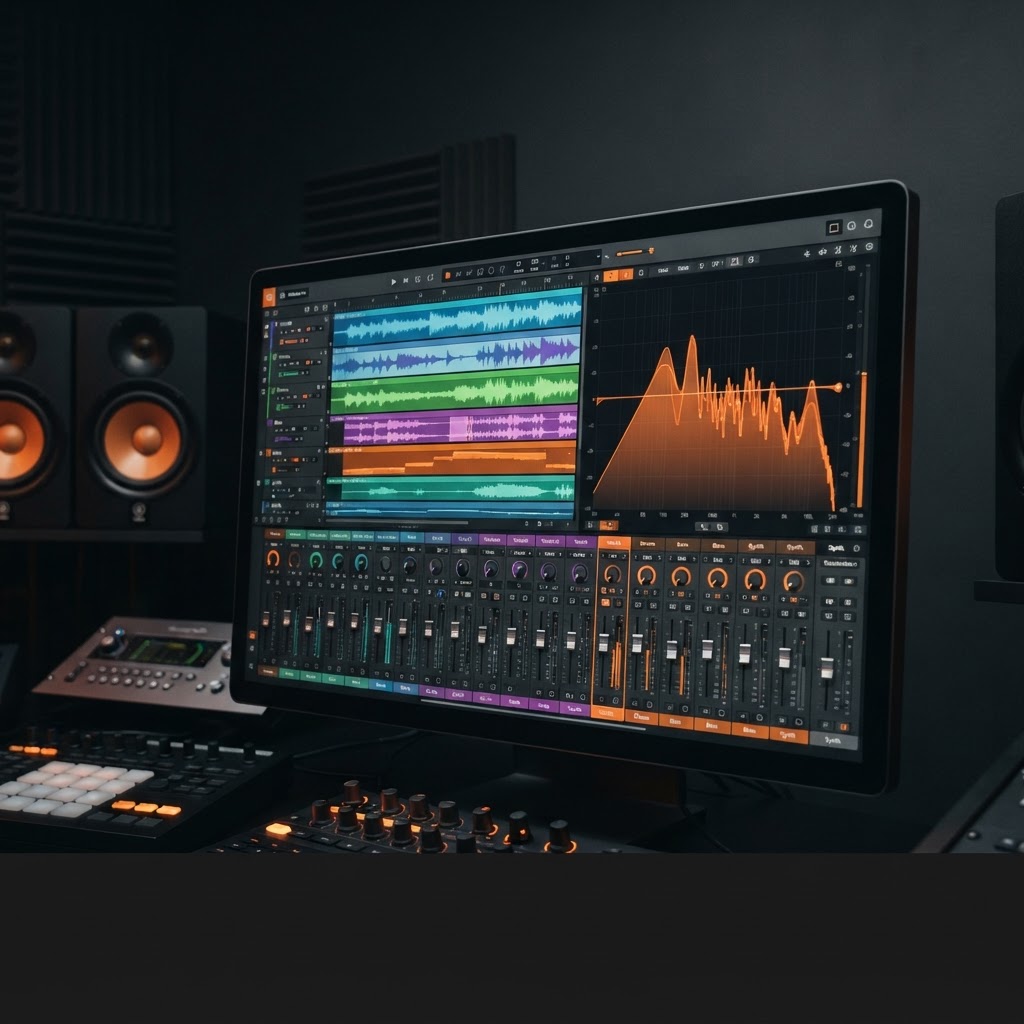
For decades, music production and audio mixing were considered mysterious, highly technical arts reserved for elite sound engineers, studio veterans, and well-funded record labels. Stepping into a traditional recording studio meant facing massive mixing consoles, racks of vintage outboard compressors, complicated signal routing, and software Digital Audio Workstations (DAWs) with hundreds of overwhelming knobs, sliders, and parametric equalizers. For aspiring musicians, content creators, YouTubers, and podcasters, learning to produce clean, professional-sounding audio required years of intense study and thousands of dollars in specialized equipment.
Fast forward to 2026. Artificial intelligence has fundamentally rewritten the rules of music production. What once took hours of meticulous manual frequency carving, gain staging, and key alignment can now be executed in seconds by intelligent machine learning models. Through advanced neural audio processing, ai music mixing has democratized sound design, giving beginners and independent creators the ability to mix tracks, align tempos, balance frequencies, and export studio-mastered audio streams effortlessly.
In this ultimate beginner’s guide, we will break down the fundamental principles of music mixing, examine how artificial intelligence simplifies complex audio engineering concepts, explore ai music production workflows, showcase how an ai mix generator works behind the scenes, and demonstrate how platforms like Jutoka empower anyone to create professional music mixes, lyric visualizers, and monetizable content with zero prior studio experience.
The Evolution of Music Production: From Analog Consoles to AI Neural Engines
To fully understand the monumental shift occurring in 2026, it helps to examine how music mixing has evolved over the past half-century across four distinct technological eras:
- Era 1: The Analog Magnetic Tape Era (1950s – 1980s): Engineers physically cut and spliced magnetic audio tape to make edits. Mixing required manual fader rides on large analog consoles like SSL or Neve, requiring multiple engineers to operate faders simultaneously during a live mixdown.
- Era 2: The Digital Audio Workstation (DAW) Revolution (1990s – 2010s): Computers introduced software multitrack recording (Pro Tools, Logic Pro, Cubase). While virtual plugins replaced heavy physical outboard gear, the fundamental mixing workflow remained manual, requiring deep technical expertise in software navigation.
- Era 3: Algorithmic & Preset-Based Mixing (2010s – 2022): Static software presets and basic automated mastering services emerged. However, these static presets lacked context sensitivity, often failing to adapt to unique vocal characteristics or complex acoustic arrangements.
- Era 4: Neural AI Music Mixing & Adaptive Intelligence (2023 – 2026+): Deep learning models trained on millions of multi-stem studio sessions analyze incoming audio dynamically. AI systems perform real-time spectral isolation, harmonic scale transposition, dynamic EQ sidechaining, and adaptive LUFS mastering in seconds.
What is Music Mixing? Core Audio Concepts Explained Simply
To appreciate how artificial intelligence transforms music production, one must first understand what music mixing actually is. In simple terms, music mixing is the process of taking multiple individual audio elements—such as vocals, drums, basslines, synthesizer leads, and sound effects—and blending them into a cohesive, balanced stereo or surround sound recording.
When unmixed audio tracks are played simultaneously, they often clash. Vocals might sound muffled underneath loud guitars, the kick drum might distort the sub-bass, or sudden volume spikes might clip the master channel. Audio engineers use five fundamental tools to solve these problems:
1. Gain Staging & Volume Balancing
Gain staging is the foundation of every mix. It involves adjusting the volume level of each track so that no single element overpowers the rest, while maintaining sufficient digital headroom (preventing the master audio meter from hitting 0 dB and causing harsh digital distortion).
2. Parametric Equalization (EQ)
Equalization is the process of boosting or cutting specific frequency bands (Low, Mid, and High frequencies). For example, cutting muddy low frequencies (200 Hz – 400 Hz) from vocal tracks prevents them from fighting with the bassline, allowing the voice to sound crisp and clear.
3. Dynamic Range Control & Compression
Compression smooths out volume fluctuations. It attenuates loud audio spikes and boosts quieter passages, creating a consistent, polished dynamic range across the entire song or audio mix set.
4. Spatial Placement (Panning, Reverb & Delay)
Panning distributes audio across the left and right stereo speakers, creating a wide acoustic soundstage. Reverb and delay add spatial depth, giving listeners the illusion that instruments are performing in a lush concert hall, intimate studio, or ambient cathedral.
5. BPM Beat-Matching & Harmonic Key Alignment
For DJs, YouTubers, and mix curators, blending multiple songs into a continuous stream requires two critical steps: matching the tempos (Beats Per Minute or BPM) and aligning the musical keys (harmonic scale pitch) so transitions sound smooth and pleasant rather than dissonant.
The Frequency Spectrum Field Guide: How AI Equalizes Sound
Audio frequencies are measured in Hertz (Hz) and Kilohertz (kHz), spanning the human hearing range from 20 Hz to 20,000 Hz (20 kHz). Traditional mixing required engineers to memorize frequency zones to fix audio flaws. Modern AI mixing engines analyze these frequency bands automatically:
| Frequency Band | Frequency Range | Audio Instruments Involved | AI EQ Optimization Action |
|---|---|---|---|
| Sub-Bass | 20 Hz – 60 Hz | Sub-bass synths, 808 kick drums | Removes rumble below 30 Hz; stabilizes sub-headroom |
| Bass & Low-End | 60 Hz – 250 Hz | Bass guitar, kick drum punch, low synth notes | Separates kick drum from bassline using dynamic notch filtering |
| Low-Mids (Mud Zone) | 250 Hz – 500 Hz | Vocal body, acoustic guitar body, snare drum boxiness | Carves out boxy resonances to create mix clarity and warmth |
| Mid-Range | 500 Hz – 2 kHz | Lead vocals, piano core, brass, guitar riffs | Balances presence so lead vocals sit forward in the stereo field |
| Upper-Mids (Presence) | 2 kHz – 6 kHz | Vocal articulation, snare snap, guitar bite | Tames harsh sibilance while maintaining vocal intimacy |
| Highs & Air Zone | 6 kHz – 20 kHz | Hi-hats, cymbals, vocal breath air, synth sizzle | Applies gentle high-shelf smoothing for silky sheen without harshness |
The Traditional Mixing Bottleneck vs. The AI Revolution
Historically, mastering these mixing disciplines required years of ear training and trial-and-error experimentation inside complex software like Ableton Live, Logic Pro, Pro Tools, or FL Studio. Beginner producers faced steep technical hurdles:
- Masking & Frequency Clashes: Identifying overlapping frequencies without visual spectral analyzers was difficult for untrained ears.
- Over-Compression Artifacts: Applying too much compression resulted in flat, lifeless, or distorted audio recordings.
- Loudness Wars & Streaming Penalty: Failing to balance integrated loudness (LUFS) resulted in streaming platforms like YouTube or Spotify automatically lowering video playback volume.
- Time-Consuming Manual Editing: Manually keyframing volume faders, splicing audio clips, and beat-matching tracks took up to 10 hours per project.
“The power of AI music mixing in 2026 is not about replacing human creativity; it is about removing technical friction. AI tools handle the complex mathematical processing of frequencies and dynamics, leaving creators free to focus on mood, storytelling, and artistic curation.”
By leveraging neural audio algorithms, modern beginner music production tools analyze spectral density, track energy, and harmonic structures in real time, executing studio-grade adjustments instantly.
How AI Music Mixing Works Behind the Scenes
How does an ai mix generator transform raw audio files into a polished, professional mix? Behind the user interface lies sophisticated machine learning technology trained on millions of studio-mastered audio stems and professional record releases.
1. Spectral Analysis & Frequency Profiling
When you import audio tracks into an AI mixing system, the algorithm performs instant fast-Fourier transform (FFT) analysis. It calculates the frequency distribution, identifying mud in the lower-mids, harshness in the high-frequency range, and phase relationships between audio channels.
2. Neural Stem Isolation
One of the most revolutionary breakthroughs in 2026 is neural stem separation. Advanced deep learning models can take a single mixed stereo WAV or MP3 file and isolate four distinct audio stems: Vocals, Drums, Bass, and Melodic Instruments. This allows creators to adjust vocal levels, create karaoke versions, or remix instrumental backing tracks effortlessly.
3. Algorithmic Harmonic Key Transposition
To blend tracks seamlessly, AI mix generators evaluate the key of each song along the Camelot Wheel (e.g., 8A / A Minor). If Track A is in A Minor and Track B is in E Minor, the AI system automatically pitch-shifts Track B by the exact required semitones, producing a harmonic transition without audio distortion.
4. Intelligent Crossfading & Transition Curves
Rather than using basic linear volume crossfades that create sudden drops in energy, AI crossfade engines apply non-linear, adaptive transition curves (S-curves and logarithmic fades). The AI evaluates track energy peaks, waiting for breakdown sections or beat drops to transition smoothly.
5. Dynamic LUFS Normalization & Limiting
To ensure your final mix sounds clear on headphones, phone speakers, and high-end sound systems, AI audio engines apply adaptive peak limiters and multiband compressors. The final output is mastered to ideal loudness standards (-14 LUFS integrated for YouTube and Spotify), preventing volume spikes or flat playback penalties.
Deep Dive: Jutoka’s AI Mix Generator Features
When it comes to beginner-friendly, accessible ai music tools, Jutoka leads the industry in combining advanced audio engineering capabilities with a seamless user experience. Designed specifically for content creators, independent musicians, YouTubers, and podcasters, Jutoka turns complex mixing into a fast, effortless workflow.
Jutoka features a high-performance creator workspace accented in energetic signature orange (#F28546), symbolising speed, innovation, and creative freedom. Key features in Jutoka’s AI music suite include:
1. One-Click Continuous Mix Generator
Whether you want to create a 30-minute lofi study mix, a high-energy EDM workout set, or an ambient meditation soundtrack, Jutoka’s AI mix generator takes your playlist of audio tracks and automatically handles BPM matching, key alignment, and transition crossfades in seconds.
2. Real-Time Vocal & Stem Mixing
Want to record or drop custom vocals over an instrumental beat? Jutoka’s AI stem mixing engine detects vocal frequencies, automatically carves an EQ pocket in the background instrumental, applies studio reverb, and sidechain-compresses background instruments when the vocalist speaks or sings.
3. Integrated Audio-Reactive Visualizers
Music visual presentation matters just as much as audio quality. Jutoka pairs its audio mix generator with dynamic, audio-reactive 4K visualizers. As sub-bass frequencies hit, visual particles, lighting rings, and background textures pulse in perfect synchronicity with your music.
4. Automated Lyric Video Synchronization
Turn your audio mix or original song into an eye-catching lyric video instantly. Jutoka’s neural engine transcribes vocal stems, generates animated kinetic typography, aligns timestamps down to the millisecond, and renders studio-quality lyric videos ready for YouTube and TikTok.
Step-by-Step Guide: Creating Your First AI Music Mix with Jutoka
Ready to create your first professional audio mix set? Follow this step-by-step tutorial to produce, visualize, and render a high-quality music mix using Jutoka:
- Step 1: Import Your Audio Tracks
Log into your Jutoka workspace and upload your selected audio files (WAV or MP3 format). Whether you have 3 tracks or 20 tracks, Jutoka’s cloud engine ingests and analyzes them instantly.
- Step 2: Automated AI Analysis
Jutoka automatically scans each track, detecting its precise Beats Per Minute (BPM), musical key signature, dynamic volume level, and stem composition.
- Step 3: Select Your Mix Genre & Energy Preset
Choose a mixing profile tailored to your content style (e.g., “Chill Lofi Crossfade”, “High Energy EDM Drop”, “Ambient Fade”, or “Podcast Vocal Ducking”). Jutoka configures transition lengths and EQ curves based on your selection.
- Step 4: Generate Seamless Audio Transitions
Click “Generate Mix.” Jutoka’s AI engine calculates optimal transition points, snaps beat grids together, transposes keys, and applies smooth crossfades between tracks.
- Step 5: Add Audio-Reactive Visuals or Lyric Captions
Select a 4K visualizer style or enable automated lyric animation. Customize text fonts, background scenes, and brand color accents (such as signature orange #F28546) to match your channel branding.
- Step 6: Export Studio-Mastered Audio & Video
Export your finished video in 4K resolution or download lossless WAV audio files engineered to -14 LUFS standards, fully ready for YouTube monetization and multi-platform publishing.
Comparing AI Music Mixing with Traditional DAWs
To help you decide when to use traditional DAW software versus an AI-powered platform like Jutoka, review this comprehensive comparison breakdown:
| Production Factor | Traditional DAWs (Ableton, Logic, FL Studio) | AI-Powered Platforms (e.g., Jutoka) |
|---|---|---|
| Learning Curve | Steep (Months to Years of Study) | Minimal (Beginner-Friendly in 10 Minutes) |
| Time to Produce a Mix | 3 to 8 Hours per Mix Set | 10 to 15 Minutes per Mix Set |
| BPM & Beat Matching | Manual Warp Marker Positioning | Automated AI Transient Analysis |
| Harmonic Key Transposition | Manual Pitch Shifting & Tuning | Instant AI Scale & Key Transposition |
| Visualizer & Video Sync | Requires Separate NLE Software (After Effects) | Built-in Audio-Reactive 4K Visualizer Engine |
| Hardware Requirements | High-End PC / Mac with GPU & Audio Interface | Browser-Based Cloud Processing (Any Laptop) |
| Overall Cost | $300 – $1,000+ (DAW + Plugins + Hardware) | Accessible Unified Subscription |
Creating Custom DJ Mix Sets, Podcast Intros, & Fitness Playlists
AI music mixing is not limited to YouTube video channels. Beginners and creative professionals deploy Jutoka across multiple audio use cases:
- DJ Sets & Club Mixes: Assemble 1-hour club mixes with automated beat snapping and harmonic key alignment, allowing bedroom DJs to publish promotional sets on SoundCloud and Mixcloud.
- Podcast Intros & Outros: Blend speech intros seamlessly over energetic instrumental background tracks using automated sidechain ducking.
- Fitness & Yoga Class Playlists: Build custom music mixes that gradually ramp up BPM during high-intensity interval training (HIIT) segments and gently ramp down during cooldown periods.
Troubleshooting Common Audio Mixing Mistakes
Even with AI handling processing, keeping these practical troubleshooting rules in mind will keep your mixes sounding pristine:
- Fixing Low-End Muddy Audio: If kick drums and basslines sound boomy or distorted, enable Jutoka’s automated high-pass filter preset to roll off sub-frequencies below 35 Hz.
- Preventing Harsh Vocal Sibilance: If vocal “S” and “T” sounds pierce listener ears, activate Jutoka’s dynamic de-esser module to soften high-frequency spikes.
- Avoiding Over-Mastering & Flat Dynamics: If your music mix lacks impact, avoid double-limiting audio files that have already been studio-mastered. Allow Jutoka’s adaptive limiting engine to maintain natural dynamic range.
Essential Audio Mixing Best Practices for Beginners in 2026
While AI handles the heavy mathematical processing, applying a few timeless audio mixing rules will elevate your output quality even further:
- Source High-Quality Audio Stems: Garbage in, garbage out. Always use clean, high-bitrate audio files (320 kbps MP3 or 24-bit WAV) as input files to ensure maximum clarity after AI processing.
- Protect Headroom and Avoid Clipping: Never push raw audio volume faders into red clipping zones (+0 dB). AI limiters work best when provided with -3 dB to -6 dB of headroom.
- Group Compatible Musical Genres: While AI engines can align disparate tempos, mixing wildly different genres (like 70 BPM Acoustic Folk into 150 BPM Hardstyle EDM) can sound unnatural. Pair complementary sub-genres for best results.
- Optimize for Mobile Speakers: Over 70% of viewers listen to content on mobile phones or earbuds. Always double-check your mix output on simple earphones to verify vocal clarity and bass balance.
- Respect Platform Loudness Standards (-14 LUFS): Uploading audio that is overly loud results in streaming algorithms applying harsh volume suppression. Rely on Jutoka’s automated LUFS mastering to guarantee optimal playback levels.
Monetizing AI Music Mixes & Content Channels
Mastering AI music mixing opens up lucrative monetization opportunities across social video platforms, streaming services, and digital marketplaces:
1. 24/7 Live Music Streams on YouTube
Creators use Jutoka’s AI mix generator to produce continuous 12-hour audio streams (Lofi, Synthwave, Ambient Study) and broadcast them as 24/7 YouTube live streams, earning substantial passive AdSense revenue and SuperChat donations.
2. Lyric Video Channel Network
By pairing AI music mixes with Jutoka’s automated lyric video creator, YouTubers launch niche lyric channels. Synchronized lyric videos achieve high viewer retention rates, attracting brand sponsorships and AdSense income.
3. Custom Mixes for Podcasters & Fitness Instructors
Fitness instructors, yoga studios, and podcasters pay creators to assemble custom, seamlessly crossfaded background audio mixes tailored to specific workout routines or episode durations.
4. Selling Royalty-Free Sound Packs
Assemble custom AI-generated music loops, drum stems, and background soundscapes into royalty-free audio packs, selling them directly on platforms like Etsy, Gumroad, or personal storefronts.
Advanced Audio Engineering Mechanics Demystified
For creators interested in understanding the deeper mechanics of audio signal processing, let us explore how AI algorithms handle three complex engineering challenges:
1. Dynamic Multiband Compression
Standard compressors treat the entire frequency spectrum equally. If a kick drum hits hard, a standard compressor turns down the whole track, causing vocals to “pump” unnaturally. AI multiband compressors divide audio into distinct frequency bands (Sub, Low, Mid, High), compressing only the offending frequency band without affecting vocal clarity.
2. Phase Cancellation Correction
When two audio signals share similar frequencies but play slightly out of phase, their sound waves cancel each other out, causing the audio to sound hollow or thin. AI phase alignment tools detect phase discrepancies between left and right channels, shifting micro-delay alignments to restore full, punchy stereo width.
3. Dynamic EQ Sidechaining
When a podcaster or singer speaks over background music, the music must temporarily duck in volume so the voice remains intelligible. AI dynamic EQ sidechaining carves out a surgical frequency notch (specifically around 1 kHz – 3 kHz) in the background music only when vocals are detected, creating a crystal-clear mix without lowering overall music energy.
Frequently Asked Questions (FAQ)
1. Do I need expensive studio headphones or audio gear to mix music with AI?
No. Because cloud platforms like Jutoka perform all frequency analysis, spectral balancing, and LUFS mastering algorithmically in the cloud, you do not need expensive studio monitors or acoustic room treatment. Standard consumer headphones or earbuds are entirely sufficient.
2. Does AI music mixing ruin the artistic feel or soul of music?
Not at all. AI is an assistant tool that eliminates tedious technical chores like manual beat matching, gain staging, and file conversion. You retain full creative control over track selection, mood pacing, transition styles, and visual aesthetics.
3. Can I mix my own vocal recordings over AI-generated background music in Jutoka?
Yes! Jutoka allows you to upload recorded vocal tracks or voiceovers. The AI engine automatically detects vocal pitch and cadence, balances volume levels, applies EQ spatial separation, and blends your voice seamlessly over the background instrumental.
4. What is LUFS and why is it important for YouTube and Spotify music mixes?
LUFS stands for Loudness Units Relative to Full Scale. It is the global standard for measuring perceived audio loudness across digital platforms. YouTube and Spotify normalize all uploaded audio to -14 LUFS integrated. If your mix is too loud, platform algorithms compress and turn down your audio, causing it to sound flat. Jutoka automatically masters all exports to exact -14 LUFS standards.
5. Can I export separate audio stems from my Jutoka music mixes?
Yes. Jutoka allows creators to export full stereo master tracks, individual audio stems (Vocals, Drums, Bass, Melodic elements), or paired 4K video files for complete publishing flexibility.
6. How does AI handle tempo changes between fast and slow tracks?
AI mix engines utilize time-stretching algorithms that alter track tempo without modifying pitch scales. When transitioning from a 120 BPM track to a 128 BPM track, Jutoka gradually ramps the tempo across the crossfade window, producing a natural, imperceptible acceleration.
7. Can I use AI music mixes commercially on monetized YouTube channels?
Yes. Content produced and mixed using Jutoka includes commercial monetization rights, ensuring that your YouTube uploads generate AdSense revenue without copyright claims or strikes.
Conclusion: The Future of Music Production is Here
The days when music mixing required years of confusing technical study, expensive software plugins, and endless trial-and-error editing are officially behind us. In 2026, artificial intelligence grants every creative individual the power to produce studio-grade audio, seamless music mixes, and stunning lyric videos with confidence.
By understanding basic mixing principles, leveraging neural audio engines, and utilizing unified creator platforms like Jutoka, you can bring your musical vision to life, build an engaged digital audience, and unlock scalable revenue opportunities.
Experience the future of music production for yourself. Visit Jutoka.com today and start creating your first AI-powered music mix in minutes!
Leave a Reply